3-40
95-8533
18.2
The enclosure should be rated for the
temperature range of the location plus the
temperature rise of all equipment installed
inside the enclosure. The enclosure must be
rated for electrical equipment that is going to
be installed.
NOTE
It is recommended to maintain a
minimum of four inches clearance
between the module and other
equipment to provide adequate room for
wiring and ventilation.
WIRING
All electrical connections are made to the field
wiring connectors furnished with the module.
(Connectors accept up to 12 AWG wire.) Refer
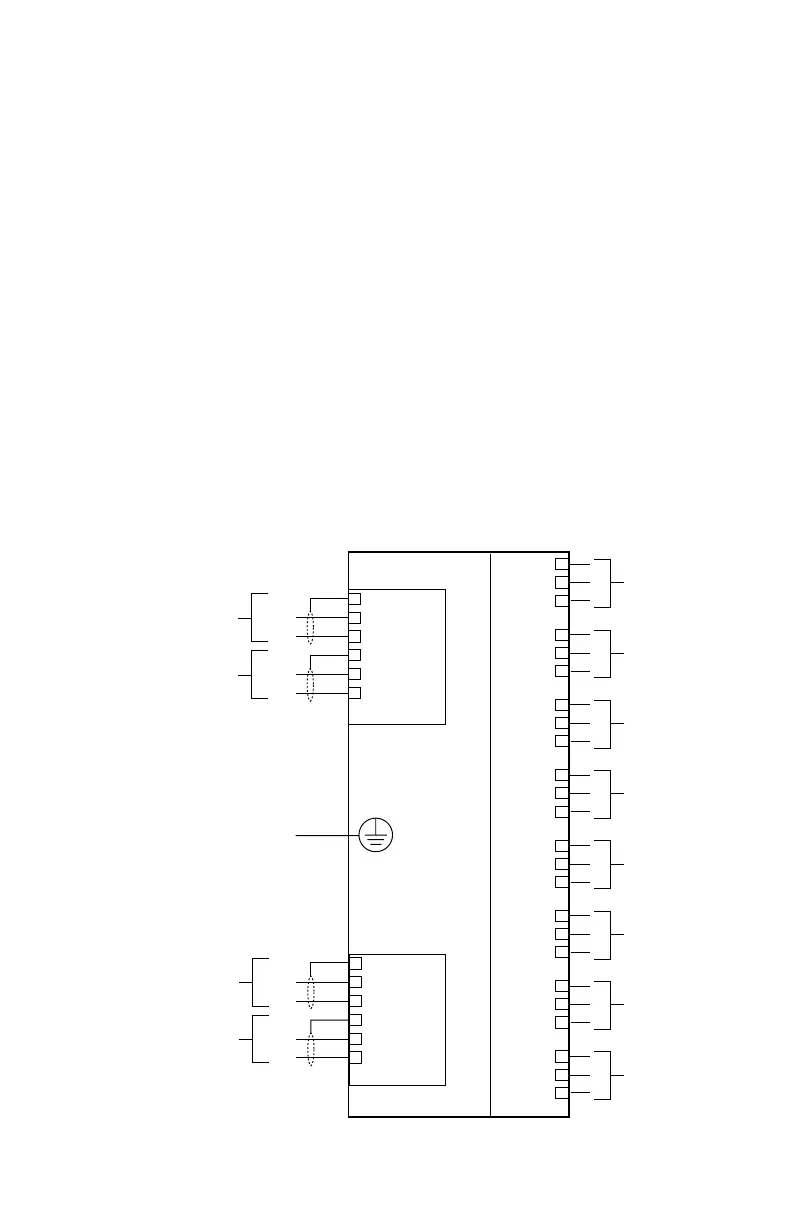
to Figure 3-45 for identification of module
wiring terminals.
Power Connector — Terminals 1 to 6
24 Vdc Power Input
1 — +
2 — –
3 — Shield*
4 — +
5 — –
6 — Shield*
*Shields on power wires are optional unless
required by local codes.
Connect the module power supply to terminals
1 and 2. If additional terminals are required for
powering other devices, these devices should
be connected to terminals 4 and 5. Shields are
to be connected to terminals 3 and 6.
CHANNEL 8
CHANNEL 7
CHANNEL 6
CHANNEL 5
CHANNEL 4
CHANNEL 3
CHANNEL 2
CHANNEL 1
COM
6
5
4
3
2
1
COM 2 SHLD
COM 2 B
COM 2 A
COM 1 SHLD
COM 1 B
COM 1 A
SHLD
B
A
SHLD
B
A
LON FROM
PREVIOUS DEVICE
LON TO
NEXT DEVICE
POWER
6
5
4
3
2
1
SHLD
–
+
SHLD
–
+
SHLD
*
–
+
SHLD
*
–
+
24 VDC
INPUT VOLTAGE
24 VDC
INPUT VOLTAGE
EQ3710AIM
TO
EARTH
GROUND
+ SUPPLY A
4-20 MA IN B
COMMON C
+ SUPPLY A
4-20 MA IN B
COMMON C
+ SUPPLY A
4-20 MA IN B
COMMON C
+ SUPPLY A
4-20 MA IN B
COMMON C
+ SUPPLY A
4-20 MA IN B
COMMON C
+ SUPPLY A
4-20 MA IN B
COMMON C
+ SUPPLY A
4-20 MA IN B
COMMON C
+ SUPPLY A
4-20 MA IN B
COMMON C
1
2
3
4
5
6
7
8
9
10
11
12
13
14
15
16
17
18
19
20
21
22
23
24
* SHIELDS ON POWER WIRES ARE OPTIONAL
UNLESS REQUIRED BY LOCAL CODES.
Figure 3-45—Analog Input Module Wiring Terminal Conguration



 To Next Page