4-2
95-8533
18.2
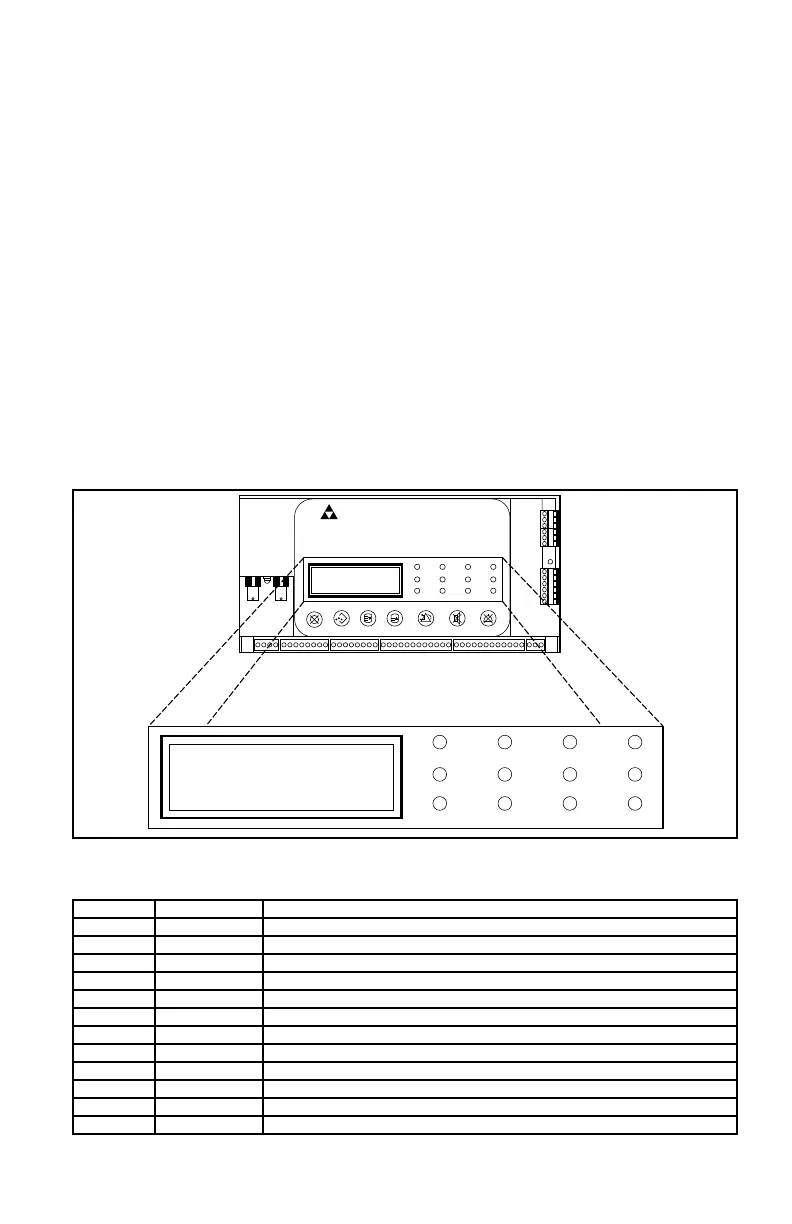
CONTROLLER STATUS INDICATORS
System status is visually displayed on the
Controller in two ways — through the use of
a Text Display (see Figure 4-2), and through
colored LED’s (see Table 4-1). The following
paragraphs describe these indicators and the
function of each.
TEXT DISPLAY
The Controller uses a text based display to
show current system status, active Alarms and
Faults.
When an alarm or trouble condition occurs,
the display scrolls a detailed message of the
condition, including tag number, condition
(alarm, trouble, supervisory etc.) and time/
date. If multiple alarms or trouble conditions
exist, the display scrolls through all active
status conditions until they go inactive and are
reset using the controller pushbutton.
CONTROLLER MENU OPTIONS
The Controller is designed to display system
status and device related information. The
following paragraphs describe how to move
around within the controller’s menu structure
to access this information and perform minor
system settings (see Figure 4-3).
NOTE
During normal operation (no alarms or
trouble conditions occurring), the display
scrolls current system time and date.
Main Menu displays a list of options to access
information types available for display through
the Controller. This list also includes access to
options used to set system date and time, and
diagnostics options.
Fire Alarm Inhibit Power
SuprHigh Gas
Trouble
Cntrl Flt
Lon FaultLow Gas Ack Silence
Out Inhibit
Eagle Quantum Premier
Time & Date
EAGLE QUANTUM PREMIER
Safety System Controller
Fire Alarm Inhibit Power
SuprHigh Gas
Trouble
Cntrl Flt
Lon FaultLow Gas Ack Silence
Out Inhibit
Eagle Quantum Premier
Time & Date
Cancel Enter Next Previous Reset Acknowledge Silence
DET-TRONICS
®
Figure 4-2—EQP Controller Message Display and System Status Indicator Location
Table 4-1—EQP Controller LED System Status Indicators
LED Function Status
Green Power On when power is applied.
Red Fire Alarm On (latched) when any fire alarm is active (Fire detected).
Amber Trouble On (latched) when a fault is detected in the system. (Indicates "Trouble" relay state.)
Amber Ack On when the Acknowledge button is pressed.
Amber Silence On when Silence pushbutton is pressed.
Amber Inhibit On when any input channel is inhibited.
Amber Out Inhibit On when any output is inhibited.
Red High Gas On (latched) when any gas detector is at or above the High gas alarm value.
Red Low Gas On (latched) when any gas detector is at or above the Low gas alarm value.
Amber Supr On (latched) when any Supervisory input is active.
Amber LON Fault On when a LON fault is detected (open or short).
Amber Contrl Fault On when a processor fault occurs.



 To Next Page