Advanced copy operations
6
ineo 163/213 6-15
* To copy double-sided documents using the original glass, press the [Simplex/Duplex] key, and
then select "1-SIDE%2-SIDE" to scan the front and back sides of the document in order.
Precautions on double-sided copying
Double-sided copying is not possible under the following conditions:
- Double-sided documents are loaded into the automatic document
feeder.
- Documents of mixed widths are loaded into the document feeder.
- The manual bypass tray is selected.
- Special paper (cards, OHP transparencies, envelopes, or label sheets) is
loaded.
- The paper type setting is "1-SIDE".
- Paper with a width less than 140 mm is selected.
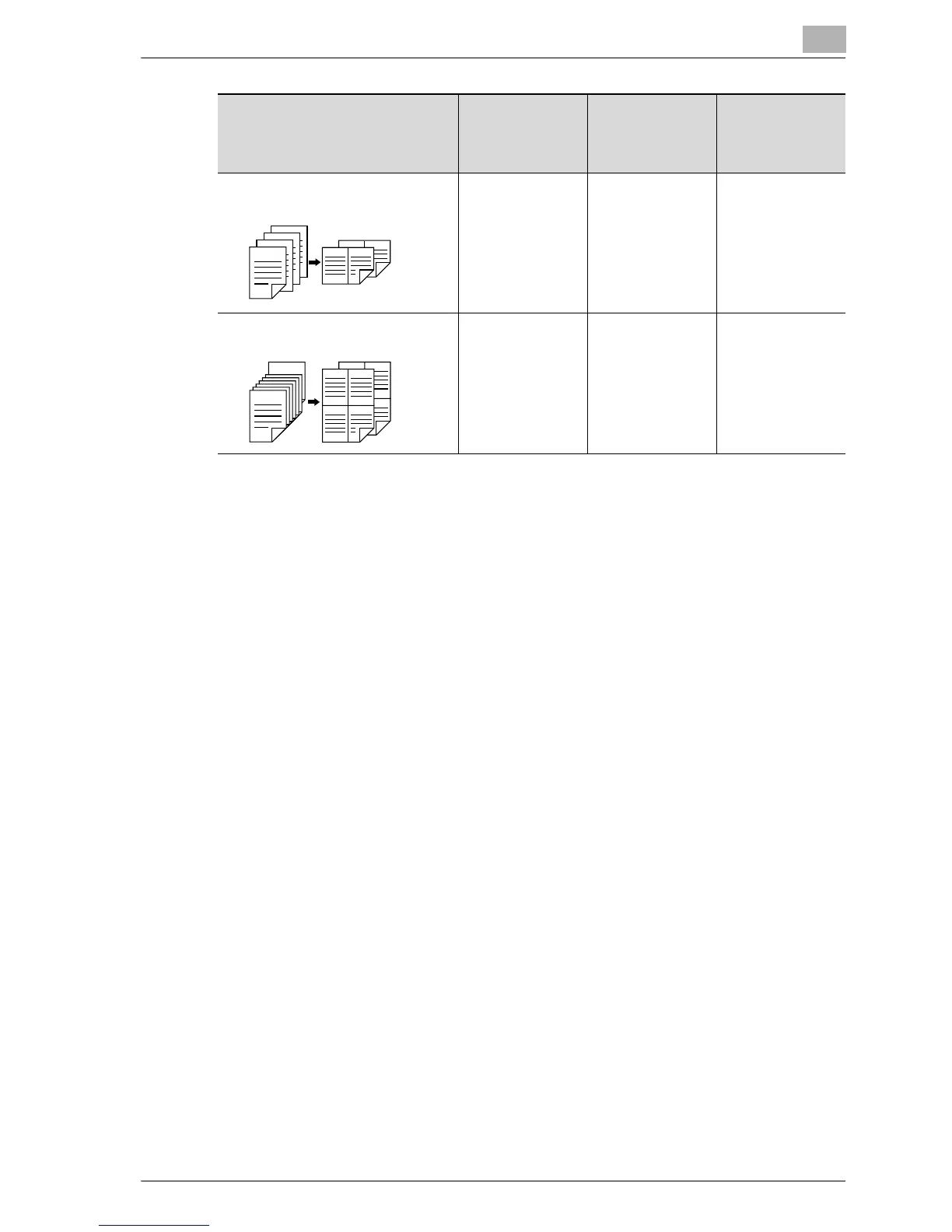
Double-sided documents % 2in1
double-sided copies
o* eo
Double-sided documents % 4in1
double-sided copies
o* eo
Double-sided copy methods Original cover
OC-504
Automatic doc-
ument feeder
DF-502
Reverse
automatic docu-
ment feeder
DF-605
7
1
5
1
3
1
2
1
1
7
12
65
3
12
21
2
15
2
1
1
15
34
12
3
12
10
9
7
34
43
12
21










 To Next Page