Precaution
3
ineo 163/213 3-17
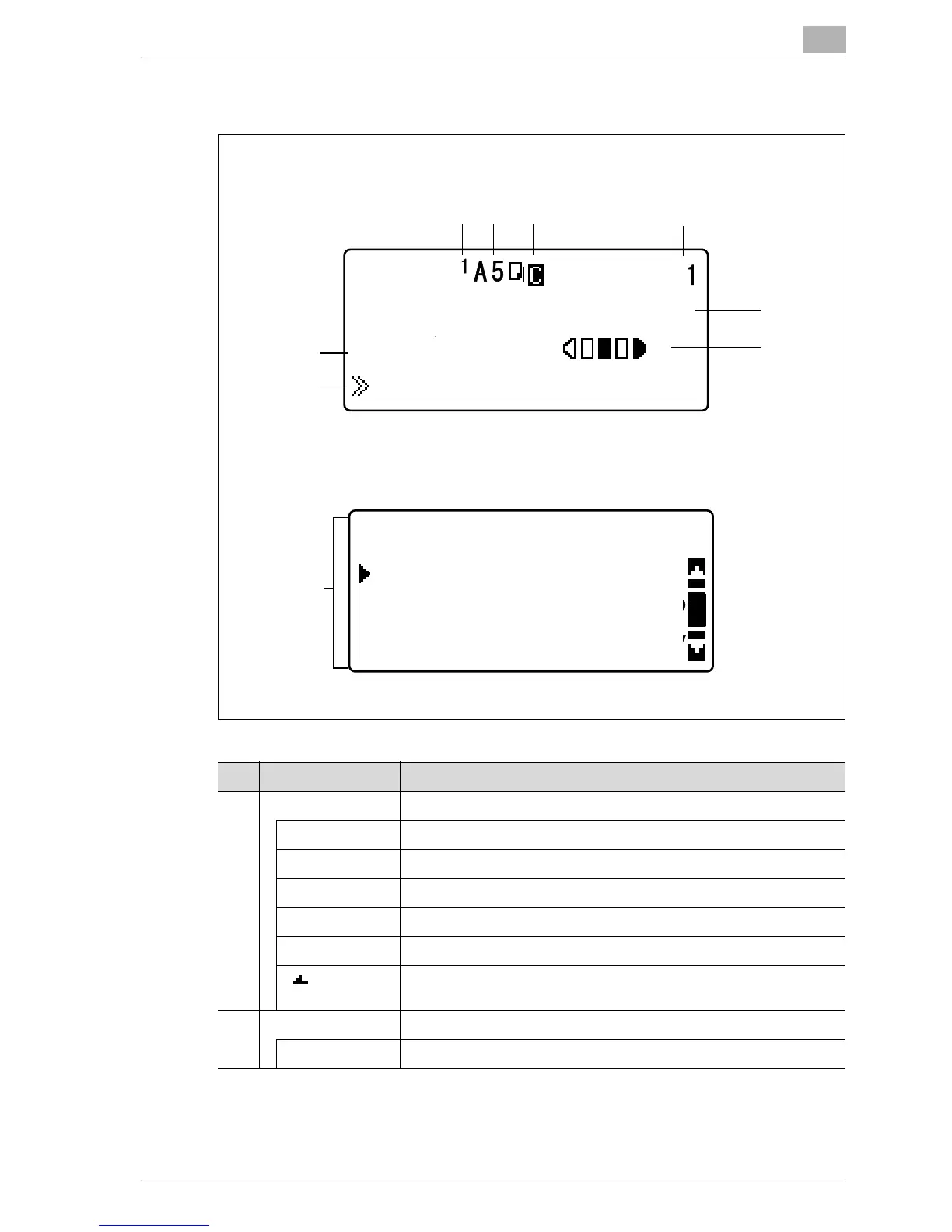
Display indications
Copy mode screen
UTILITY MODE screen
12 3
4
5
6
7
8
9
PAPER:
ZOOM :AUTO
TEXT/PHOTO
Paper Empty
UTILITY MODE
PAPER SOURCE SETUP
MACHINE SETTING
CUSTOM SIZE MEMORY
No. Display indication Description
1 Paper source Indicates the paper drawer that is selected.
1 Indicates that the 1st paper drawer is selected.
2 Indicates that the 2nd paper drawer is selected.
3 Indicates that the 3rd paper drawer is selected.
4 Indicates that the 4th paper drawer is selected.
5 Indicates that the 5th paper drawer is selected.
Indicates that the manual bypass tray or the multi bypass tray is se-
lected.
2 Paper size Indicates the paper size that is selected.
[X/Y] A custom paper size is specified.










 To Next Page