When a message appears
8
ineo 163/213 8-5
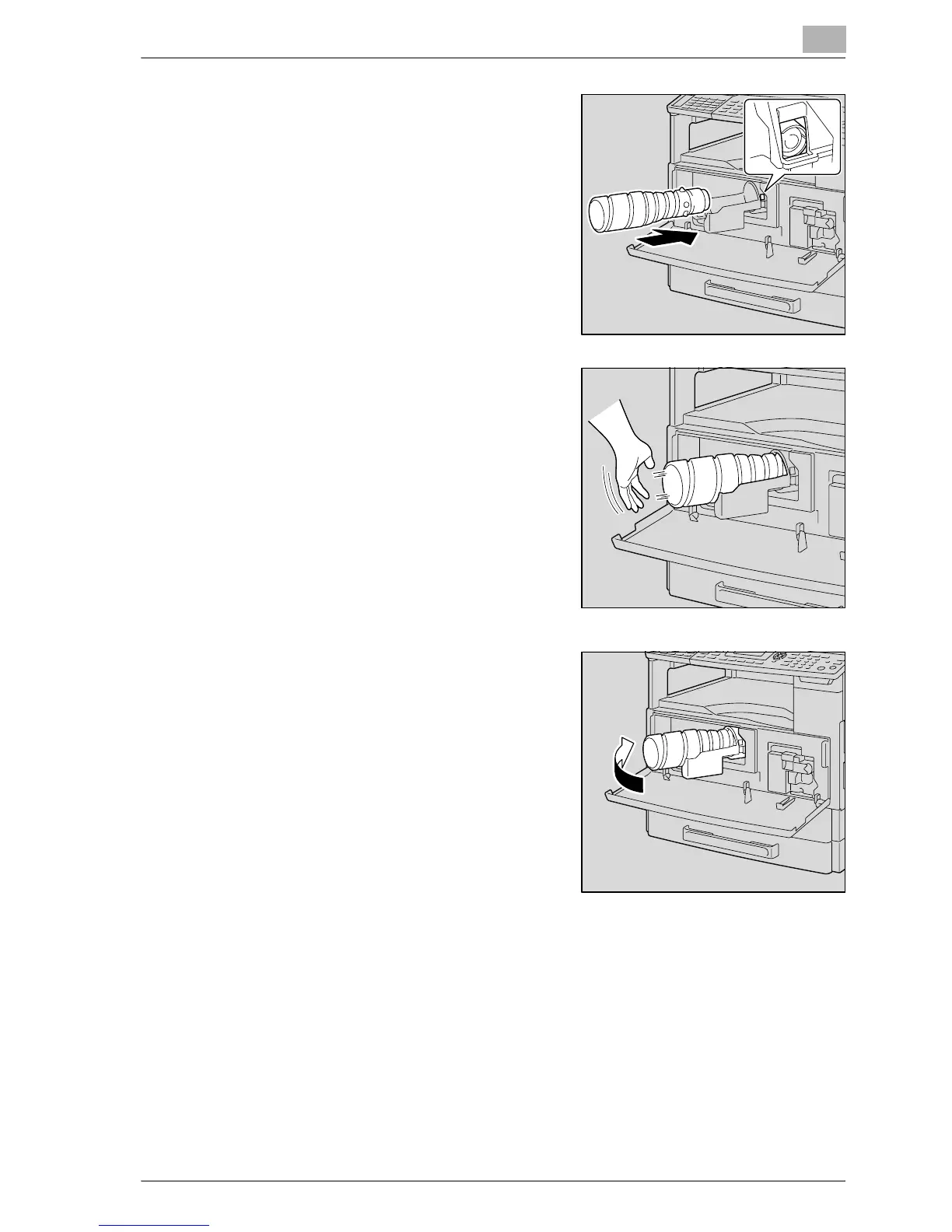
4 With the side of the toner bottle
marked "UP" facing up, insert the
toner bottle into the toner bottle
holder.
– As shown at the right, the tab on
the toner bottle should securely
fit into the notch in the toner
bottle holder.
5 Lightly tap the bottom of the toner
bottle three or four times.
6 Close the toner bottle holder, and
then close the front door.
– When the front door is closed,
toner replenishing automatically
begins.
!
Detail
If the copy is faint immediately after the toner bottle is replaced, select
the "TONER REPLENISHER" function in Utility mode. For details, refer to
"Replenishing toner ("TONER REPLENISHER" function)" on page 7-33.










 To Next Page