About the Control Panel 2-9
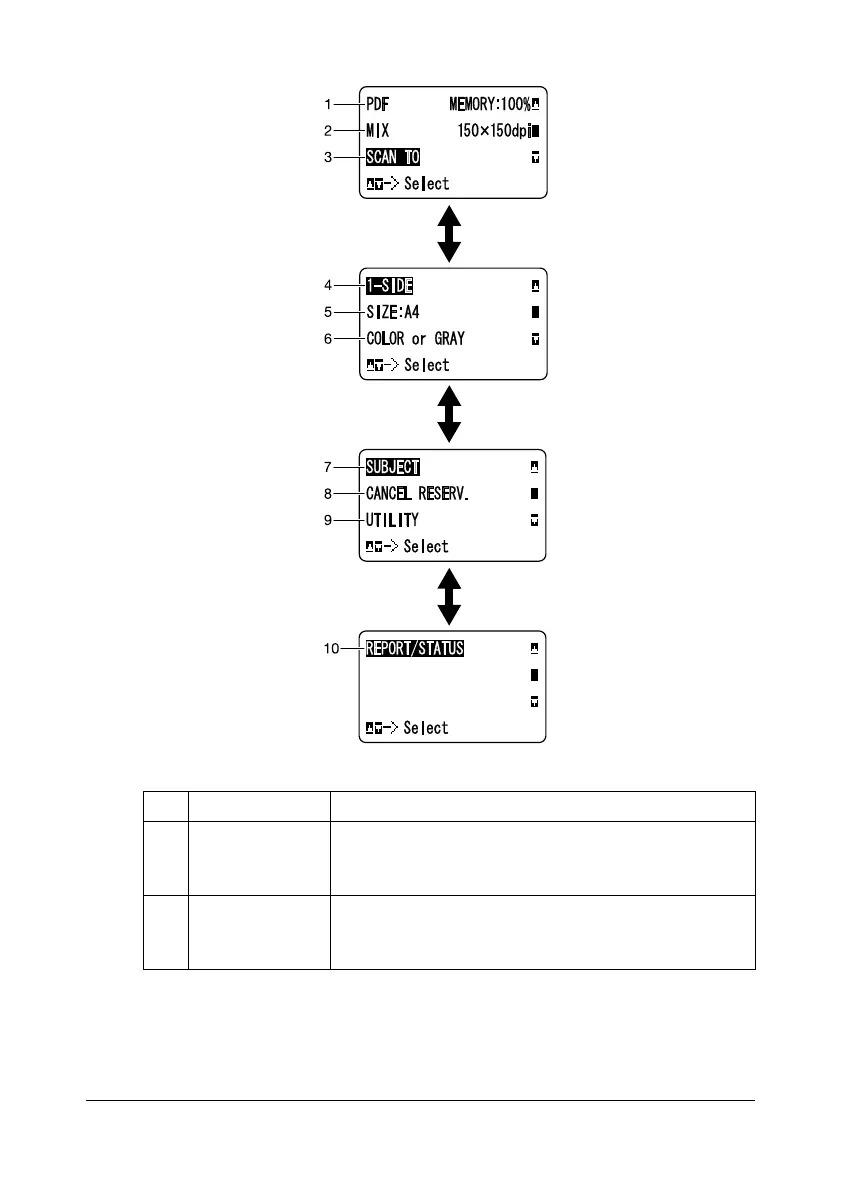
- Scan settings
No. Indication Description
1 Data format Indicates the data format that is selected. For
details on selecting the data format, refer to “Select-
ing the Data Format” on page 7-27.
2 Scan quality Indicates the scan quality that is selected. For
details on selecting the scan quality, refer to
“Selecting the Scan Quality Setting” on page 7-28.
Press +/,
Press +/,
Press +/,










 To Next Page