Operation Manual D900
49-MD900EN05
18
2.8.1.9.Quick Price Change of an article
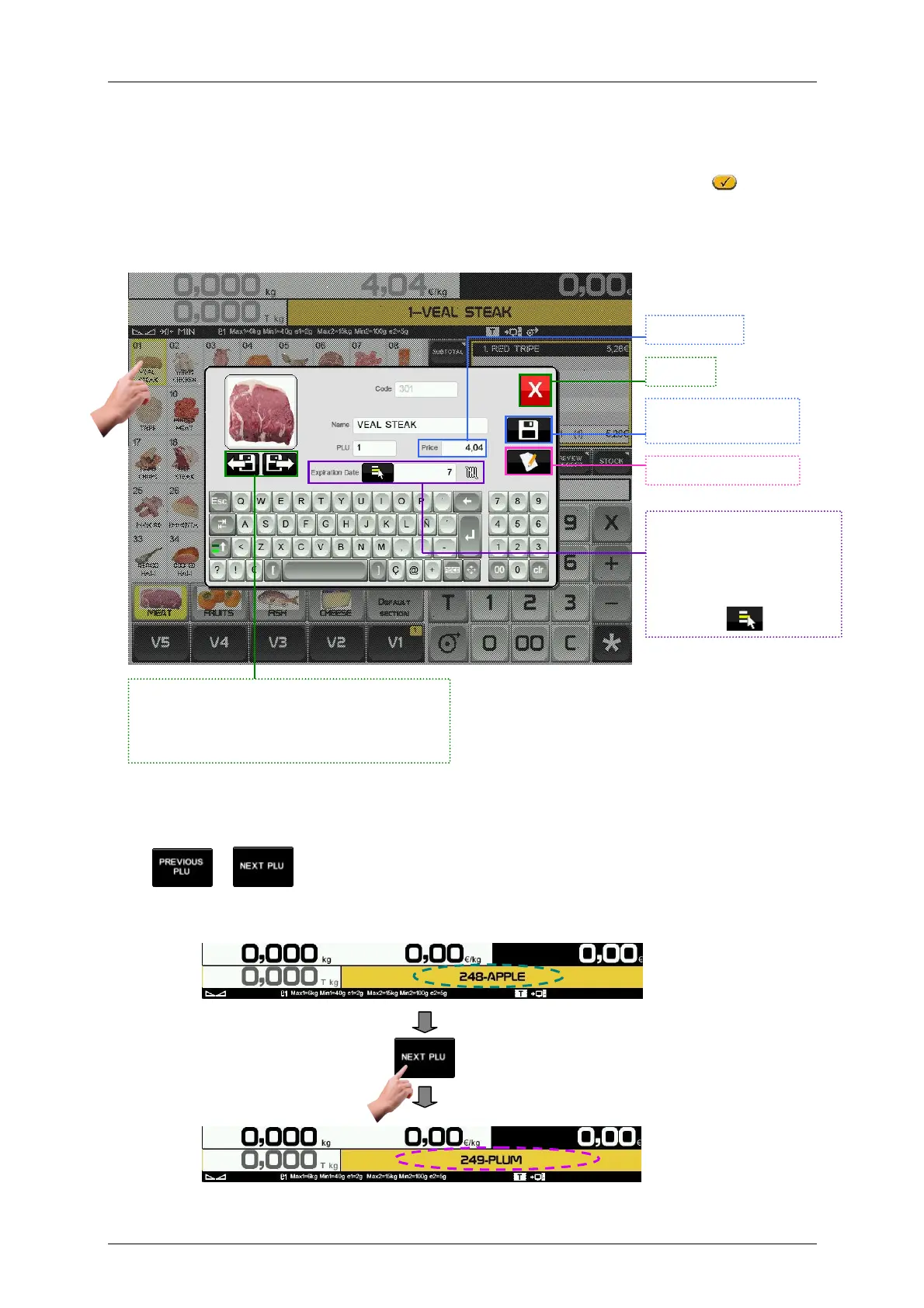
It is possible to see and edit some parameters of the PLU in the sales screen. To do it, the parameter
Alter Price must be enabled (User menu Articles Article edition, Others Alter Price
)
.
Keep pressed the PLU key for 2 seconds, the screen for article data edition will be shown:
Enter article expiration date. We can change between number of days, date or number of minutes and
hours clicking in
2.8.1.10.Next/Previous PLU
Press or to select the next/previous article by code order.
Close
Save changes and
exit.
Edit the article
PLU Price
Press this buttons to go to the next/previous
article by code order. The current article will be
saved with the changes we have done.
Enter article expiration
date. We can change
between number of days,
date or number of
minutes and hours
clicking in .



 To Next Page