Manual D900 Operation
49-MD900EN05
19
2.8.1.11.Only codes
This option allows to insert code numbers without having to press the key .
To activate this mode go to Technical Menu Aplication Basic Settings Other Settings Only
Codes .
To change between the only codes mode and the normal mode, press the key (in only codes
mode it will be marked with a yellow frame).
2.8.1.12.Stocks management
With this new functionality, you take control of the stock you have in the shop for different articles.
As the sales are made, the quantities sold will be discounted (see sect. 3.6.4.1 Stock control) having an
inventory of the stock you have in the shop the whole time.
When the order is received, the operative must enter the amounts received in the scale, either by
keyboard or by weighing them. To do it, working on receipt or label mode, press (only for master
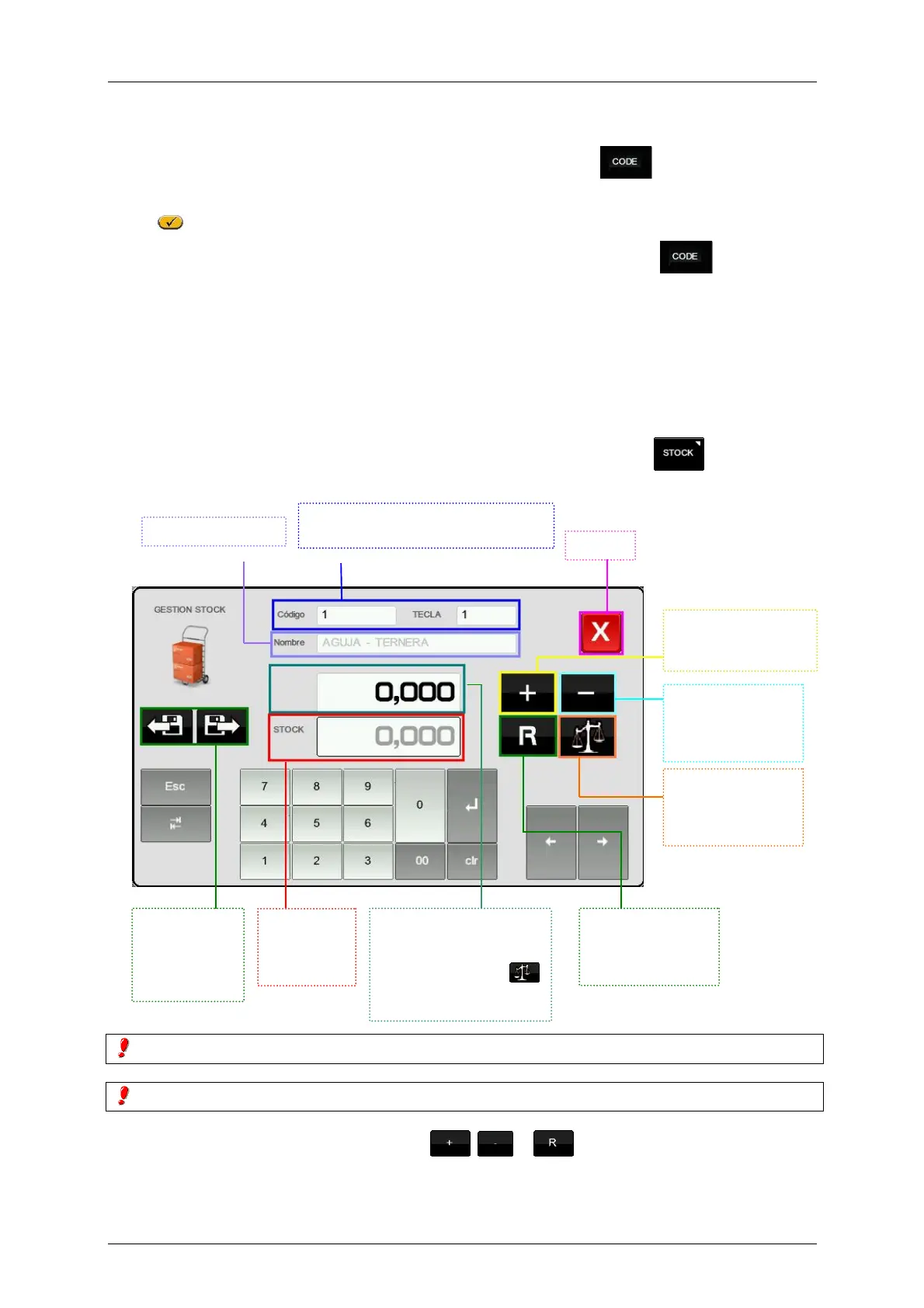
scales). The next screen will be shown:
The Tare Percentage articles work with the gross weight.
The Return articles do not make sense in this operation.
Once entered the wanted quantity, and pressed , or , the scale will ask for confirmation.
For each article we are updating in the stock, the machine will print a record of the movements done
indicating: Article Code, Description, Original Stock, Type of Movement, Quantity, Resulting Stock.
Exit
We can searcch the article by code or
direct key
Name of the article
Ir al
siguiente/ante
rior artículo
por orden de
código.
Muestra el
stock
existente
del artículo.
Cantidad a añadir, restar
o regularizar. Se puede
escribir directamente la
cantidad o pulsar
para capturar el peso
colocado en el plato.
The indicated
amount is added to
current stock.
The indicated
amount is
subtracted form
current stock.
Se sustituye el
stock existente por
la cantidad
indicada.
Press to capture
the quantity of the
weight placed on
the plate.



 To Next Page