Operation Manual D900
49-MD900EN05
28
2.8.3.1.Fix Article
This process is used to effect operations with the same article, and to do this the corresponding
parameter must be set up correctly (User menu Settings Keyboard Settings Fix Price ).
There are two ways to proceed:
A. Using the key Fix Article .
1. Place the required article on the platform.
2. Select the article to be fixed.
3. Press to fix the price.
4. To deactivate the fixed price press .
B. Using the item Price , placed on the metrologic part of the display.
1. Place the required article on the platform.
2. Select the article to be fixed.
3. Press and hold the item Price .
4. To deactivate the fixed price press .
2.8.3.2.Global Best Before
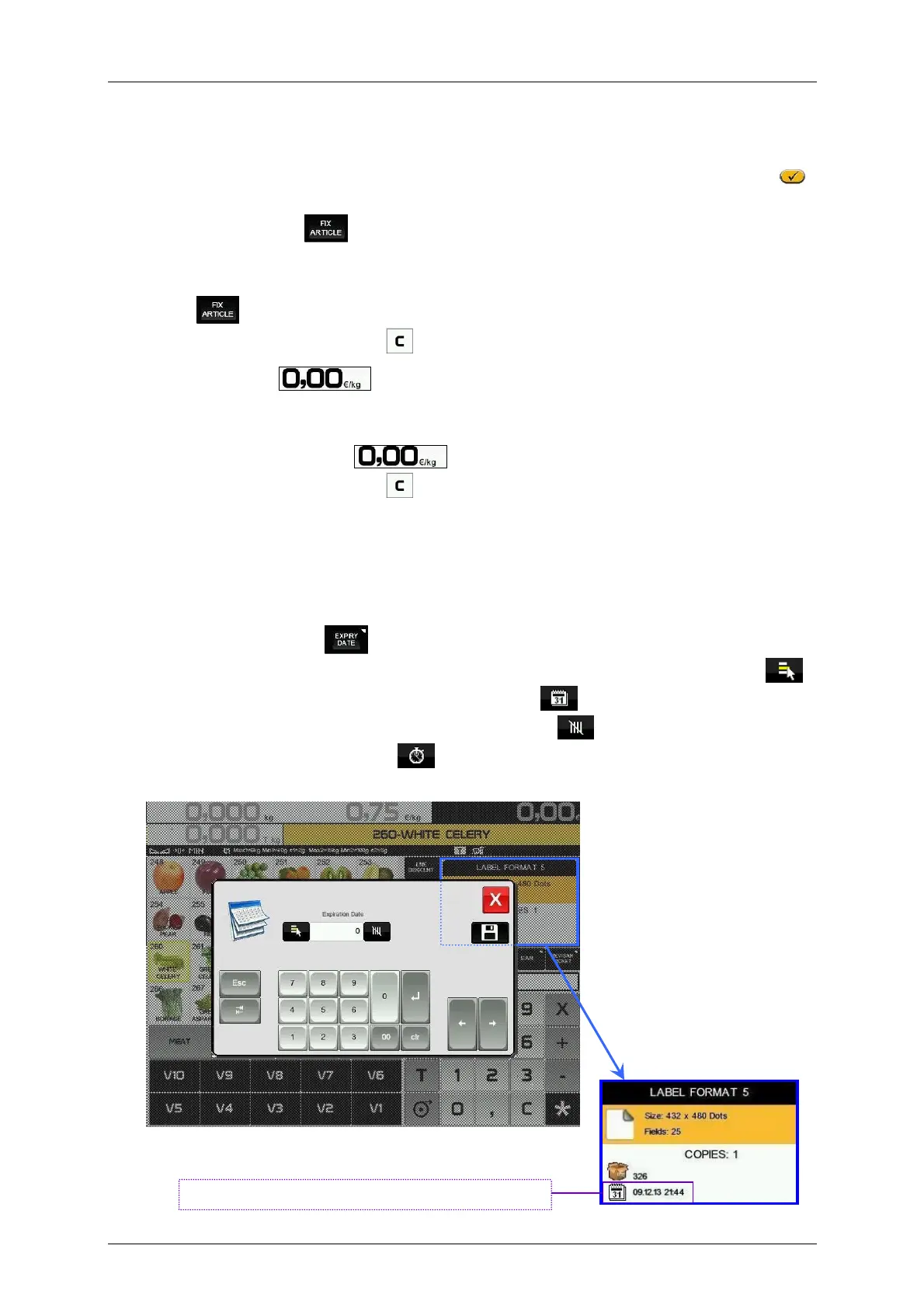
If in the expiry configuration there is a value set up that allows the Global expiry date (User menu
Settings Working Modes Best before, see paragraph 3.10.4.7 Best before), it will be possible to
select the global temporary expiration data. To do this:
1. Make sure that the weighing scale is a MASTER and it is in the working position.
2. Press Global Best before .
3. Program the expiration data. The Format of the expiration data can be changed by pressing .
a. Exact date in the format dd/mm/yyyy (day/month/year) .
b. Number of days from the date of printing the label (+000) .
c. Exact time in the format (hh:mm) .
The Global Best before is visible on the screen.



 To Next Page