Manual D900 Maintenance
49-MD900EN05
79
In Receipt-2 working mode:
If we are working on Receipt-2 mode, the PLUs tab
will be disabled since this working mode does not
have PLU keys.
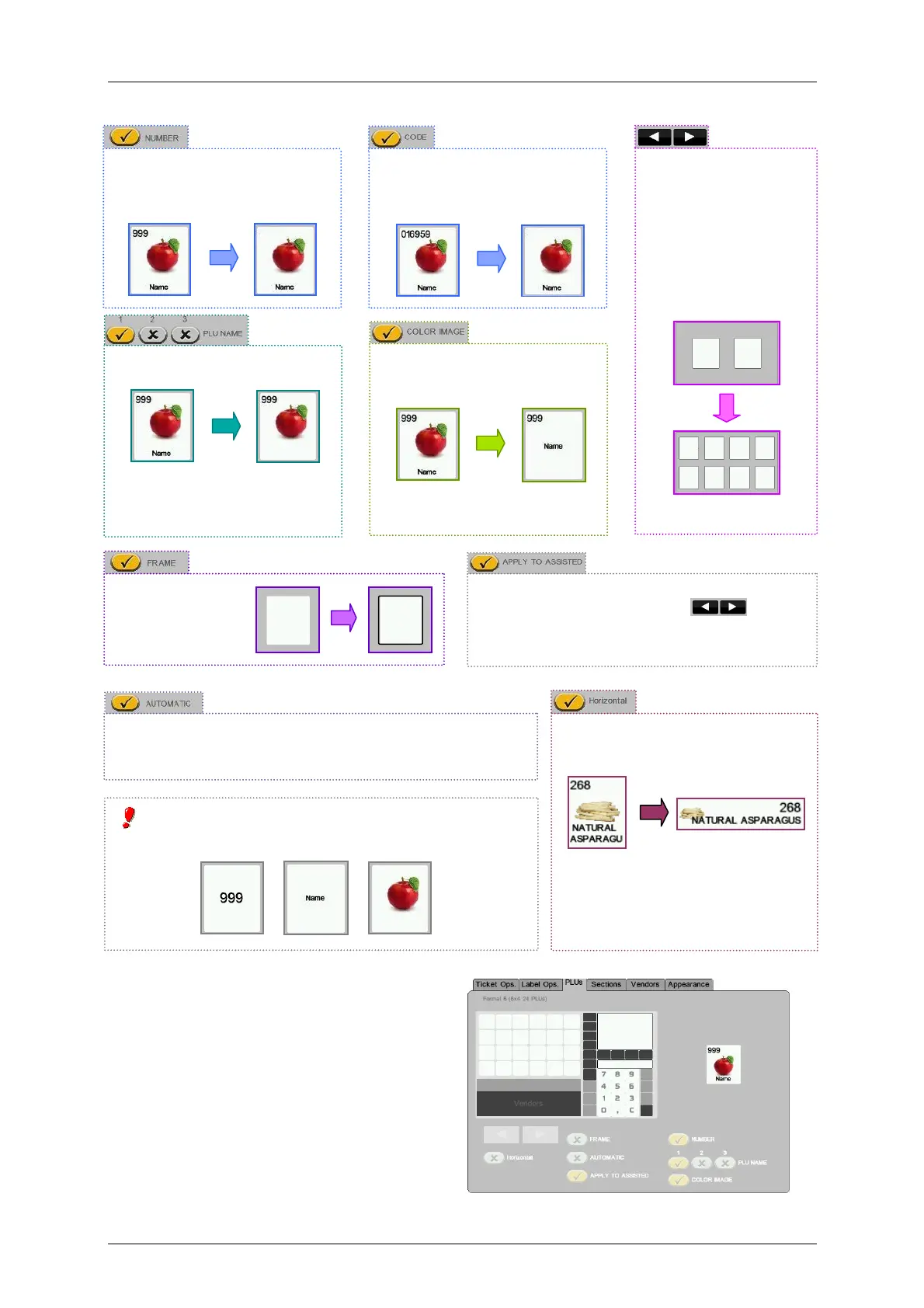
CODE. Shows the code of the
article in the key (incompatible
with PLU number).
SIZE/NUMBER OF
KEYS.
This keys allows to
select the number of
PLU keys per screen if
the option Apply to
assisted is activated.
FRAME.
Enable the
frame in the
PLU keys.
NUMBER. Shows the PLU
number in the key (incompatible
with article code).
PLU NAME. Shows the article
name in the key.
It is possible to choose if we
want to show the Name, Name
2 or Name 3 of the article.
COLOR IMAGE. Shows the
image of the article.
At least one of the options: NUMBER, CODE, PLU
NAME or COLOR IMAGE must be active.
AUTOMATIC. It adapts automatically the number of PLUs
shown at the screen (in self service mode) until reach the
minimum size selected.
If we activate this option, the options
“Horizontal”, “Automatic” and buttons
will be enabled. If Apply to assisted is not
activated, a fixed PLU template will be applied.
It allows to select the orientation of
PLU keys: vertical or horizontal.
The horizontal orientation is optimal
when we want to prioritize the space
for the name.



 To Next Page