Manual D900 Maintenance
49-MD900EN05
83
3.7.2.6.Apariencia
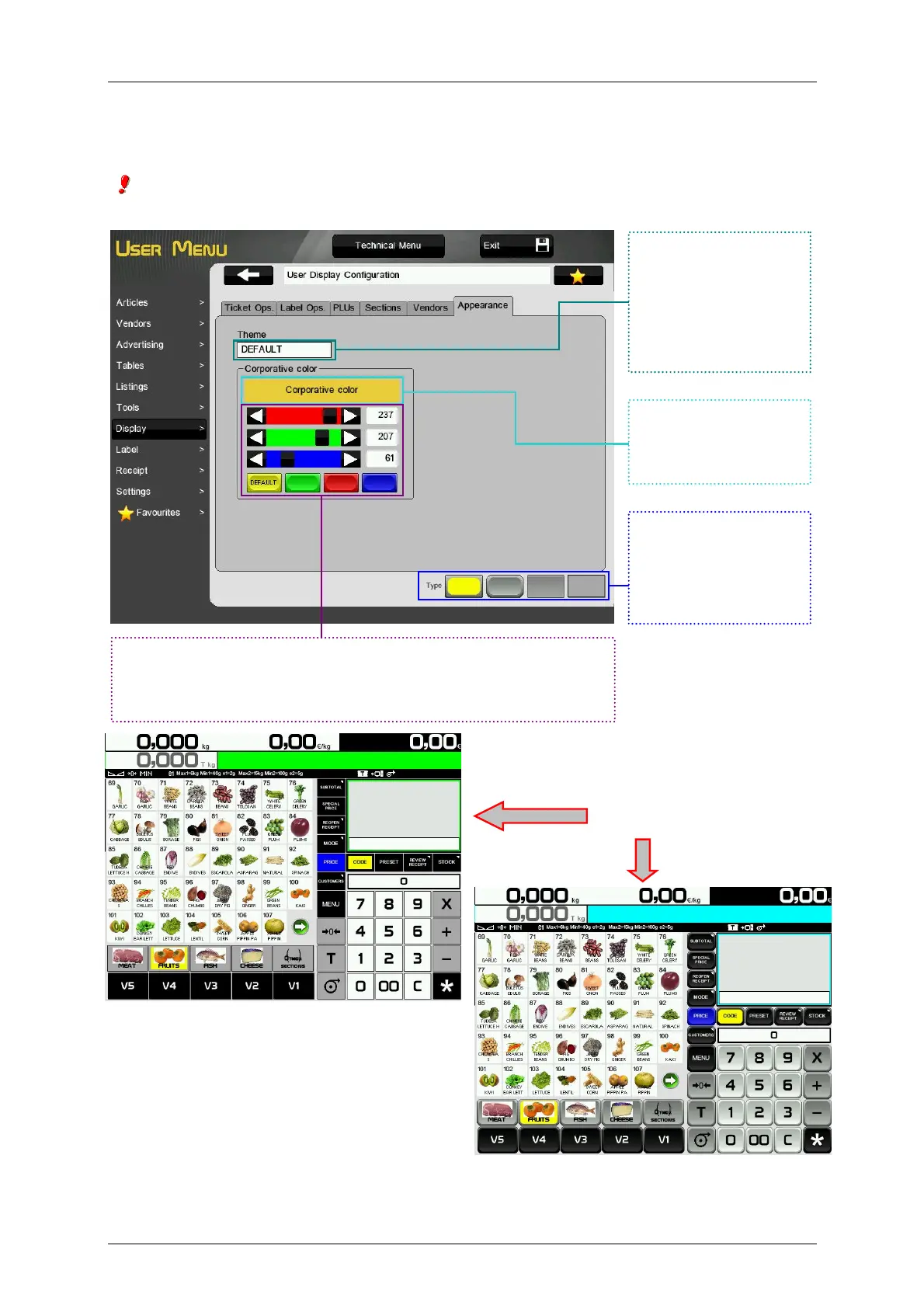
You could select one of the existing themes or modify it to your liking.
Some of self service screen buttons may be displayed wrong if the theme 1 is selected due to the
button will be the image of the articles. It is recommended to use default theme.
Ejemplos
Press to select the
theme. By default the
scale has two themes,
the default theme and
theme 1.
Select the style for the
buttons of the main
screen.
Shows generated or
selected colour.
In this section we may select the scale corporative colour. Changing
red, green and blue values we might generate the required colour.
Other option is selecting one of the pre-established colours.



 To Next Page