Maintenance Manual D900
49-MD900EN05
82
3.7.2.5.Vendors
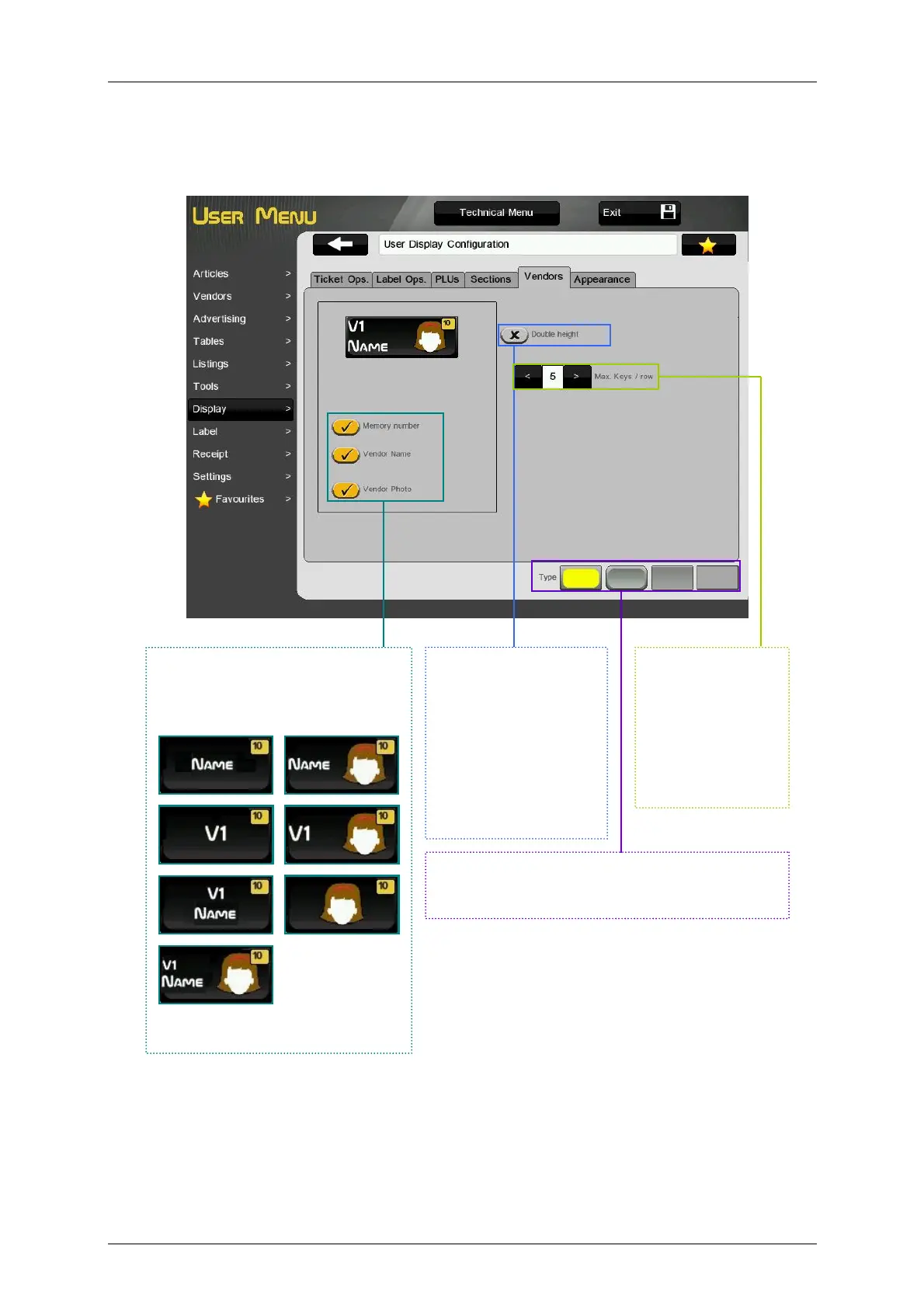
This menu allows to customize the vendor keys to show: number of memory, vendor’s name or vendor
picture.
MEMORY NUMBER, VENDOR
NAME or VENDOR PHOTO.
Selecting these options the vendor
key will show the different options.
At least one of the three options
must be selected.
Once a style is select it will be applied to all the
keys. The selected style will be highlighted in
yellow.
DOUBLE HEIGHT.
If this option is enabled
the vendor keys will be
shown with double
height.
When configuring
vendor keys for
Receipt-2 working
mode, this option will
be disabled.
It is possible to
select the
maximum vendor
keys per row (max.
10) for Receipt-1
and Label working
modes.



 To Next Page