Manual D900 Maintenance
49-MD900EN05
81
3.7.2.4.Sections
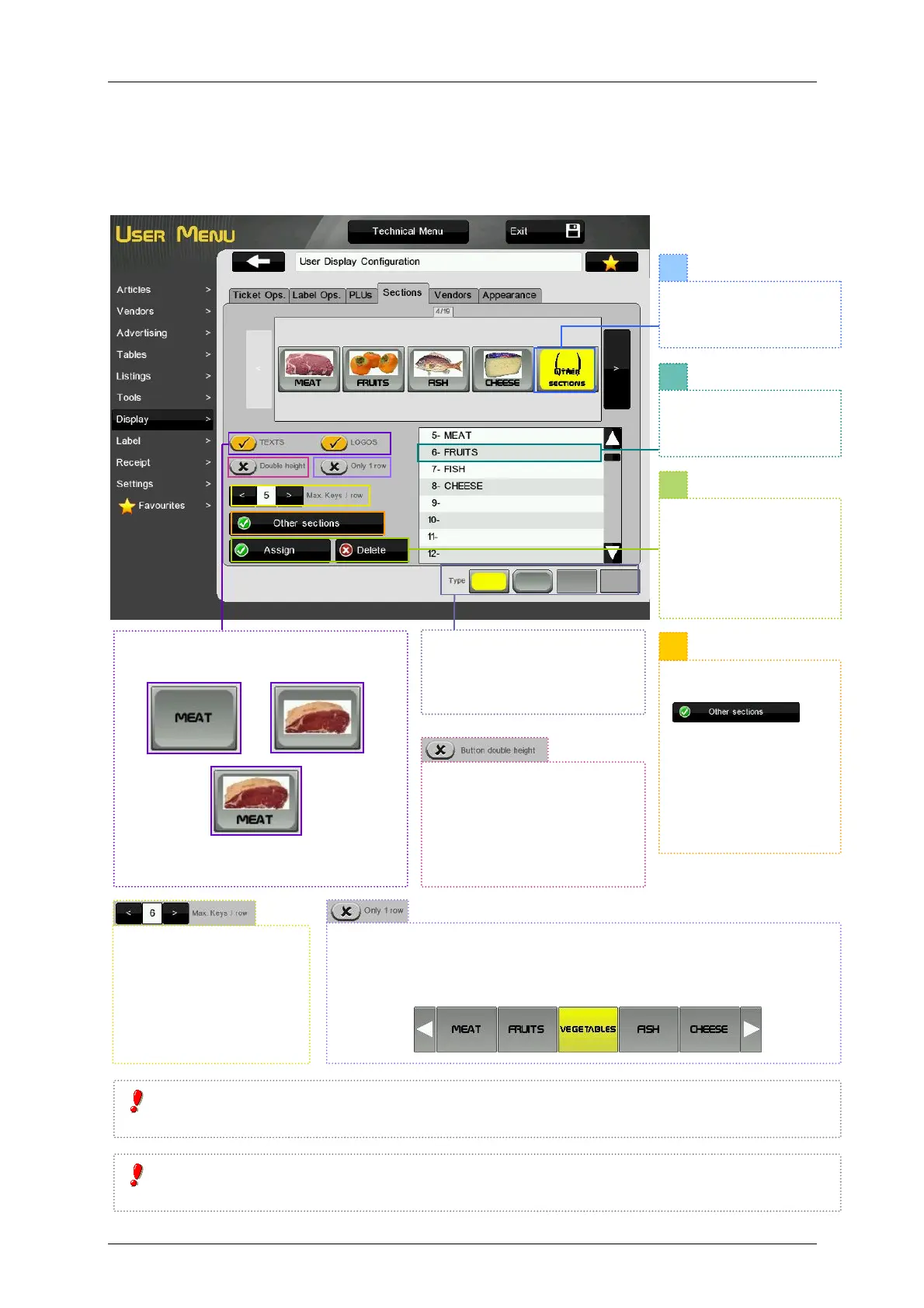
This menu allows to select the section keys to be shown and configure these keys. It is possible to show a
maximum of 20 sections on the Receipt-1 and Label working modes, 4 sections on Receipt-2 mode and 5
sections on Self-Service-1 working mode.
If we activate this parameter, only one row of section keys will be shown.
If there is not enough space to show them all (we have assigned more
sections that the maximum per row), two keys will be enabled to navigate
through section keys.
It is possible to select images, texts or
both to identify the sections.
At least one of the options (images or
texts) must be selected.
1
3
STYLE: Once a style is select
it will be applied to all the
keys. The selected style will
be highlighted in yellow.
Select the section key
to be edited . It will be
highlighted in yellow.
Select the section to be
assigned to the key. It
will be marked in black.
ASSIGN. Press to
assign the section to
the key.
DELETE. Press to
delete the key of the
assigned section.
DOUBLE HEIGHT. If this
option is enabled the section
keys will be shown with
double height. This option is
disabled for Receipt-2
working mode.
It is not allowed to program more than one direct keys for the same section. If you program a section
that is already assigned, it will be de-assigned from the prior key.
If we try to program more section keys than the allowed for that working mode, the scale will show the
message “No space on screen”.
We can select a direct
key (Step 1) and press
.
That way, if we press
that section key on
sales screen, it will
show the articles that
belong to sections that
do not have an own
key assigned.
It is possible to select the
maximum section keys
per row (max. 10) for
Receipt-1 and Label
working modes.



 To Next Page