OPERATOR’S MANUAL
APPLICATION RATE METHOD
Two methods are available to control material application:
•
Step Method
•
Rate Method
Step Method
Allows rates to be changed by a fixed increment using the Rate Increase/
Decrease buttons on the switch module.
NOTE: Rate changes only occur when
the material is selected/
highlighted on the Operate
screen.
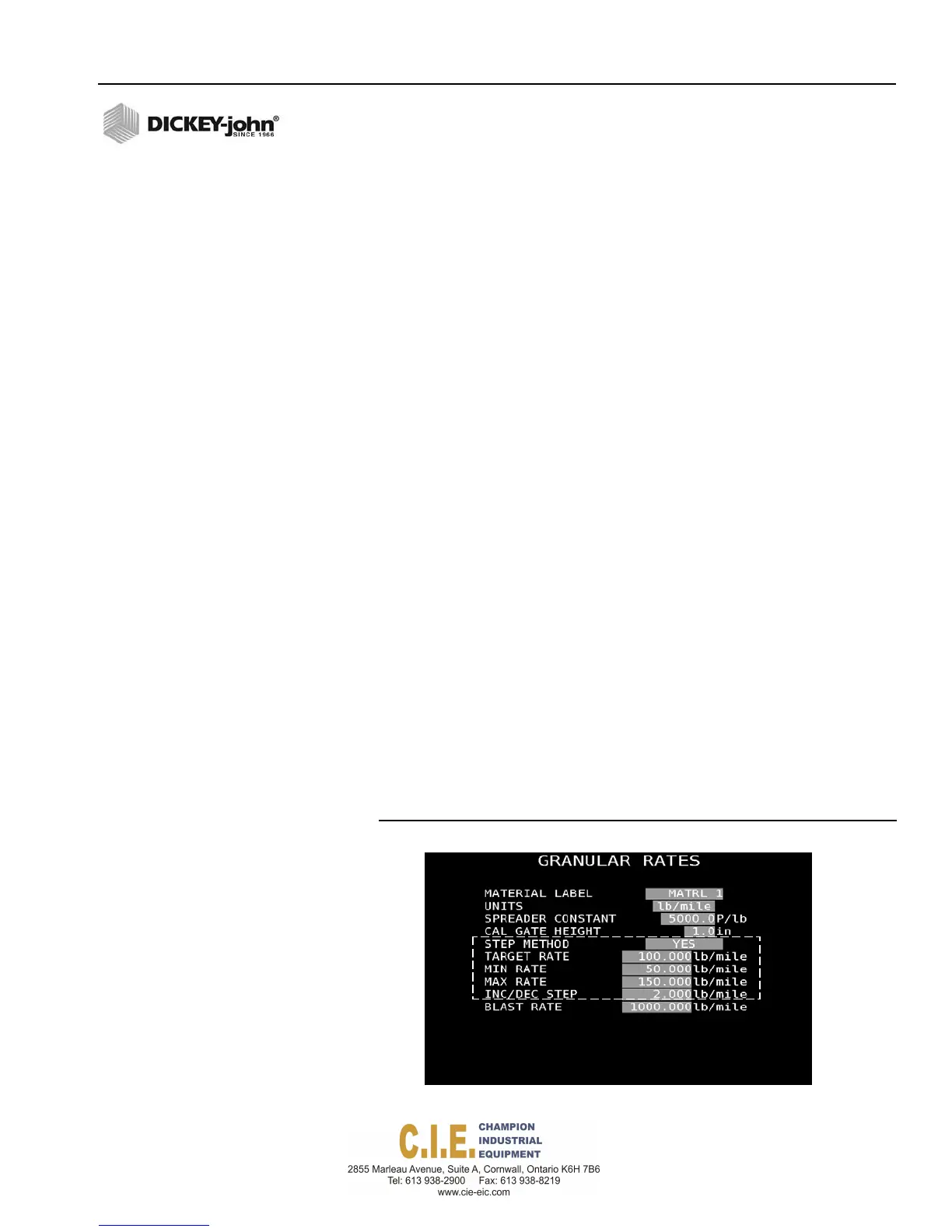
To select the Step Method:
Maximum Rate establishes the maximum application rate in lbs/mile or g/
Km-m that the control allows. Target Rate cannot be incremented to a value
greater than this established Max Rate.
1.
Highlight the Step method selection box and press the Enter key on
the keyboard.
2.
Select Yes and press the Enter key again.
3.
Enter the desired target rate (lbs/mile) for material application to be
controlled by this channel.
4.
Enter a minimum application rate limit for this channel. Minimum rate
establishes the minimum application rate that the control allows. Target
rate cannot be decremented to a value lower than this established Min
Rate.
5.
Enter a maximum application rate limit for this channel. Maximum rate
establishes the maximum application rate that the control allows.
Target rate cannot be incremented to a value greater than this
established Max Rate.
6.
Enter an Increase/Decrease Step value that sets the increase/
decrease rate. The increment/decrement percent rate establishes the
percentage of change of the entered target rate that is applied each
time the Rate Increase/Decrease button is pressed.
NOTE: The maximum or minimum
rates may not be reached if the
% increase or decrease, based
off the target rate, exceeds the
maximum or minimum rate
limits set.
7.
Enter a desired blast rate that applies a higher-than-normal, spot
application when the Blast button is pressed during operation.
Figure 53
Step Method Screen
Flex4 Pro
TM
Control System
6010541 Rev A
SYSTEM PROGRAMMING / 57



 To Next Page