OPERATOR’S MANUAL
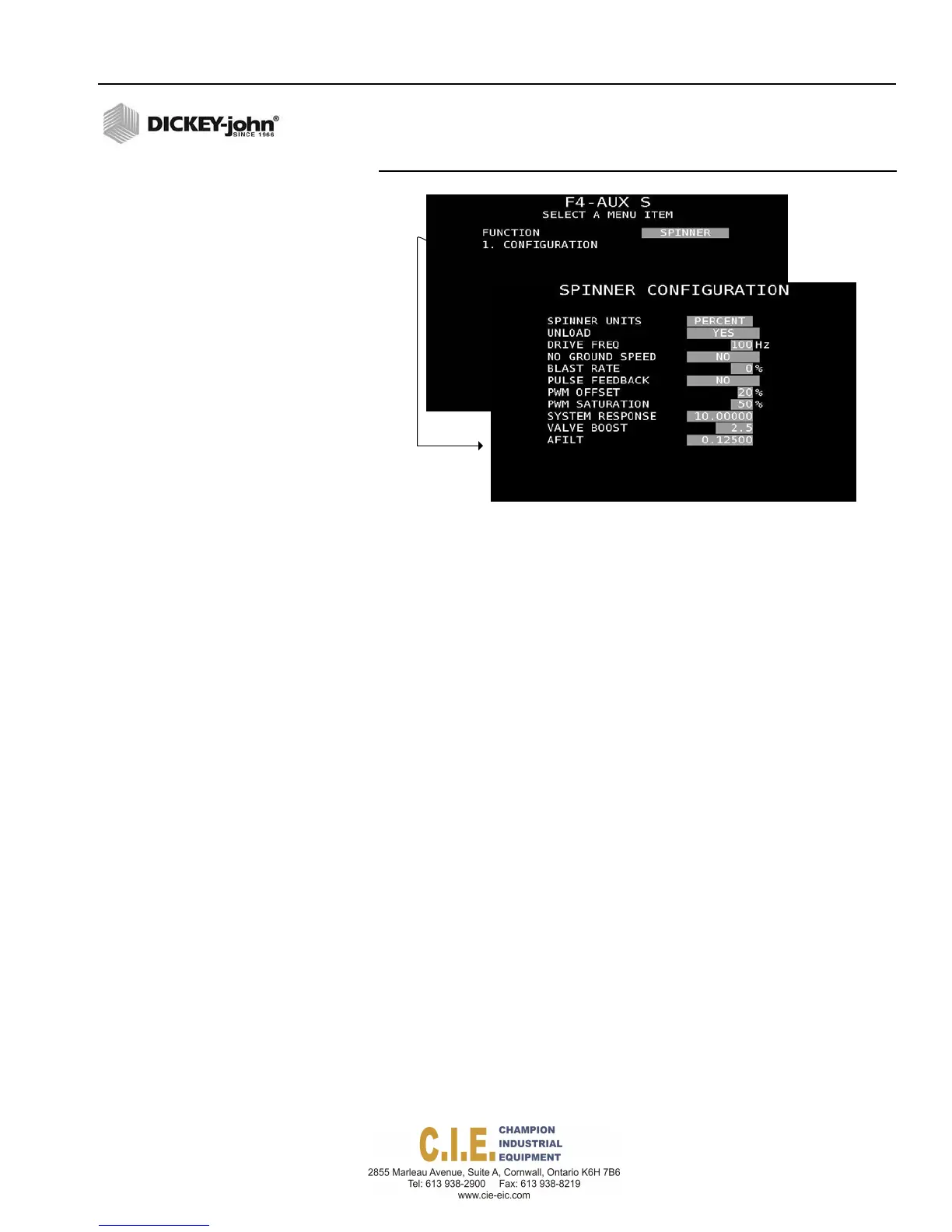
Figure 62
Spinner Configuration Screen
SPINNER UNITS
Spinner units set the spread width bar graph to display in percent, feet, or
RPM. Pulse Feedback must be set to YES for the spinner units to be
selected as RPM. If a spinner spread width calibration is required, spinner
units must be selected as feet to perform the calibration.
UNLOAD
Enable the Unload feature by selecting Yes to activate the spinner during
unloading. Select No to disable during the unload process.
DRIVE FREQUENCY
Drive Frequency specifies the frequency for the installed proportional valve.
The recommended setting for this option should be specified from the valve
manufacturer.
NO GROUND SPEED
Select Yes to allow the spinner to continue running when there is no ground
speed. Select No for the spinner to stop running when there is no ground
speed.
BLAST RATE
A Blast Rate percentage greater than zero percent sets the maximum
spinner speed when Blast is pressed regardless of any adjustment to the
spread width knob. A Blast Rate percentage set at zero places no
constraints on the maximum spinner speed when using the spread width
knob.
Flex4 Pro
TM
Control System
6010541 Rev A
SYSTEM PROGRAMMING / 69



 To Next Page