OPERATOR’S MANUAL
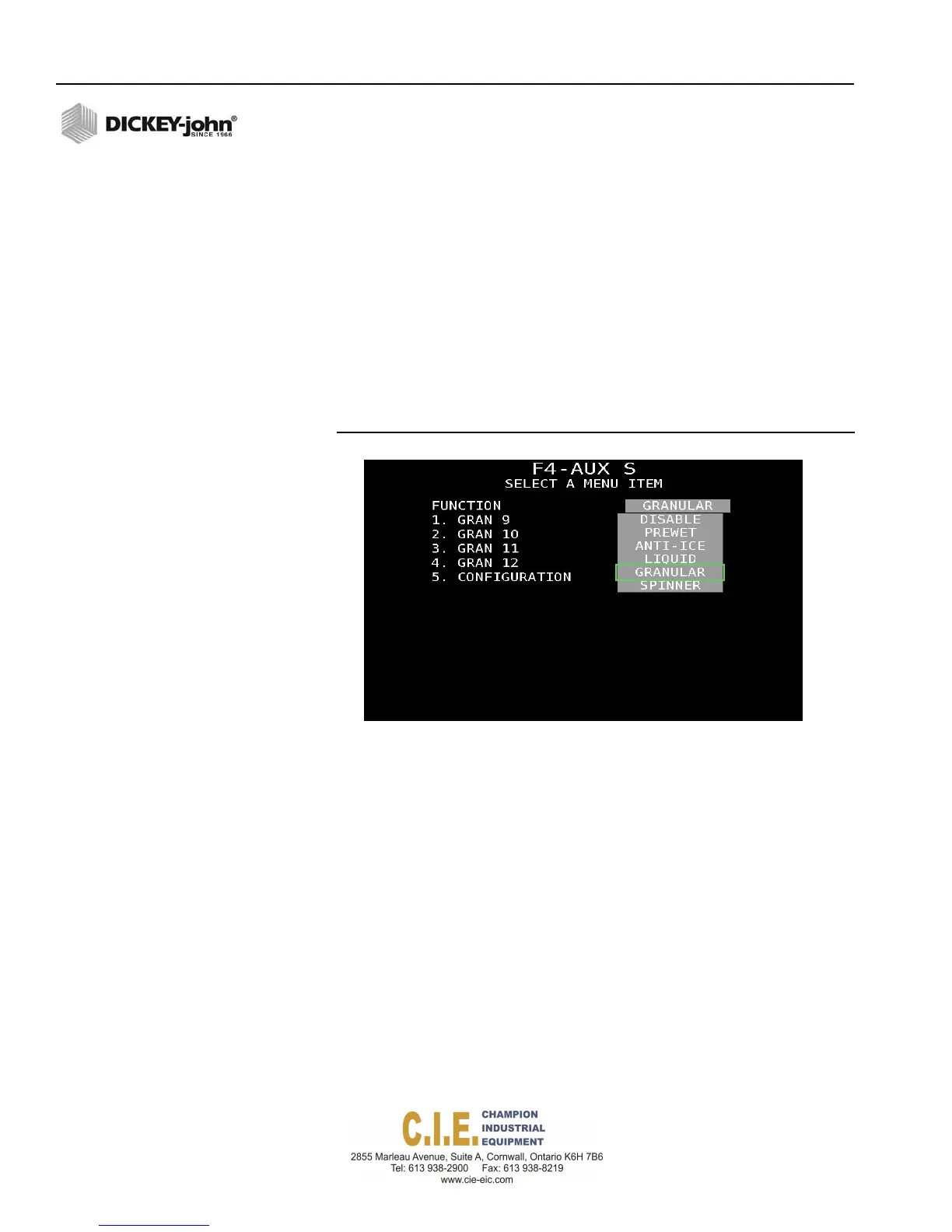
AUXILIARY S (F4)
The Auxiliary control channel has programming flexibility as a Liquid,
Granular, Prewet, Anti-Ice channel or for spinner control.
Four materials are possible and assigned as materials 9-12.
Configuration and boom setup for an auxiliary channel must be enabled at
this screen for the channel to be in an active state. Refer to the Granular
Configuration (F2) and Liquid Configuration (F3) sections for parameter
definition and setup instructions.
Refer to Assign ‘Auxiliary S’ as Spinner to configure channel for spinner
control.
Press the Calibration (F6) key to initiate channel calibration.
Figure 61
Aux S Screen
ASSIGN ‘AUXILIARY S’ AS SPINNER
Spinner constants set the parameters and performance specifications for
installed actuators and sensors. These values do not change unless the
system hardware changes or the related calibration routines are re-run.
To enter Spinner Configuration Values:
1.
At the F4 Aux S screen, use the Up or Down Arrow keys on the
keyboard to select and highlight ”Spinner”.
2.
Press “1” to enter parameter values per below definition.
68 / SYSTEM PROGRAMMING
Flex4 Pro
TM
Control System
6010541 Rev A



 To Next Page