C
HAPTER
16
| IP Configuration
Setting the Switch’s IP Address (IP Version 6)
– 610 –
n
If a routing protocol is enabled (page 659), you can still define a
static route (page 655) to ensure that traffic to the designated
address or subnet passes through a preferred gateway.
n
An IPv6 default gateway can only be successfully set when a
network interface that directly connects to the gateway has been
configured on the switch.
n
An IPv6 address must be configured according to RFC 2373 “IPv6
Addressing Architecture,” using 8 colon-separated 16-bit
hexadecimal values. One double colon may be used in the address
to indicate the appropriate number of zeros required to fill the
undefined fields.
WEB INTERFACE
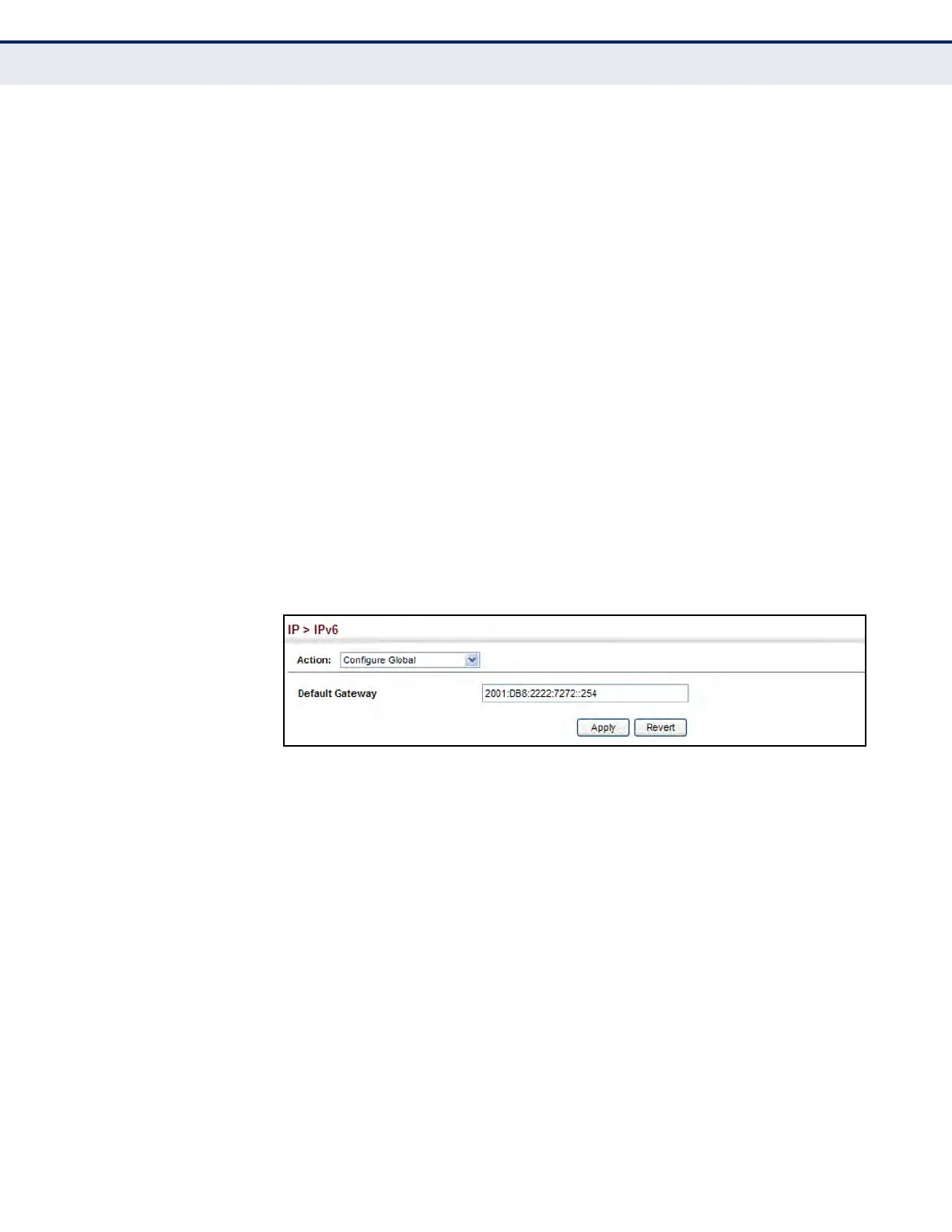
To configure an IPv6 default gateway for the switch:
1. Click IP, IPv6 Configuration.
2. Select Configure Global from the Action list.
3. Enter the IPv6 default gateway.
4. Click Apply.
Figure 370: Configuring the IPv6 Default Gateway
CONFIGURING IPV6
I
NTERFACE SETTINGS
Use the IP > IPv6 Configuration (Configure Interface) page to configure
general IPv6 settings for the selected VLAN, including explicit configuration
of a link local interface address, the MTU size, and neighbor discovery
protocol settings for duplicate address detection and the neighbor
solicitation interval.
CLI REFERENCES
u "IPv6 Interface" on page 1360
COMMAND USAGE
u The switch must be configured with a link-local address. The option to
explicitly enable IPv6 creates a link-local address, but will not generate
a global IPv6 address. The global unicast address must be manually
configured (see "Configuring an IPv6 Address" on page 615).
u The option to explicitly enable IPv6 will also create a link-local address,
but will not generate a global IPv6 address if auto-configuration is not













 To Next Page