Dobot M1 User Guide 6 Operation
Issue V1.3.4 (2019-05-23) User Guide Copyright © Yuejiang Technology Co., Ltd
99
(-44.4458,239.5284,110,33.08) (The middle point of
the arc)
(-120.6913,164.5902,110,65.6601)
(372.225,-63.2786,110, -148.8402)
(351.7533,-113.7360,110, -160.2802) (The middle
point of the circle)
(323.1731,-115.7006,110, -170.5002)
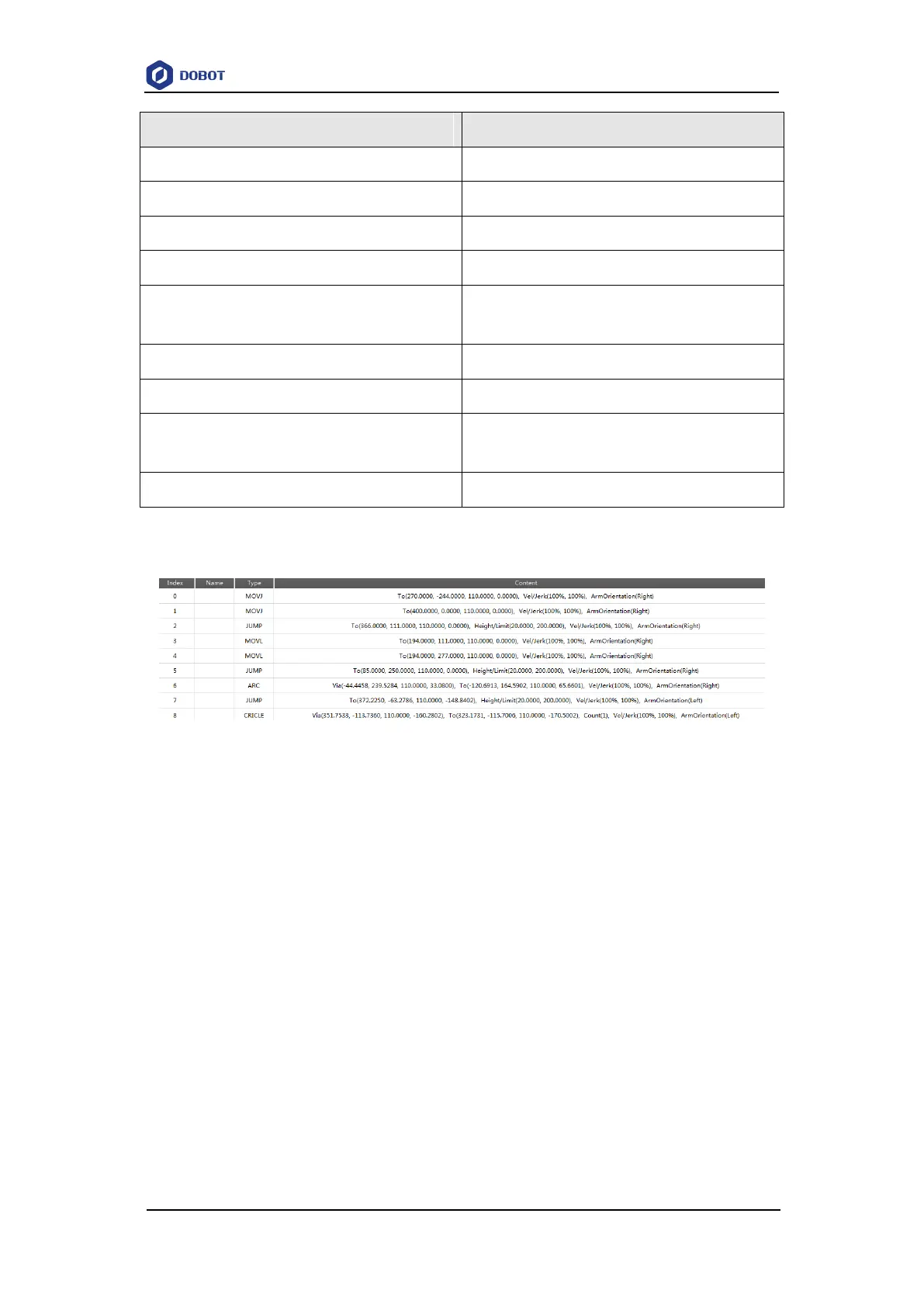
Figure 6.47 shows an example of the saved points list.
Figure 6.47 Example of the saved points
From point A to point B (0->1): The trajectory is non-linear, and point B is a singular
point. So MOVL or ARC mode cannot be used, but MOVJ mode is applicable. For details
about singular point, please see 6.1.2 Alarms Description.
From point B to point C (1->2): The trajectory looks like a door. So JUMP mode is
required. You need to set Height and Limit when saving point. The trajectory in JUMP
mode depends on Height and Limit. For details, please see 2.3.4.2 Point to Point Mode
(PTP).
From point C to point D (2->3): The trajectory is a straight line. So MOVL mode is
required. The arm orientations of point D and point C must be the same. Otherwise, an
alarm will be generated.
From point D to point E (3->4): The trajectory is a straight line. So MOVL mode is
required. The arm orientations of point E and point D must be the same.
From point E to point F (4->5): The trajectory looks like a door. So JUMP mode is
required. You need to set Height and Limit.
From point F to point H (5->6): The trajectory is an arc. So ARC mode is required. Besides



 To Next Page