Dobot M1 User Guide 6 Operation
Issue V1.3.4 (2019-05-23) User Guide Copyright © Yuejiang Technology Co., Ltd
105
server.serve_forever()
NOTE
The way to import the script depends on the server, please select based on site
requirements.
If the server is the PC where the M1Studio is located, please execute the following
steps.
Select the corresponding serial port or IP address from the serial drop-down list
on the upper left pane of the M1Studio page and click Connect.
Import the script on the Script of M1Studio page and click Start.
If the server is the main controller, please execute the following steps.
Select the corresponding IP address from the serial drop-down list on the upper
left pane of the M1Studio page and click Connect.
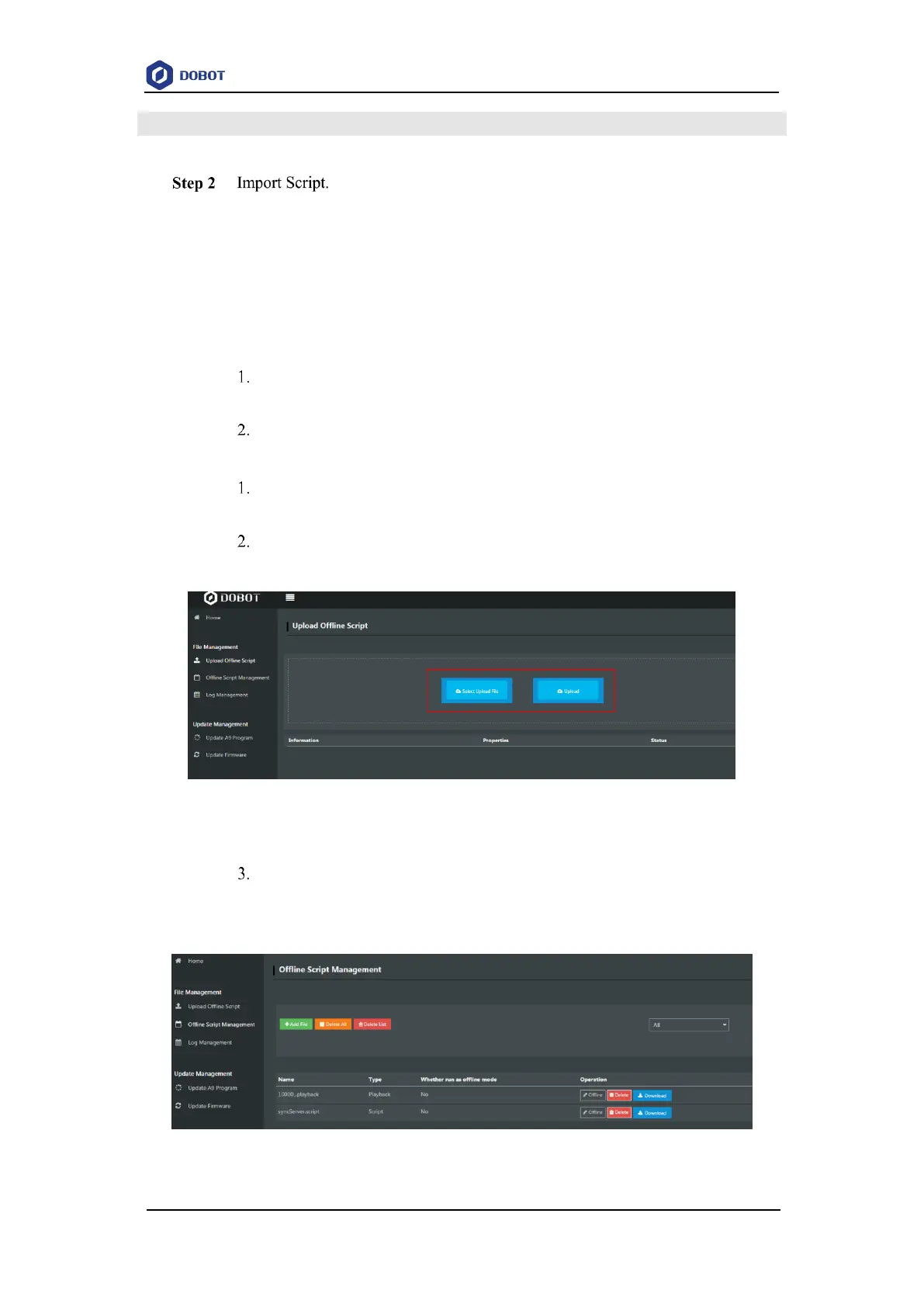
Click Tools > Web Management > Upload Offline Script to upload the script
to the main controller, as shown in Figure 6.51.
Figure 6.51 Upload script
Select the uploaded script (syncServer.script) on the Offline Script
Management page and click Offline to make the script in the offline status, as
shown in Figure 6.52.
Figure 6.52 Script status



 To Next Page