Dobot M1 User Guide 6 Operation
Issue V1.3.4 (2019-05-23) User Guide Copyright © Yuejiang Technology Co., Ltd
106
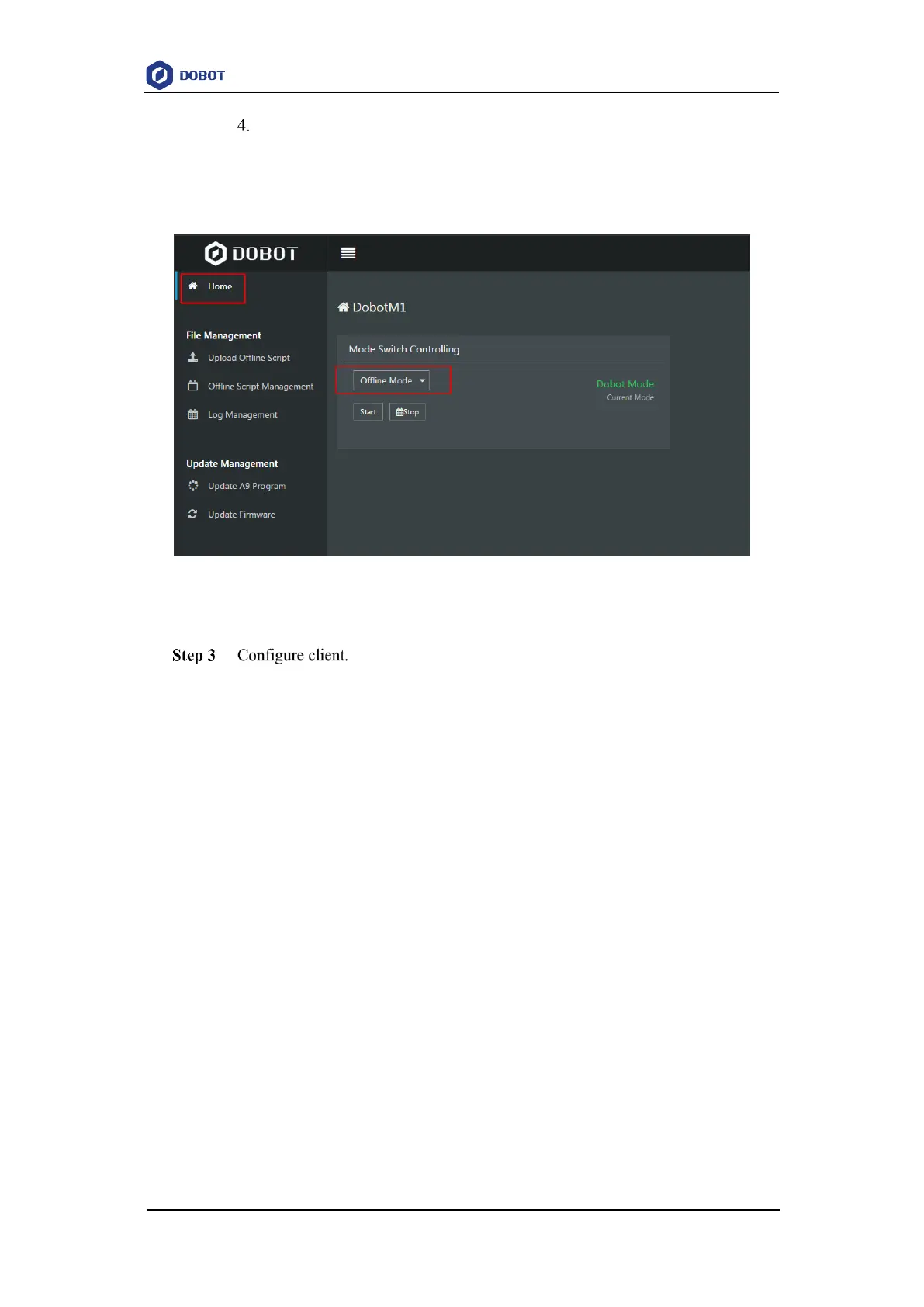
Select Offline Mode from the drop-down list on the Mode Switch Controlling
pane of the Home page, and click Start to make Dobot M1 in the Offline Mode
status, as shown in Figure 6.53.
Now, the blue LED indicator on the base of Dobot M1 is blinking.
Figure 6.53 Mode switch
Input the IP address and port of the server on the client and click Connect, as shown
in Figure 6.54.
NOTE
The external equipment used for controlling a robot arm depends on the actual
applications. In this topic, we take debugging assistant as an example to describe how to
configure client, please replace it based on site requirements.



 To Next Page