Dobot M1 User Guide 7 Maintenance
Issue V1.3.4 (2019-05-23) User Guide Copyright © Yuejiang Technology Co., Ltd
127
Put the main controller into the base, and fix the interface board.
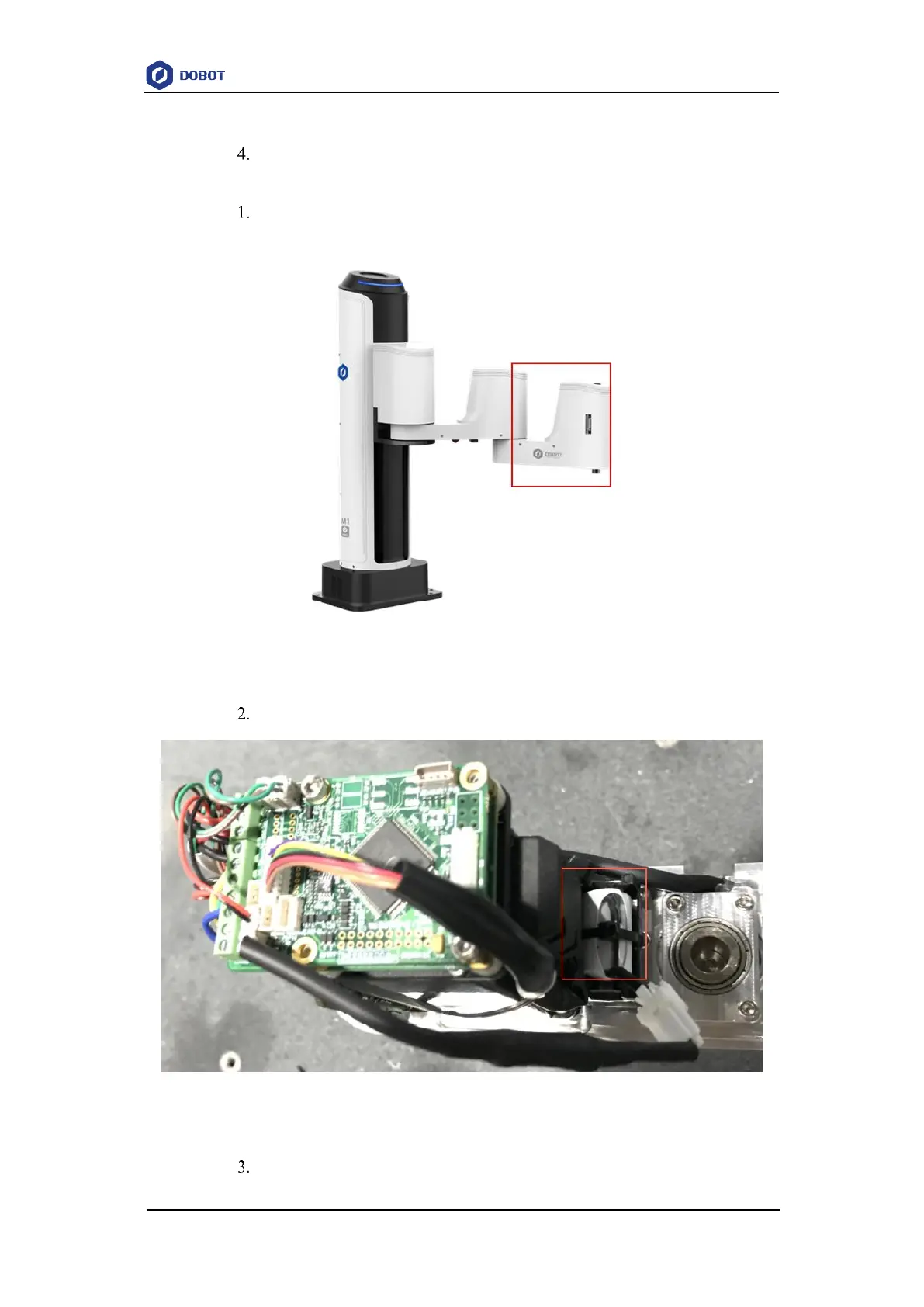
If the battery is located on Forearm, please perform the following steps.
Remove the Forearm cover with 2.5mm hexagon wrench and cross head screw-
driver, as shown in Figure 7.11.
Figure 7.11 Forearm of Dobot M1
Cut off the zip-tie that fixed the original battery, as shown in Figure 7.12.
Figure 7.12 Location of battery holder on Forearm
Remove the original battery and disconnect the connector of the battery from



 To Next Page