Dobot M1 User Guide 7 Maintenance
Issue V1.3.4 (2019-05-23) User Guide Copyright © Yuejiang Technology Co., Ltd
131
After replacing the battery, the position data on the Encoder will be lost. It is
necessary to reset Rear Arm Encoder, Forearm Encoder, Z-axis Encoder, and R-axis
Encoder respectively.
Click Initialization.exe in the installing directory/M1Studio/tools/Initialization
directory.
The M1Studio tool page is displayed.
Select the corresponding serial port from the serial drop-down list, and click
Connect.
If Connect turns to Disconnect, the connection is successful, and the Dobot M1
can be controlled by the M1Studio.
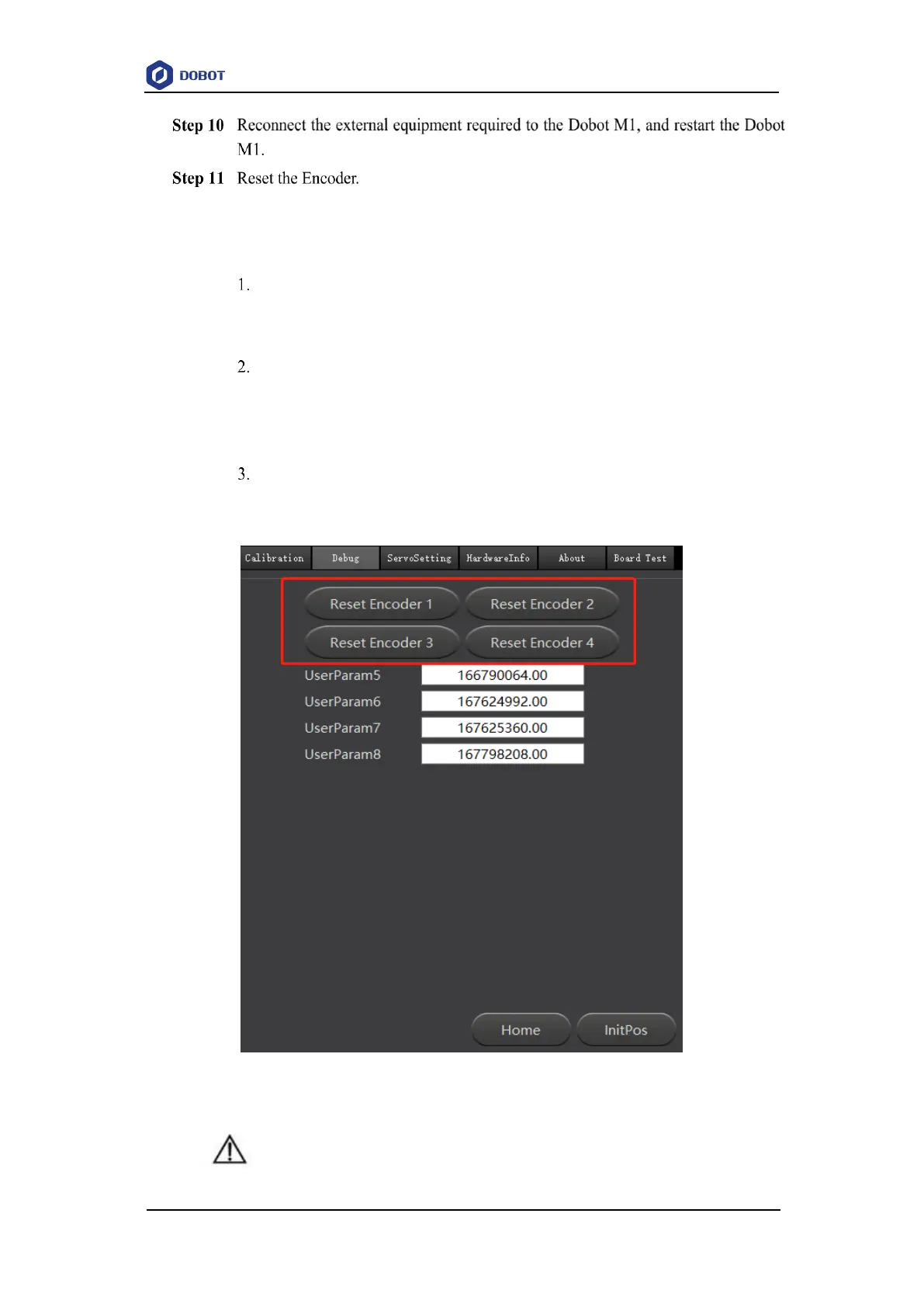
Click Reset Encoder1, Reset Encoder2, Reset Encoder3, and Reset
Encoder4 respectively on the Debug page to reset J1 Encoder, J2 Encoder, J3
Encoder and J4 Encoder, as shown in Figure 7.19.
Figure 7.19 Reset Encoders
DANGER



 To Next Page