122
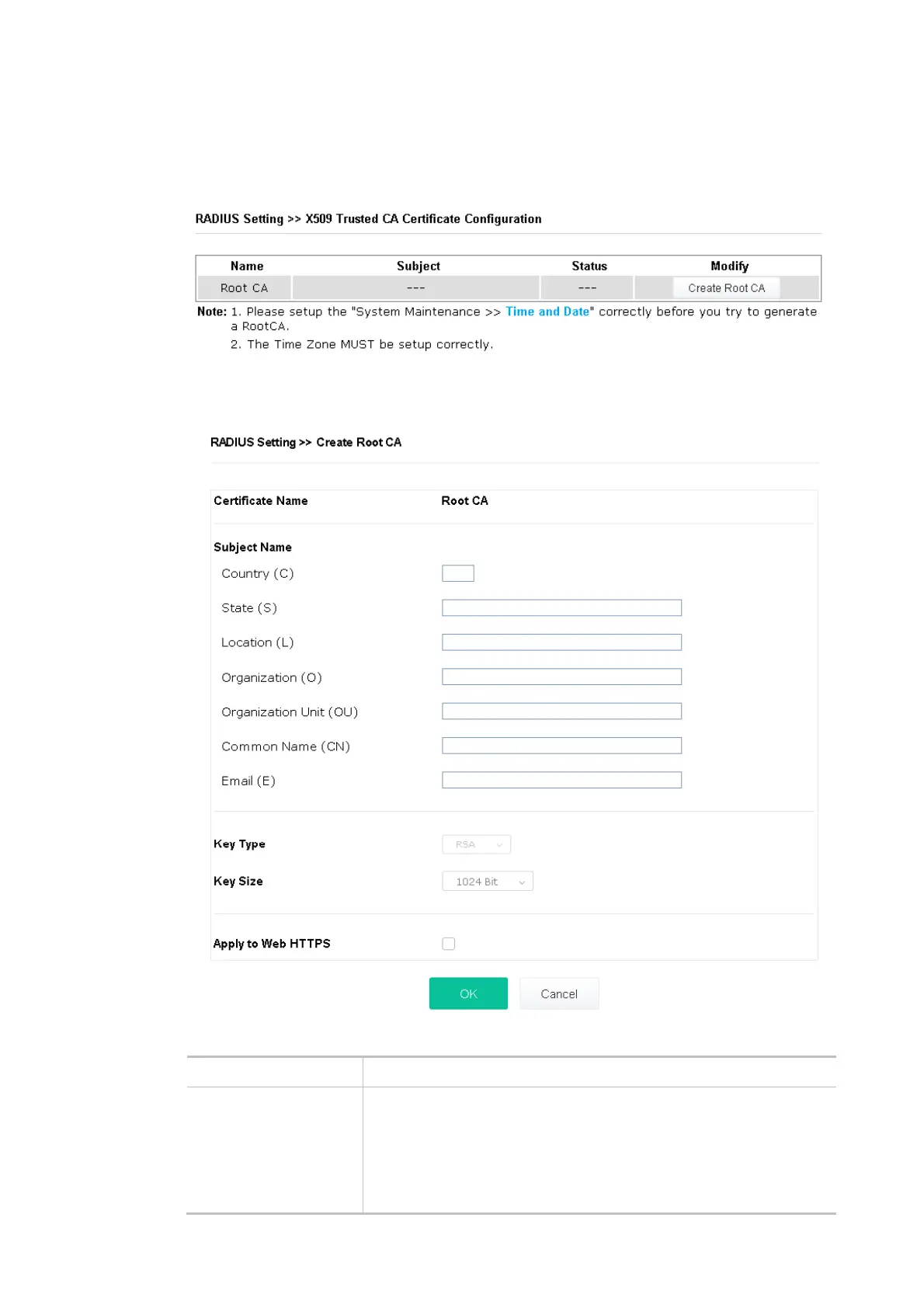
generate root CA to save time and provide convenience for a general user. Later, such root CA
generated by the DrayTek server can perform the issuing of a local certificate.
Root CA can be deleted but not edited. If you want to modify the settings for a Root CA, please
delete the one and create another one by clicking Create Root CA.
Click Create Root CA to open the following page. Type or choose all the information that the
window request such as subject name, key type, key size, and so on.
Available settings are explained as follows:
Item Description
Subject Name Enter the required information for creating a root CA.
Country (C) – Enter the country code (two characters) in this box.
State (S)/ Location (L)/ Organization (O)/ Organization Unit (OU)
/Common Name (CN) - Type the name or information for the root CA
with length less than 32 characters.













 To Next Page