125
Frequency Display the frequency of the schedule.
You can set up to 15 schedules. To add a schedule:
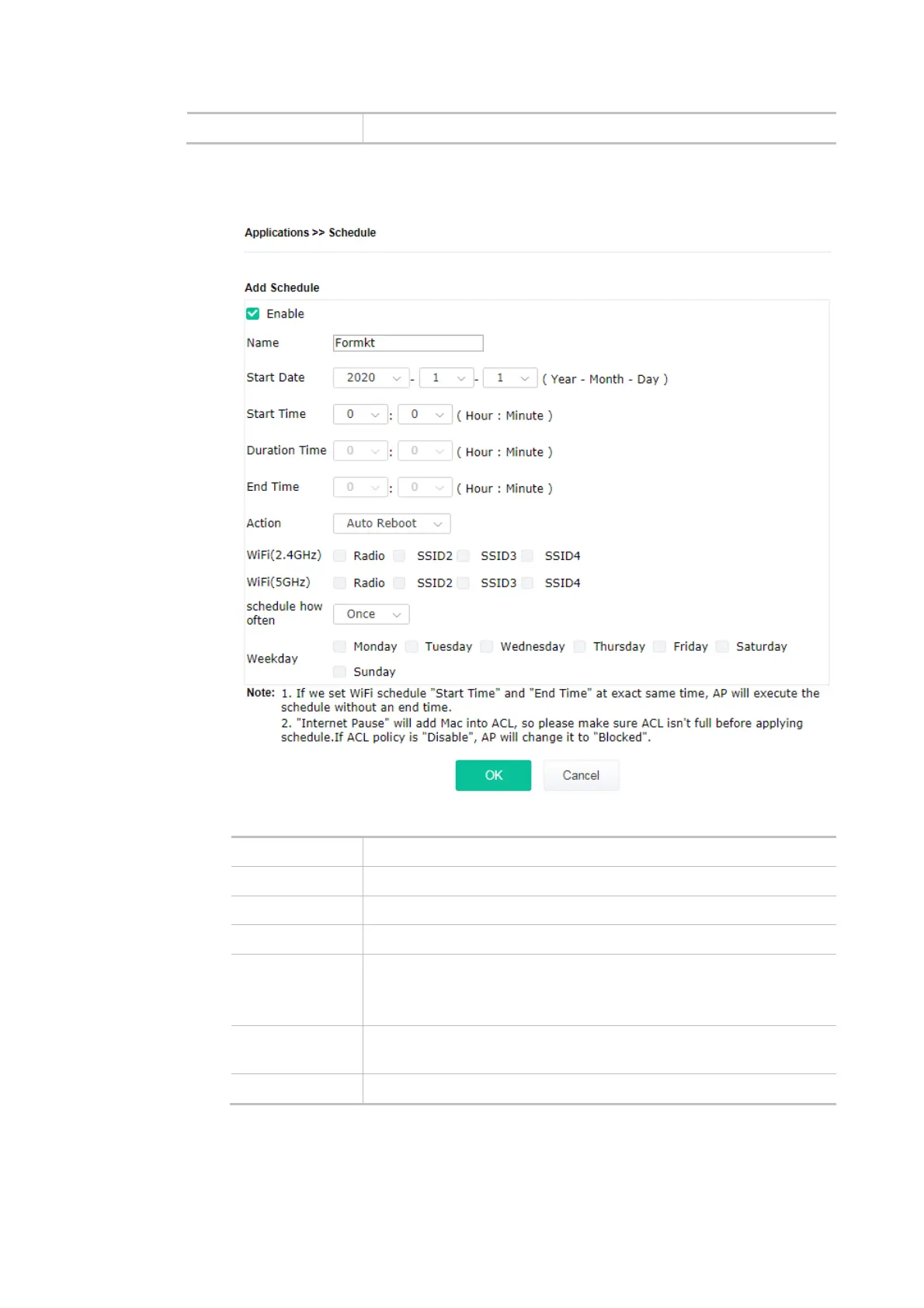
1. Click the Add button to open the following web page.
Available settings are explained as follows:
Item Description
Enable Check to enable such a schedule profile.
Start Date Specify the starting date of the schedule.
Start Time Specify the starting time of the schedule.
Duration Time Specify the duration (or period) for the schedule.
It is available only for the action set with WIFI UP, WIFI Down, or
Internet Pause.
End Time Display the ending time (sum of start time and duration time) of the
schedule.
Action Specify which action should apply to the schedule.













 To Next Page