78
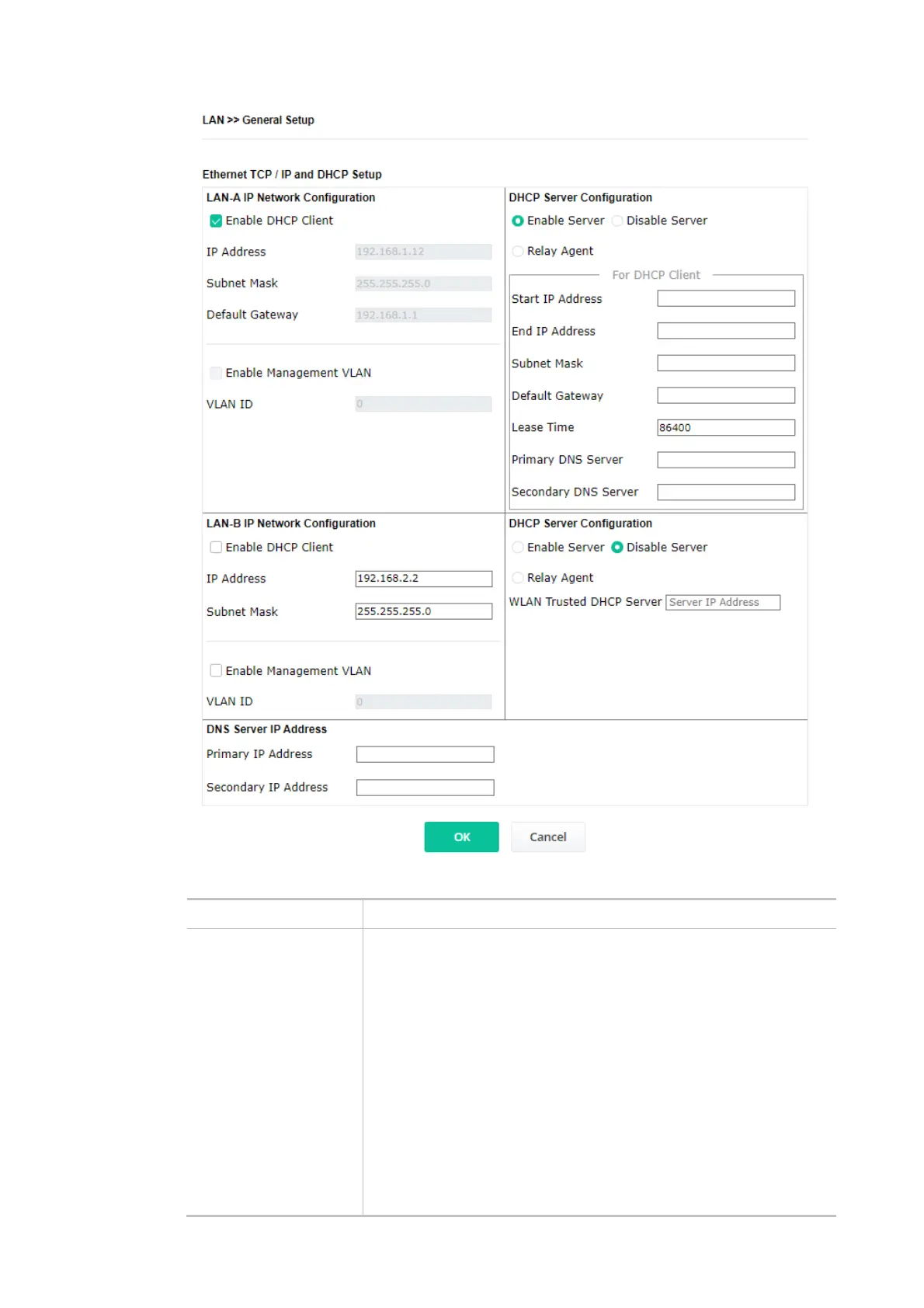
Available settings are explained as follows:
Item Description
LAN-A IP Network
Configuration
Enable DHCP Client – When it is enabled, VigorAP 906 will be treated
as a client and can be managed/controlled by the AP Management
server offered by the Vigor router (e.g., Vigor2866).
IP Address – Enter the private IP address for connecting to a local
private network (Default: 192.168.1.2).
Subnet Mask – Enter an address code that determines the size of the
network. (Default: 255.255.255.0/ 24)
Default Gateway - Enter an IP address. Traffic will be sent to the
default gateway address of the specified interface.
Enable Management VLAN – VigorAP 906 supports tag-based VLAN
for wireless clients accessing Vigor devices. Only the clients with the
specified VLAN ID can access VigorAP 906.
VLAN ID – Enter the number as VLAN ID tagged on the
transmitted packet. “0” means no VLAN tag.













 To Next Page