Copyright 2008 Baker Hughes Company.
52 | PACE5000/6000 Instruction Manual–English
Chapter 6. Reference
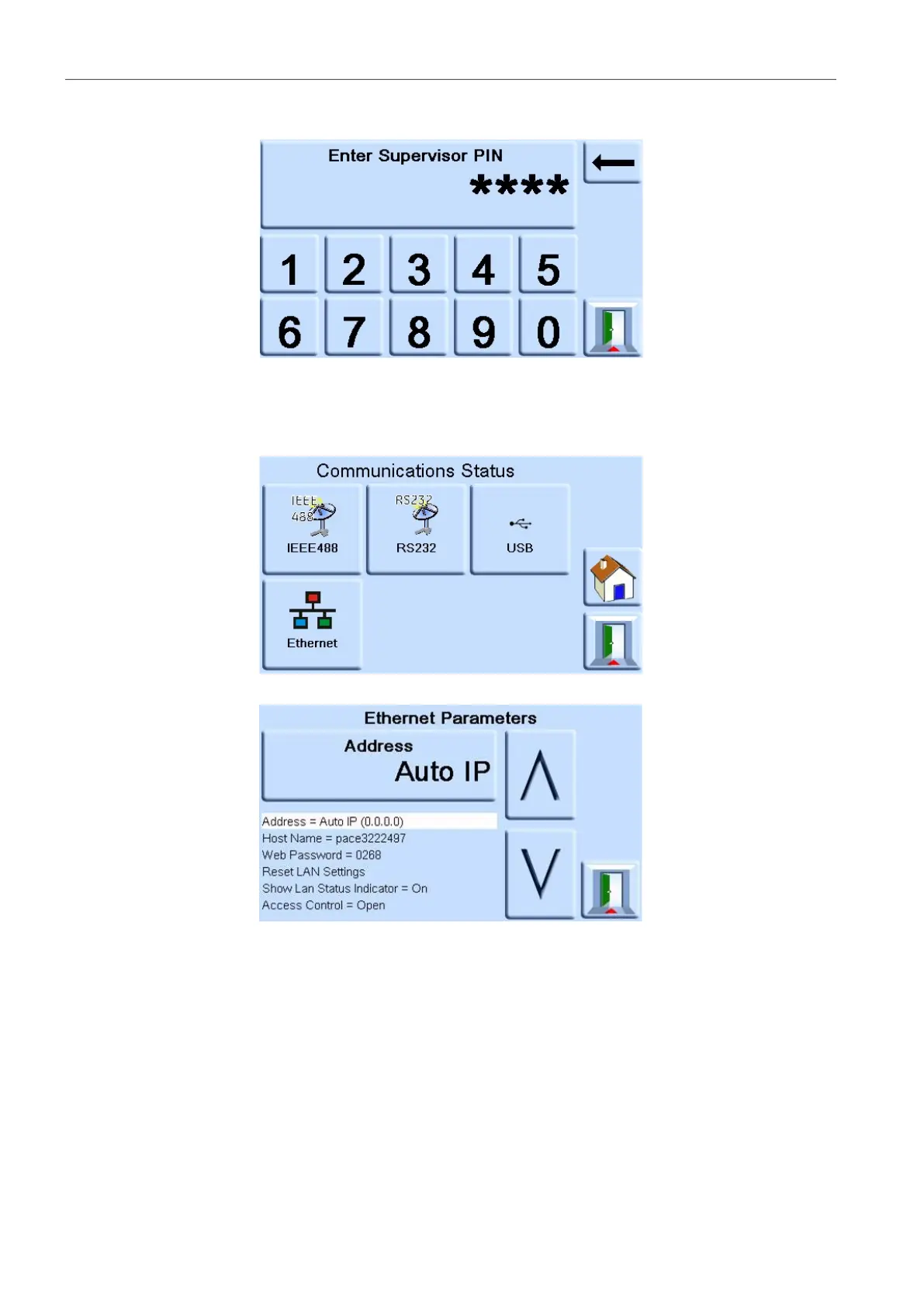
4. Enter the Supervisor PIN and press ENTER SUPERVISOR PIN. Use the back arrow in the
top right corner of the screen to delete any incorrect data entries.
Note: The factory set Supervisor PIN is 0268. If the Supervisor PIN has been locally
changed, make sure that the new PIN is kept in a safe place. If the new PIN is lost, it can
only be reset at a Druck Service Centre.
5. Press COMMUNICATIONS STATUS to open the COMMUNICATIONS STATUS screen.
6. Select ETHERNET to open the ETHERNET PARAMETER screen.
7. To change the ADDRESS parameter, complete the following:
a. On the ETHERNET PARAMETER screen, use the UP and DOWN arrows to highlight
the ADDRESS field.


 To Next Page