EasyManua.ls Logo

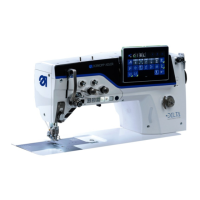
DURKOPP ADLER M-Type Delta D867 - User Manual

DURKOPP ADLER M-Type Delta D867
220 pages
Print Icon
To Next Page IconTo Next Page
Loading...
D867
M-TYPE DELTA
Operating Instructions

Table of Contents

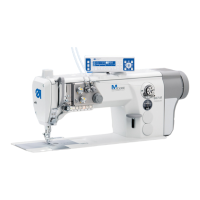
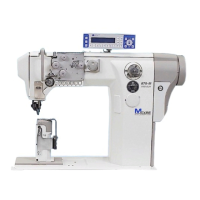
Other manuals for DURKOPP ADLER M-Type Delta D867

Questions and Answers

  • A
    Aaron PayneAug 14, 2025
    What to do if DURKOPP ADLER M-Type Delta D867 Sewing Machine shows Error 1001?
    • J
      Jacob WalkerAug 14, 2025
      If your DURKOPP ADLER Sewing Machine displays Error 1001, it indicates a sewing motor error or that the sewing motor plug (AMP) is not connected. Here's what you should do: * Check the connection of the sewing motor plug and plug it in securely. * Test the sewing motor phases (R = 2.8?, high impedance to PE). * Consider replacing the encoder or the sewing motor. * As a last resort, replace the control.
  • C
    Christina BradleyAug 17, 2025
    Why is DURKOPP ADLER M-Type Delta D867 Sewing Machine showing Error 1005?
    • J
      jason18Aug 17, 2025
      DURKOPP ADLER Sewing Machine showing Error 1005 means the motor is blocked. You should check for stiff movement, consider replacing the encoder, or replace the sewing motor.
  • E
    Edward WiseAug 21, 2025
    What causes Error 1006 on a DURKOPP ADLER M-Type Delta D867 Sewing Machine?
    • W
      William RomeroAug 21, 2025
      Error 1006 on your DURKOPP ADLER Sewing Machine indicates that the maximum speed has been exceeded. To resolve this, replace the encoder, perform a reset, and check the class (t 51 04).
  • B
    Bradley MillerAug 25, 2025
    How to fix incorrect sewing motor direction of rotation on DURKOPP ADLER Sewing Machine?
    • K
      Karen VincentAug 25, 2025
      To fix an incorrect sewing motor direction of rotation on your DURKOPP ADLER Sewing Machine, you can try the following: * Replace the encoder. * Check the motor plug assignment and change it if necessary. * Check the wiring in the machine distributor and change it if necessary. * Test the motor phases and check for the correct value.
  • D
    Desiree Jones DDSAug 27, 2025
    How to resolve Error 1000 on DURKOPP ADLER Sewing Machine?
    • R
      Ryan MckayAug 28, 2025
      Error 1000 on a DURKOPP ADLER Sewing Machine indicates that the sewing motor encoder plug (Sub-D, 9-pin) is not connected. To resolve this, connect the encoder cable to the control, ensuring you use the correct connection.
  • B
    bsmithAug 30, 2025
    What does Error 1002 mean on DURKOPP ADLER M-Type Delta D867?
    • W
      Wendy MasonAug 30, 2025
      Error 1002 on a DURKOPP ADLER Sewing Machine indicates a sewing motor insulation error. Check the motor phase and PE for a low-impedance connection. You may also need to replace the encoder or the sewing motor.
  • K
    Kathryn FullerSep 3, 2025
    What should I do if my DURKOPP ADLER M-Type Delta D867 Sewing Machine displays Error 1007?
    • S
      Stephanie ColemanSep 3, 2025
      If your DURKOPP ADLER Sewing Machine displays Error 1007, it indicates an error in the reference run. You should replace the encoder and check for stiff movement.
  • A
    Andrew MccoySep 6, 2025
    What does Error 1008 mean for DURKOPP ADLER M-Type Delta D867?
    • G
      ggonzalezSep 6, 2025
      Error 1008 on a DURKOPP ADLER Sewing Machine indicates a sewing motor encoder error. To resolve this, replace the encoder.
  • J
    Justin FlowersSep 10, 2025
    What to do if DURKOPP ADLER M-Type Delta D867 shows Error 1010?
    • T
      Thomas GarciaSep 10, 2025
      If your DURKOPP ADLER Sewing Machine is showing Error 1010, it means the external synchronizer plug (Sub-D, 9-pin) is not connected. Connect the cable of the external synchronizer to the control, and make sure that the interface (Sync) is correct. This is only recommended for machines with transmission.

Summary

Safety

Basic safety instructions

Provides fundamental safety rules for operating the machine.

Signal words and symbols used in warnings

Explains signal words and symbols for hazard communication.

Machine description

Proper use

Details the intended and correct usage of the sewing machine.

Operation

Preparing the machine for operation

Outlines the steps to prepare the machine before sewing.

Switching on and off the machine

Describes the procedure for powering the machine on and off.

Inserting changing the needle

Details the process of replacing the sewing needle.

Threading the needle thread

Instructions for threading the needle thread.

Winding the hook thread

Procedure for winding the bobbin thread.

Changing the bobbin

Instructions on how to replace the bobbin.

Sewing

Details the sewing process using the pedal controls.

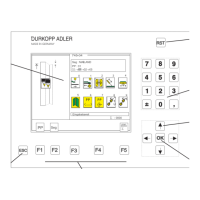
Programming Commander DELTA

Software operating modes

Overview of available operating modes: Manual, Automatic, Programming.

Using Manual mode

Operating the machine with direct parameter control.

Using Automatic mode

Executing pre-programmed seam sequences.

Using Programming mode

Creating, adjusting, or deleting seam programs.

Performing a software update

Instructions for updating the machine's software.

Maintenance

Setup

Electrical connection

Procedures for connecting the machine to power.

Decommissioning

Troubleshooting

Messages of the software

Explains software error codes and their remedies.

Errors in sewing process

Identifies common sewing problems and solutions.

Technical data

DURKOPP ADLER M-Type Delta D867 Specifications

General IconGeneral
TypeIndustrial Sewing Machine
Stitch Type301
Needle System134-35
Needle SizeNm 80 - 120
MotorIntegrated Direct Drive
Clearance under sewing foot20 mm
Power Requirements230 V, 50/60 Hz
Power Consumption550 W
ModelM-Type Delta D867
Foot Lift20 mm
Sewing SystemSingle Needle, Double Lockstitch

Related product manuals