Machine description
4812164901_A.pdf 2022-11-14
6
4
5
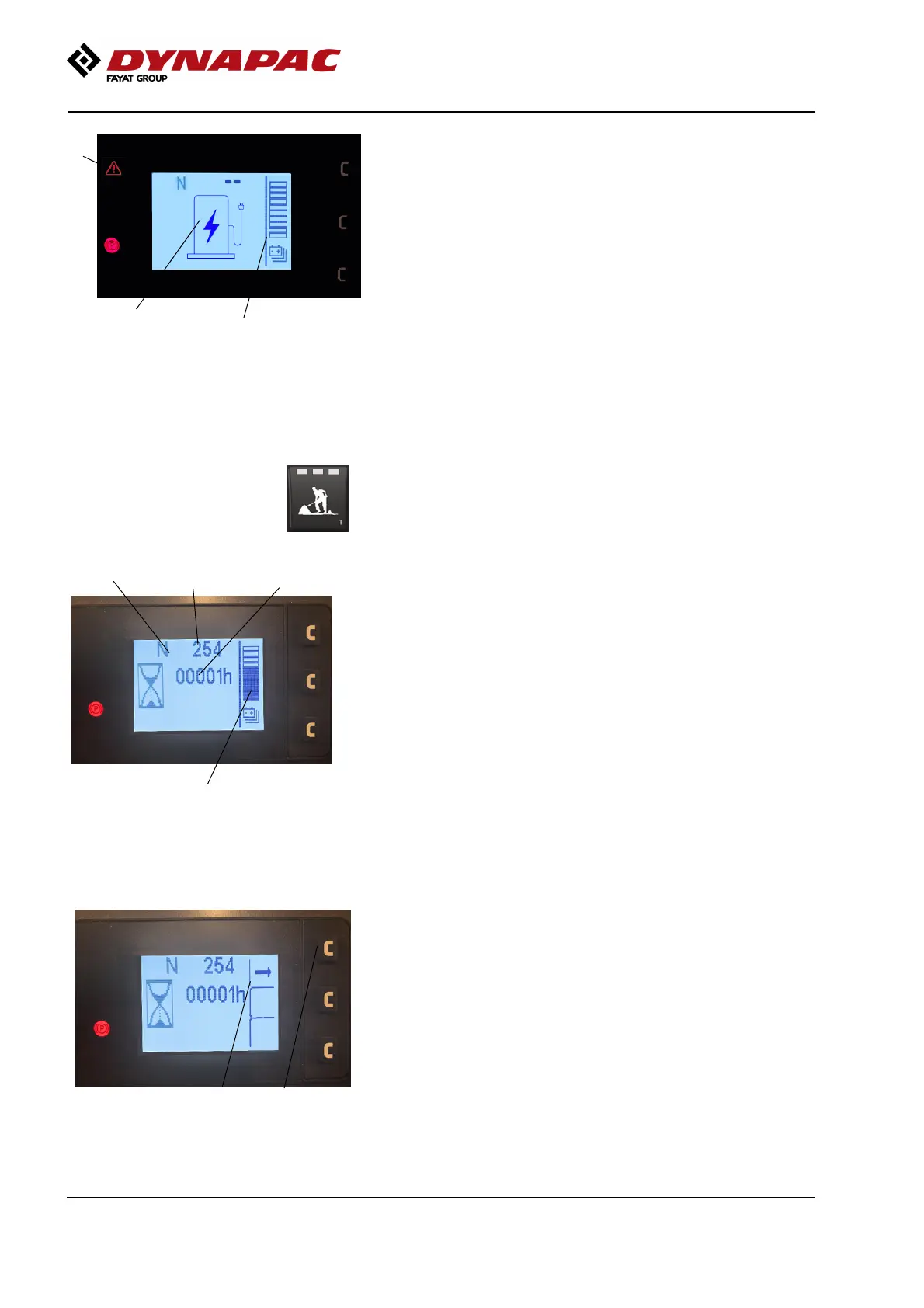
Fig. Battery level low - charging
4. Battery level low
5. Charging symbol
6. Yellow or Red warning
3. Battery level 8%. Yellow warning and the machine
is only allowed at the lowest speed and not possible to
drive with vibrations.
4. Battery level 3%. Red warning and the machine
shuts down.
Transport mode
The transport mode screen provides information about
travel direction (3), machine hours (4), estimated
remaining runtime (5) and fuel level (2).
5
Fig. Transport mode
3
4
2
2. Battery level:
- The battery level is indicated in a bar (divided into ten
segments) to the right of the display.
3. Direction of travel
- The icon has three options (F, N, R) and is shown
in the top left of the display. Only current status is
displayed.
- N (Neutral) shows that the control lever is in the
neutral position and no travel direction arrow is shown
on the display.
- F (Forwards) an arrow directed left is shown in
front of "F" on the display.
78
Fig. Transport mode - with side view
- R (Backwards) an arrow directed right is shown
after "R" on the display.
The side view (8) opens the first time the uppermost
button (7) is pressed.
If no activity occurs after 20 seconds, the display
returns to the main menu.
If you continue to press button (7), the menus scroll
through.
34



 To Next Page