Machine description
4812164901_A.pdf 2022-11-14
Working mode, Vibration
The working mode is selected with the help of the
working mode button on the panel.
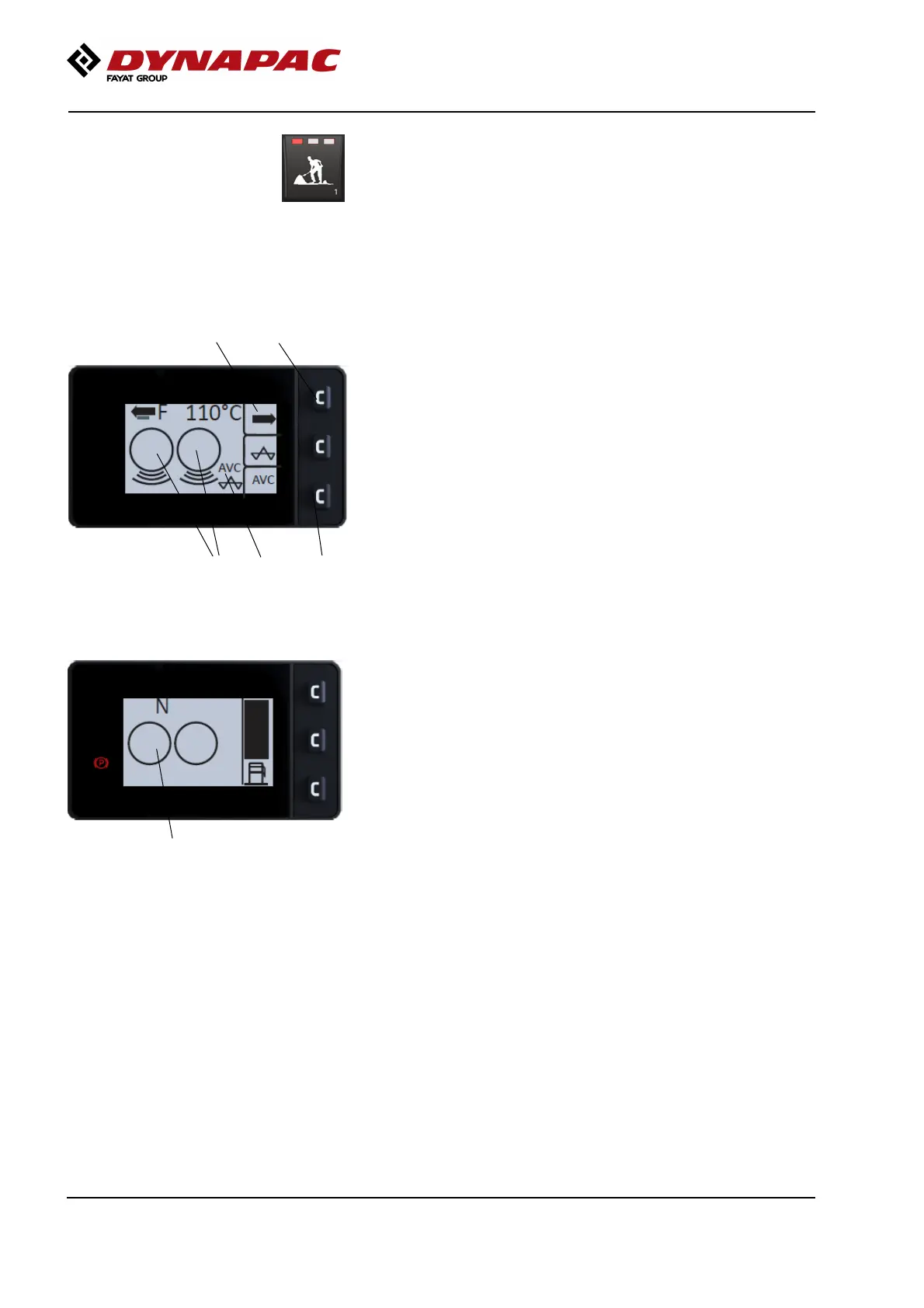
Symbols are shown in the menu Working mode,
vibration for forward and rear drums.
7
78
9
2
Fig. Working mode, Vibration both
drums, AVC selected
2. Compaction status (off/on) on front/rear drum
Press one of the buttons (7) on the far right of the
panel. The side menu (8) will then appear on the
display.
The lowermost button (7) activates AVC mode
(Automatic Vibration Control), activation lights the AVC
symbol (9).
Press the uppermost button (7) and the submenu is
displayed.
The lowermost button (7) on the panel is pressed,
AVC (9) is activated and the symbol in the bottom right
of the display lights.
Fig. Working mode - Vibration Off
4
36



 To Next Page