Operation
4812164901_A.pdf2022-11-14
Starting
Start-up procedure
6
5
1
2
3
4
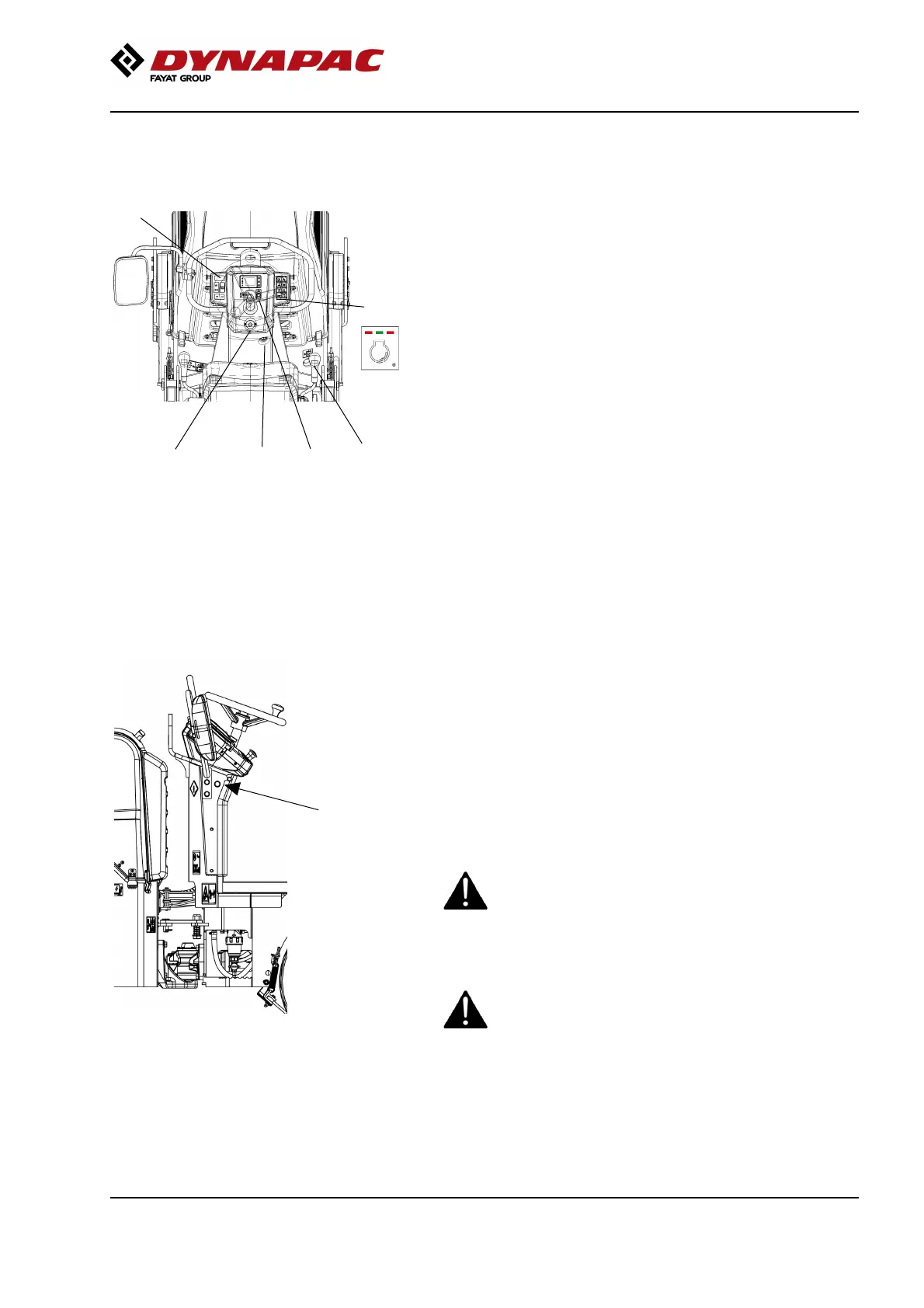
Fig. Instrument panel
1. Ignition key
2. Emergency stop
3. Forward/Reverse lever
4. Parking brake
5. Battery ON/OFF
6. Drive speed selector
Make sure that the charger is not connected to the
machine. (the machine cannot be operated with the
charging cable connected to the machine).
Make sure that the emergency stop button (2) is pulled
out and the parking brake (4) is activated.
Set the forward/reverse lever (3) in neutral.
To start the battery, press the battery’s ON switch and
hold down for 2 seconds.
Lamp lights up
The battery start-up sequence is now initiated for 2–3
seconds.
When the start-up sequence is complete, the status
light is solid.
When the status light is constant, the ignition key (1)
can be turned to position 1. This lights up the display
and other functions in the machine.
The display’s home screen now shows the battery’s
charge status.
The operator must remain seated when starting.The operator must remain seated when starting.
If the parking brake is not activated and the
forward/reverse lever is in neutral, the parking
brake and jump start symbols will be lit on the
display.
The machine cannot be started.
If the parking brake is not activated and the
forward/reverse lever is in neutral, the parking
brake and jump start symbols will be lit on the
display.
The machine cannot be started.
65



 To Next Page