Operation
4812164901_A.pdf 2022-11-14
Vibration
Manual/Automatic vibration
3
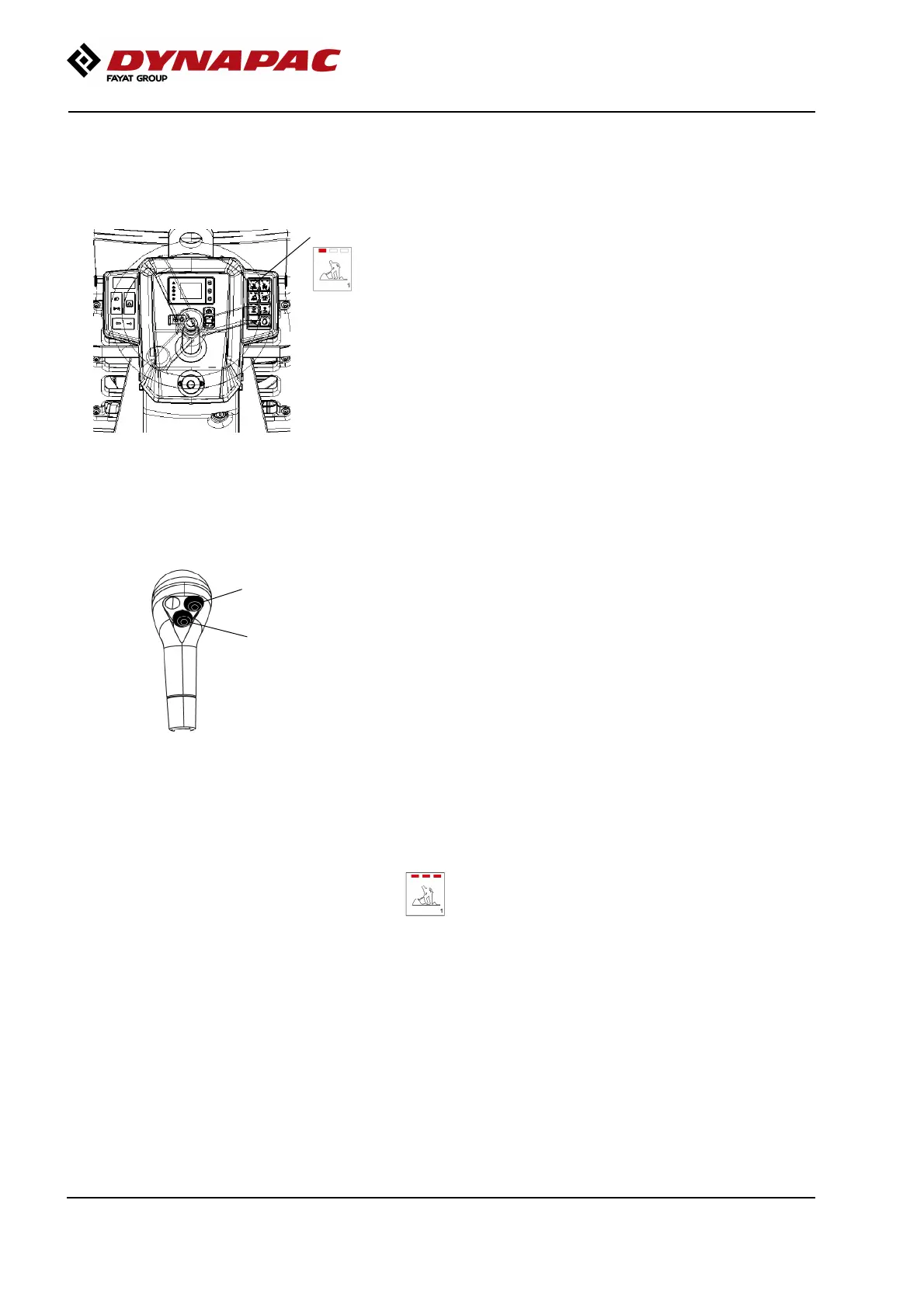
Fig. Instrument panel
3. Working mode selector
In Working mode/Vibration (3) (LED LEFT lit) you
can select, manually, which drum is to vibrate with the
button on the forward/reverse lever.
Button (1) activates vibration on the front drum.
Button (2) activates vibration on the rear drum.
If you select both buttons (buttons (1) and (2)),
vibration is activated on both drums.
Fig. Right Forward/Reverse lever
1
2
In automatic mode, the vibration is activated when the
pre-set speed is reached, provided that vibration of
one or both drums has been selected using the
buttons on the control lever.
(See the Display chapter to active).
Deactivation of vibration takes place automatically
when the preset deactivation speed is reached.
Deactivation is performed by pressing one or both of
the buttons (1 and 2) again.
ATTENTION! If the machine is in Transport mode and
one of the buttons on the forward/reverse lever is
activated, the operator assistance symbol for Working
mode is shown in the display.
ATTENTION! If the machine is in Transport mode and
one of the buttons on the forward/reverse lever is
activated, the operator assistance symbol for Working
mode is shown in the display.
The three LEDs on the Working mode button
flash.
The three LEDs on the Working mode button
flash.
68



 To Next Page