Operation
4812164901_A.pdf 2022-11-14
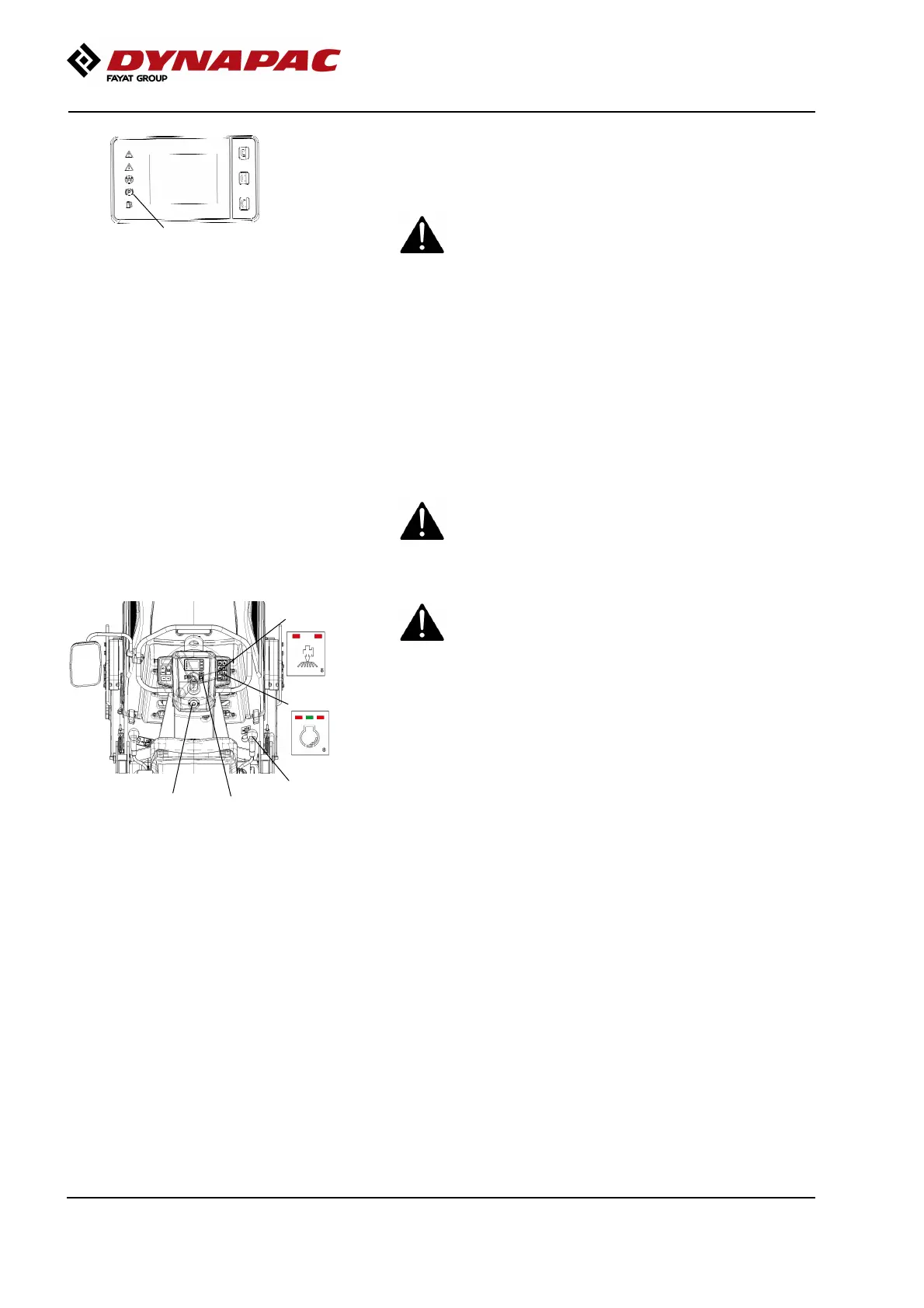
Fig. Display
7. Parking brake indicator
7
The parking brake lamp (7) will remain on for as long
as the parking brake switch is activated.
When starting and driving a machine that is cold,
remember that the hydraulic fluid is also cold and
that braking distances can be longer than normal
until the machine reaches the working temperature.
When starting and driving a machine that is cold,
remember that the hydraulic fluid is also cold and
that braking distances can be longer than normal
until the machine reaches the working temperature.
Driving
Operating the roller
Under no circumstances is the machine to be
operated from the ground. The operator must be
seated inside the machine during all operation.
Under no circumstances is the machine to be
operated from the ground. The operator must be
seated inside the machine during all operation.
5
2
4
3
1
Fig. Instrument panel
1. Parking brake
2. Motor speed selector, drive
3. Emergency stop
4. Forward/Reverse lever
5. Sprinkler activation button
Make sure that the area in front of and behind the
roller is clear.
Make sure that the area in front of and behind the
roller is clear.
Release the parking brake (1) and check that the
parking brake lamp goes off.
Select a motor speed using the button (2), an LED
indicator on the button shows the selected speed.
Check that the steering is working correctly by turning
the steering wheel once to the right and once to the
left while the roller is stationary. (do not perform this
test on hot asphalt as this may damage the surface)
When compacting asphalt, remember to activate the
sprinkler system (5).
Carefully move the forward/reverse lever (4) forwards
or backwards, depending on which direction of travel
is required.
The speed increases as the lever is moved away from
the neutral position.
66



 To Next Page