Machine description
4812164901_A.pdf2022-11-14
2
1
3
"ADJUSTMENTS"
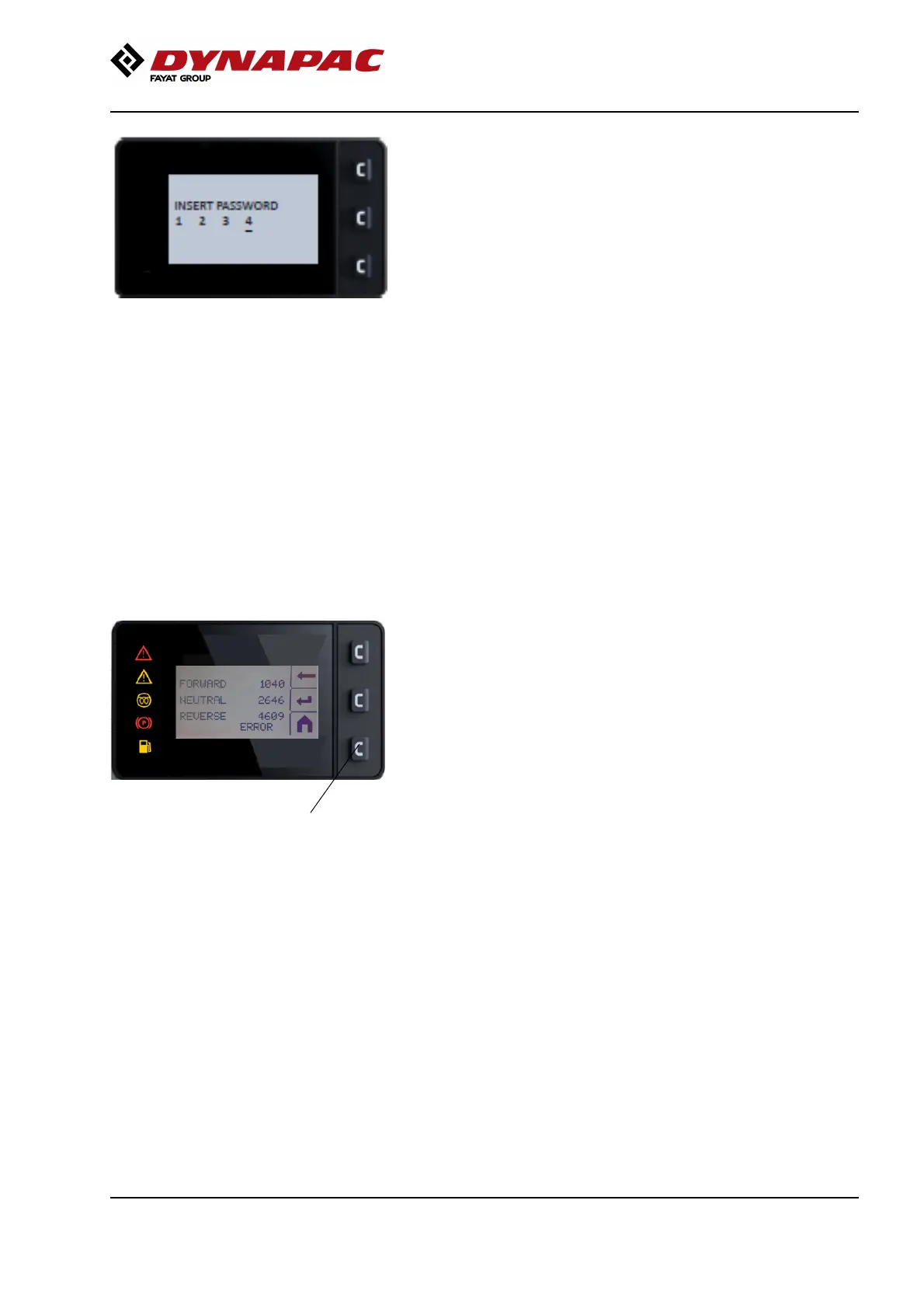
CALIBRATION - service personnel only, requires a
PIN code.
The value of the number increases or decreases using
button 1 or 3 respectively.
Button 2 confirms the value and the indication moves
to the next number.
Control lever calibration
1. Move the control lever to its foremost position.
2. Press "Enter" (12) to save the value. The calibration
indication now moves to "NEUTRAL".
3. Move the control lever back to the neutral position.
4. Press "Enter" (12) to save the value. The calibration
indication now moves to "REVERSE".
5. Move the control lever back to the reverse position.
6. Press "Enter" (12) to save the value.
12
7. Press "Enter" (12) to save the value
in the control unit.
When calibrating the joystick, the values must always
be between the following limits:
Forward (F): 200 - 700
Neutral (N): 2200 - 2800
Reverse (R): 4200 - 4700
8. "OK" is shown at the bottom of the display when
saving is complete. "ERROR" is shown at the bottom
of the display if the values are outside of the
aforementioned permitted limits. Redo the calibration.
39



 To Next Page