41
Section C - Electronic Control System
Alarm
Audible Transducer(Piezo)
Control, Main Board
PowerSupply
ACInputVoltage–115VAC@60Hz.
Control, User Interface
PowerSupply-Input-5VDC(fromMainBoard)
Numeric Display
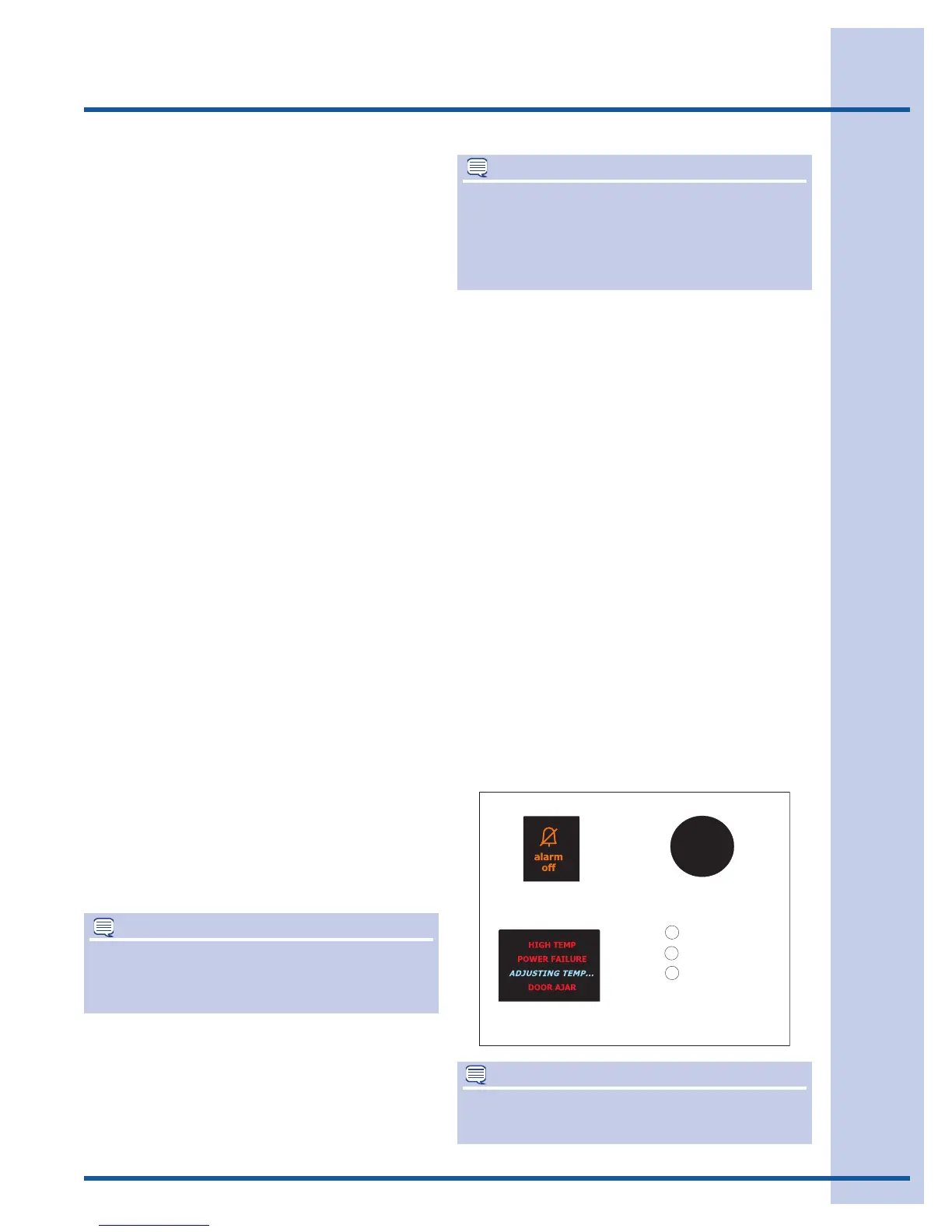
Version A (Example 1)
Thealarmsettingsarebetweenthetemperature
display’sandthewordingwilllightup.Thefunction
display’sareacrossthetop,thedispenserdisplays
areacrossthebottom.TheDisplaywilllightup
whenactivated.
Version B (Example 2)
Thealarmsettingsareinthetoprightcorner.
ALEDwilllightupinfromofthealarmthatis
sounding.Thedisplaysacrossthetopandbottom
haveaLEDabovethedisplaythatlightswhen
activated.
Show Room Setting
ActiveFunction
Displays
Freezer/FreshFoodTemperatureKeys
FreshFoodLights
AlarmKey-KeyToneONLY
AirFilterKeyKeyToneandgreenLEDtoggleson
andoff.
Allotherfunctionsaredisabledincludingalarm(s)
enabling.
NOTE
Interiorlightswillshutoffiffooddoorisleftopen
forover10Minutes.Toresetcontrol,closedoor
andthenopendoor.
NOTE
Theterm“PowerOnReset”(POR)willappear
manytimesinthealarmandservicetestsections.
PowerOnResetsimplymeansyouunplugthe
productatthehouseholdelectricaloutlet,wait2
minutesandplugtheproductbackintotheoutlet.
Temp Mode/Temp Display
Allowscustomertochangetemperaturereadings
formFahrenheittoCentigradeandback.
Alarms and Signals
Temperature Alarm
Enablingisautomaticandstartedatthetimethe
productispluggedin(POR)butisdelayeduntil
actualFreezertemperature=Freezertemperature
setpointandactualFreshFoodtemperature=
FreshFoodtemperaturesetpoint.Oncesetpoints
arereached,alarmLED(Green)willcomeON,
steadystate,indicatingalarmisactive.
Alarm Condition
Alarmisenabledandactive.Temperature
parametersarewithintolerances.AlarmLED
(Green)isONandsteadystate.
Reset Button
PressoncetoresetanyAlarmcondition.Alarm
LED(steadygreen)Pressandholdreset3
seconds.Youwillhearonebeep.ThiswillturnOFF
allalarmfunctions.
Pressandholdreset3seconds.Youwillhearone
beep.ThiswillturnONallalarmfunctions.
DefaultatPORisOn.
Reset
Top Right Corner
Top Right Corner
Centered between
displays
Power Failure
High
Door
Example 2
Example 1
Alarm is ON. Everything OK.
NOTE
AtPORthealarmsaredelayed(180minutes
max.)untilsetpointstemperaturesarereached.




 To Next Page