46
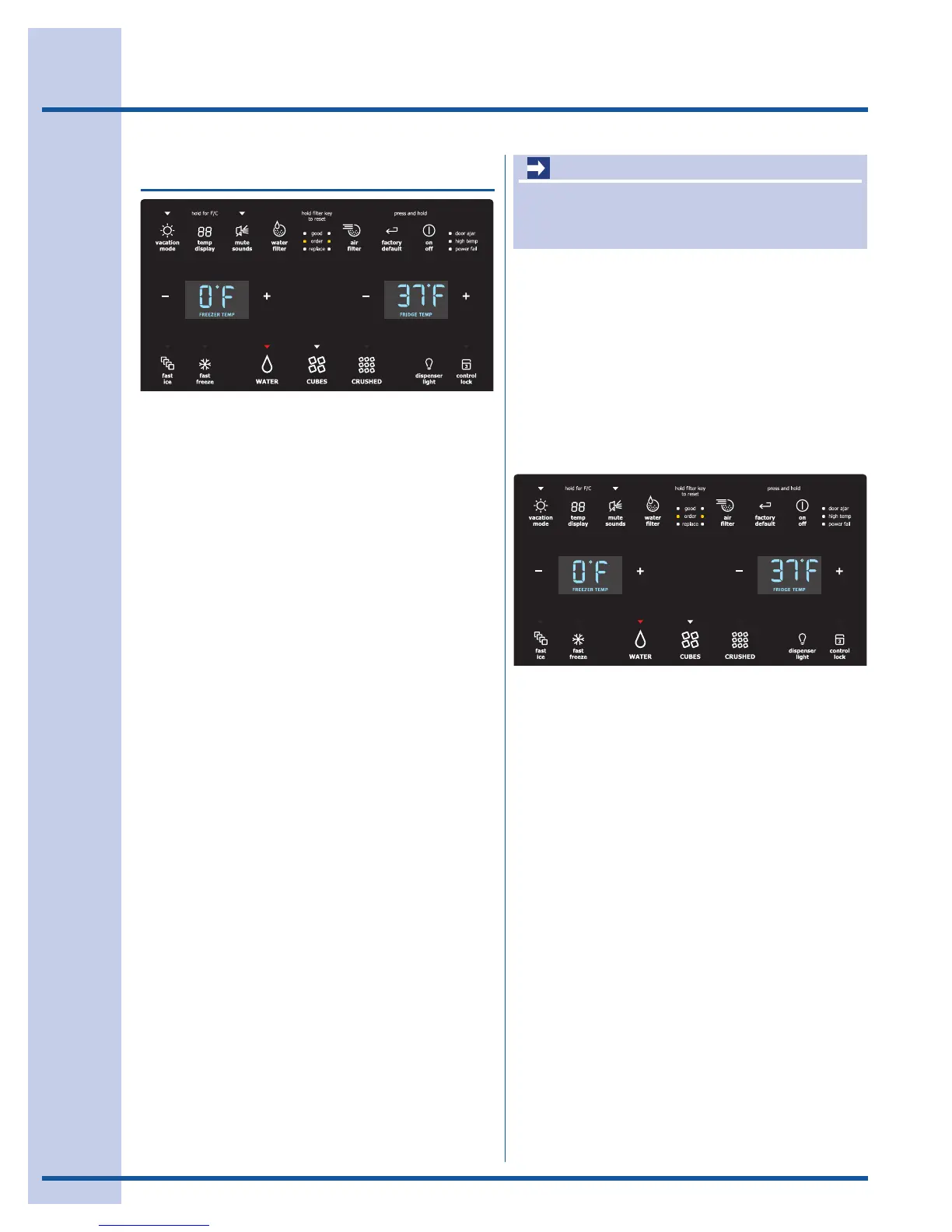
Setting cooling temperatures
1 Touchtheglasspaneltoilluminatethe
displaytothePlus(+)andminus(-)
indicatorswhichappearoneithersideofthe
displayedtemperatures.
2 Pressthe+or–indicatortoadjustthe
temperaturetothedesiredsetting.
Thetemperaturedisplaywillbegintoblink
withthersttouch.Thedisplaytimesoutafter
5secondsandreturnstothebasicdisplay.
Alarms
Door Ajar If the door has been left open for an
extended period of time, an alarm will
sound and the door ajar indicator will
display in the middle of the display. The
alarm is turned off by closing the door. The
mute sounds key will illuminate to prompt
the reset of any pending alarms. Press this
key to reset any system alarms.
High Temp In the event of a high temperature condi-
tion, the temperature display will display
“HI,”. After 20 minutes and the high temp
alert will be displayed and the alarm off
icon will illuminate until pressed, acknowl-
edging the alarm, at which time the highest
temperature reached will be displayed and
the refrigerator will resume normal opera-
tion. All other modes are turned off until the
alarm is acknowledged.
Power Fail In the event of a power failure, the power
fail alert will be displayed and the mute
sounds icon will illuminate until the mute
sounds icon is pressed, acknowledging the
alarm. Other modes may be turned off until
the alarm is acknowledged. The power fail
alert is turned off and the refrigerator will
resume normal operation. The high temp
alarm may also be illuminated until a safe
operating range temperature has been
reached.
Touchtheicontoactivatetheoptionsbelow.
Anyofthefollowingoptionsthatareactivatedhave
aredindicatorlightabovetheicon.
fast ice Increases the production of ice
fast freeze Activates a faster rate for freezing food
dispenser light On / Off
control lock Press and hold for three seconds to activate
and deactivate. This restricts undesired
changes to the refrigerators settings and
prevents use of the ice and water dispenser.
vacation mode Conserves energy by increasing the time
between automatic defrost. It is automatically
deactivated by opening the refrigerator door after
24 hours. This feature is automatically activated
during long periods between door openings.
Vacation mode is manually activated when the red
indicator is lit.
water filter Touch to display filter condition status.
Press and hold for three seconds to reset.
air filter Touch to display filter status. Press and
hold for three seconds to reset.
temp display Touch to toggle the freezer and fridge
temps display on and off.
Touch and hold temp display to toggle
display from Fahrenheit to Celsius.
mute sounds Tones emitted by each keypress can be
turned off based on user preference. The
sounds are muted when the red indicator is
lit. Warning signals will stay active.
factory default Resets all refrigerator settings such as
temp, temp display and ring tones to their
factory default settings.
on off Press and hold for three seconds to turn off
the cooling system to clean the refrigera-
tor. It also turns off all dispenser functions.
The temperature display will read OFF.
IMPORTANT
Pressingthesystem officondoesnotturnoff
powertoyourrefrigerator.Youmustunplugthe
powercordfromthewalloutlet.
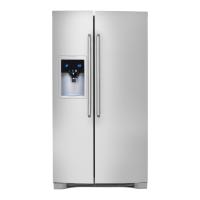
YourrefrigeratorisequippedwithaGlass Touch
Paneluserinterfacedisplay.Itisonlynecessary
totouchtheglass.Thereisnoneedtopresswith
force.Therearethreedispensermodes:
1 Water
2 IceCubes
3 CrushedIce
Aredindicatorlightwillbeilluminatedabovetheactivemode.
IQ-Touch
TM
(some models)
Section C - Electronic Control System




 To Next Page