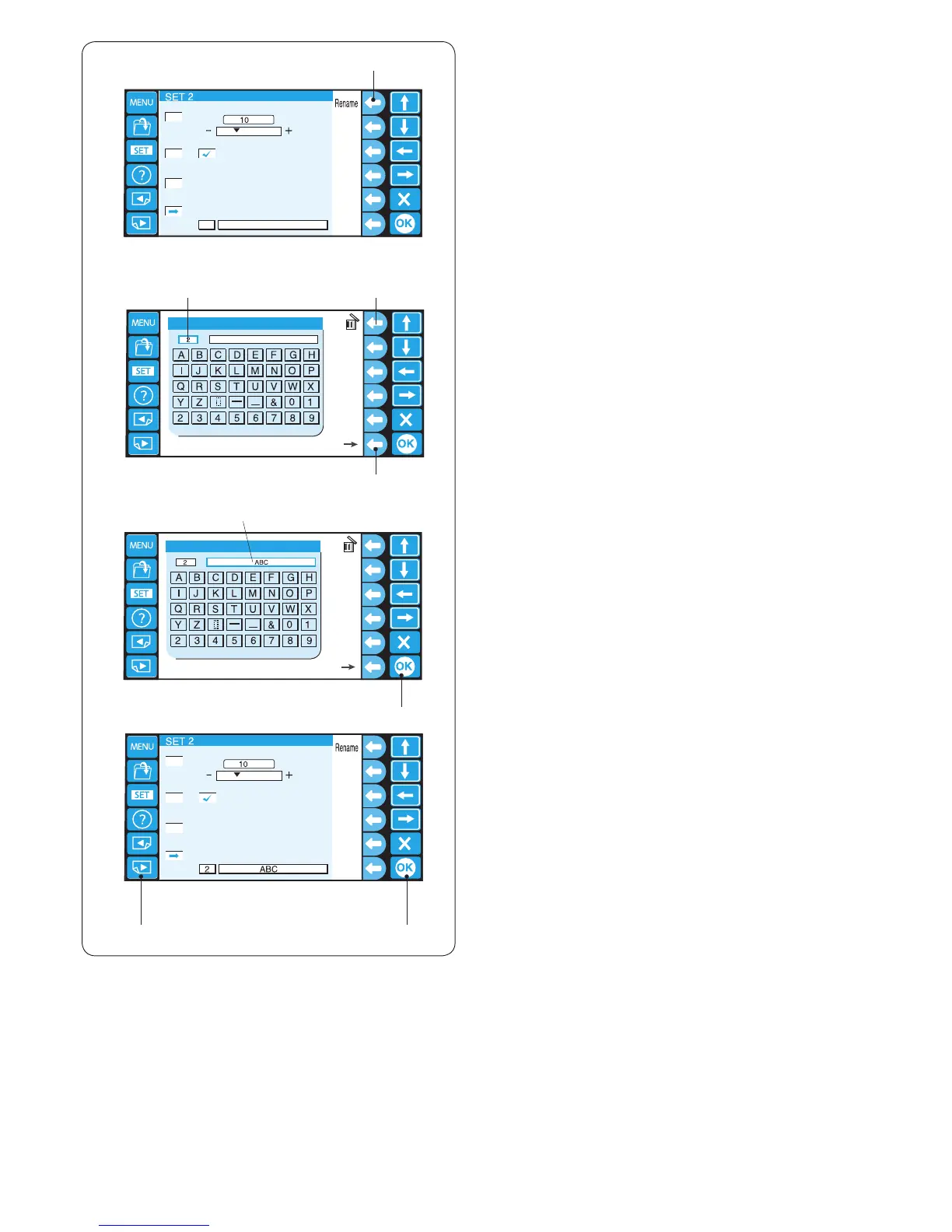
8. Machine ID and name
When connecting two or three units of the machine to the
PC at the same time, you need to assign the identication
number and name to each machine.
Press the function key next to Rename and the keyboard
window will open.
q Function key (Rename)
w
e
r
t
y
yu
q
z
x
c
z Enter the identication number.
Only 1 to 3 can be entered.
To delete the number, press the function key next to
the delete icon.
w Identication number
e Function key (delete)
Press the function key next to right arrow.
r Function key (right arrow)
x Enter the machine name and press the OK key and
the key board window will close.
Up to 16 characters can be entered.
t Machine name
y OK key
To delete the character, press the function key next to
the delete icon and the last character will be deleted.
c Press the OK key.
y OK key
To go to the next page, press the next page key.
u Next page key















 To Next Page