71
Format Memory?
All the stored data will be erased.
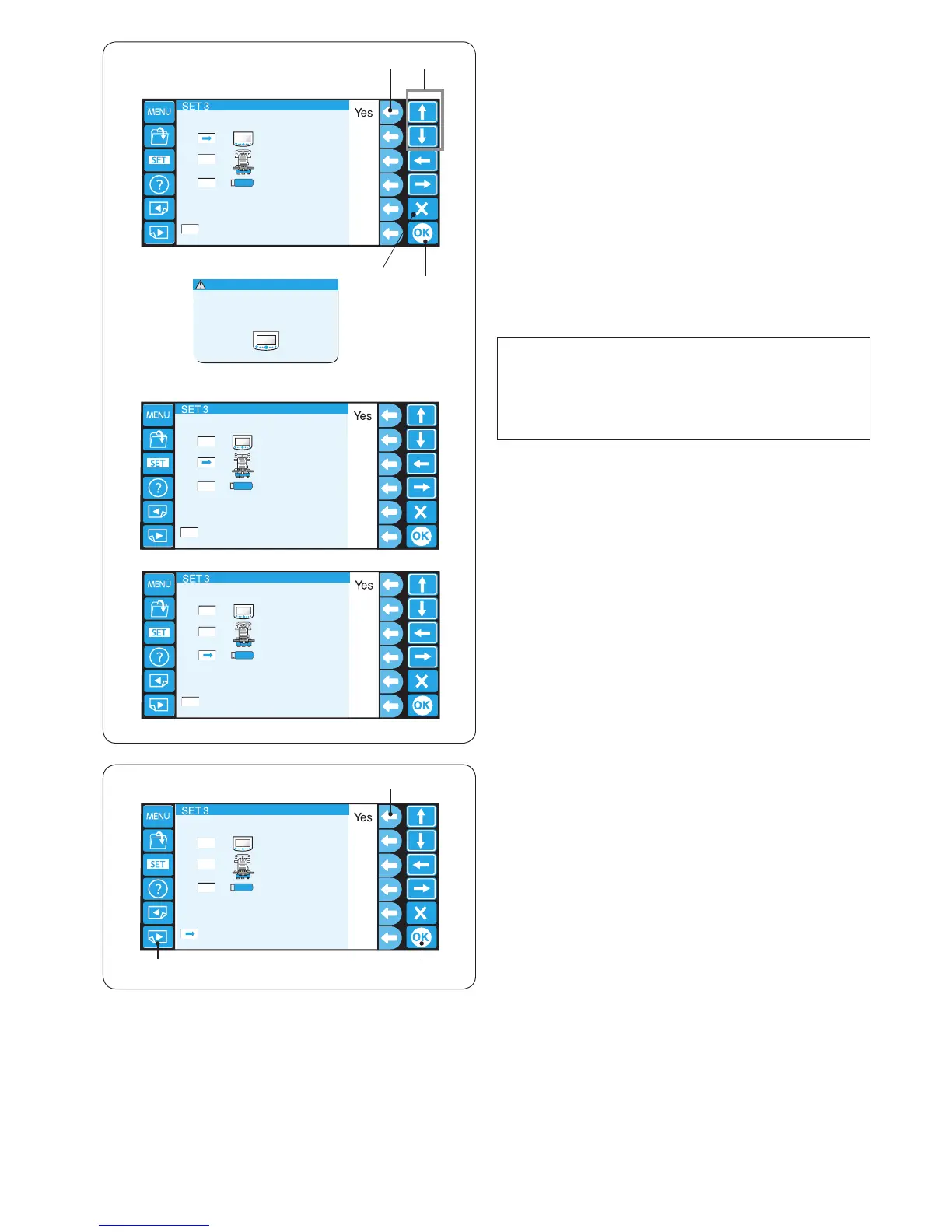
9. Formatting the memory
If the internal memory or media does not function due to
damage to the memory bank, you need to re-enable it by
formatting the memory.
Press the arrow key (up or down) to select the desired
memory location.
Press the function key next to “Yes” and the conrmation
message will appear.
Press the OK key to format the memory. If you do not
wish to format, press the exit key.
q Arrow keys (up, down)
w Function key (Yes)
e OK key
r Exit key (X)
t Conrmation dialog box
NOTE:
If you format all the data stored in the memory will be
erased and cannot be restored.
You are recommended to save the data in other
memory location before formatting.
q
q
w
e
r
t
we
10. Resetting all to defaults
All the parameters in the setting mode, except for the
language, will be reset to the original values (factory
setting) by pressing the function key next to “Yes”.
q Function key (Yes)
Press the OK key to register the new setting.
w OK key
To go to the next page, press the next page key.
e Next page key















 To Next Page