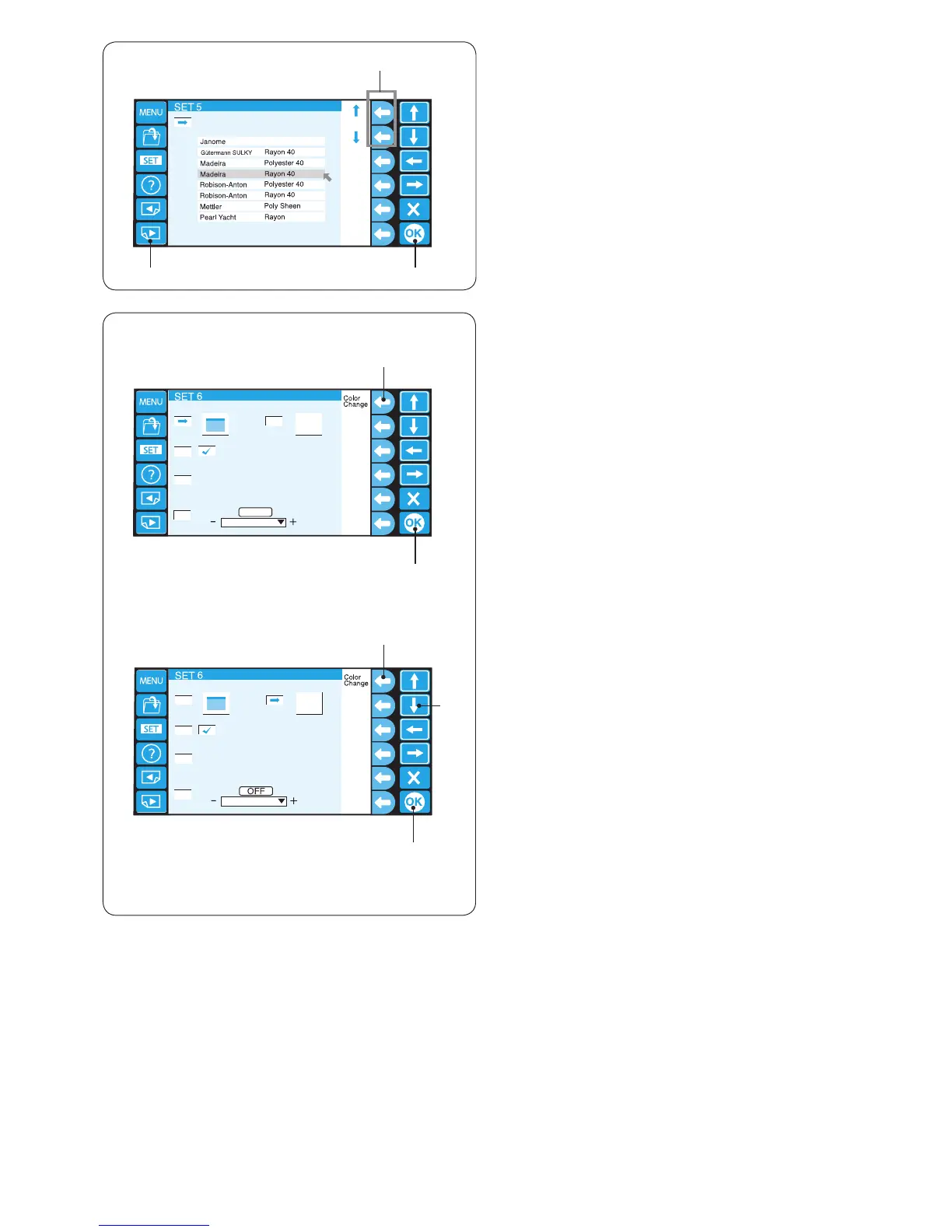
15. Selecting the thread brand
There are 8 kinds of embroidery threads to choose from.
Press the function key next to the upward or downward
arrow to select the desired brand.
q Function keys (arrow)
Press the OK key.
w OK key
* Rayon threads are recommended for embroidery on
knit fabrics.
To go to the next page, press the next page key.
e Next page key
we
q
q
w
e
q
w
16. Screen color options
You can change the color of the screen background and
key icons.
Press the function key next to “Color Change” to change
the color of the screen background (3 colors).
q Function key (Color Change)
Press the OK key.
w OK key
Press the downward arrow key to select the key icon and
press the function key next to “Color Change” to change
the color.
q Function key (Color Change)
e Downward arrow key
Press the OK key to register the new setting.
w OK key















 To Next Page