CR825 and CE875 Instant Issuance System User’s Guide 5
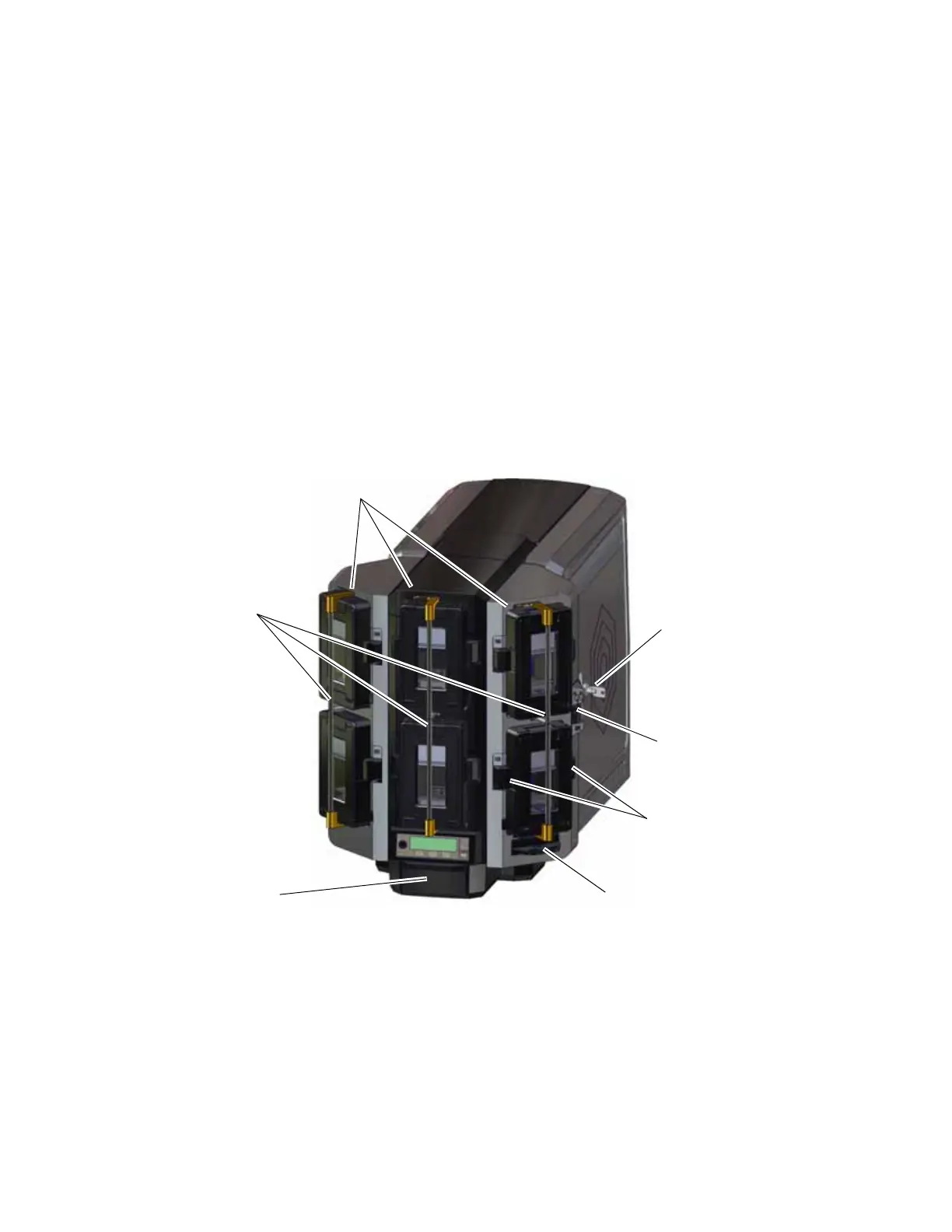
Multi-Hopper Printer
Printer Access Door The access door provides access to the printer supplies and to
the rear access door release. Open the door to replace
supplies or clear a card jam. A slot inside the door holds the
printer User Reference Guide, which contains instructions for
performing routine printer tasks.
Access Door Handle The handle allows you to open the printer access door.
Access Door Lock The lock secures the printer access door. Unlock the door to
access the inside of the printer. The lock can be opened using
the key or through a command issued by an application.
Sending a command to open the lock opens all locks on the
printer and on any attached component.
Input Hoppers 1 – 6 Each hopper cartridge in the multi-hopper holds up to 125
cards (0.030 in. or 0.762 mm thickness).
Output Hopper The output hopper holds up to 25 completed cards.
Multi-Hopper
Lock
Input Hoppers 1–6
Output
Hopper
Cartridge Release
Buttons
Lock Bar Release
Button (B1)
Hopper Lock
Bars
Exception Slide



 To Next Page