CR825 and CE875 Instant Issuance System User’s Guide 51
Empty the Printer Reject Tray
The printer places rejected cards (unfinished cards or cards that were not processed properly) in
the reject tray. You should empty the reject tray whenever the retransfer film is replaced, or more
often depending on your procedures. Error message 242, “RT1 reject tray full,” displays on the
LCD panel when the reject tray is full.
1. Unlock the printer and open the printer access door.
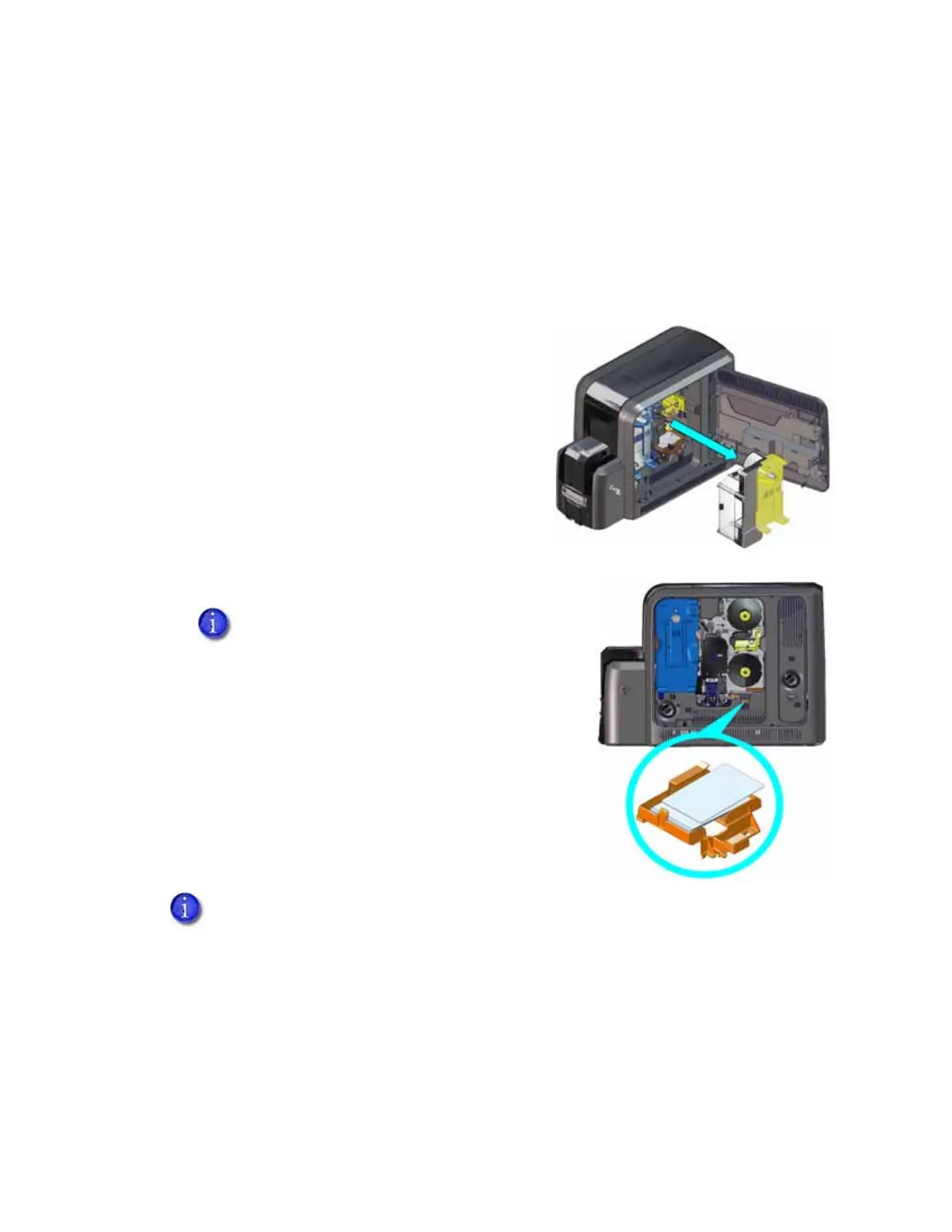
2. Remove the retransfer film cartridge from the
printer.
3. Remove the rejected cards from the reject tray.
4. Replace the retransfer film cartridge in the printer.
5. Close the printer access door and lock the printer.
Follow your organization’s procedures to track the cards
removed and to dispose of them properly.
You do not need to remove the reject tray
from the printer. You can access the cards in
the tray when the retransfer cartridge is
removed.
If your system includes an embosser, the printer reject tray is not used. Cards are
placed in the embosser reject tray. Refer to “Empty the Embosser Reject Tray” on
page A-9.



 To Next Page