8 About the Printer
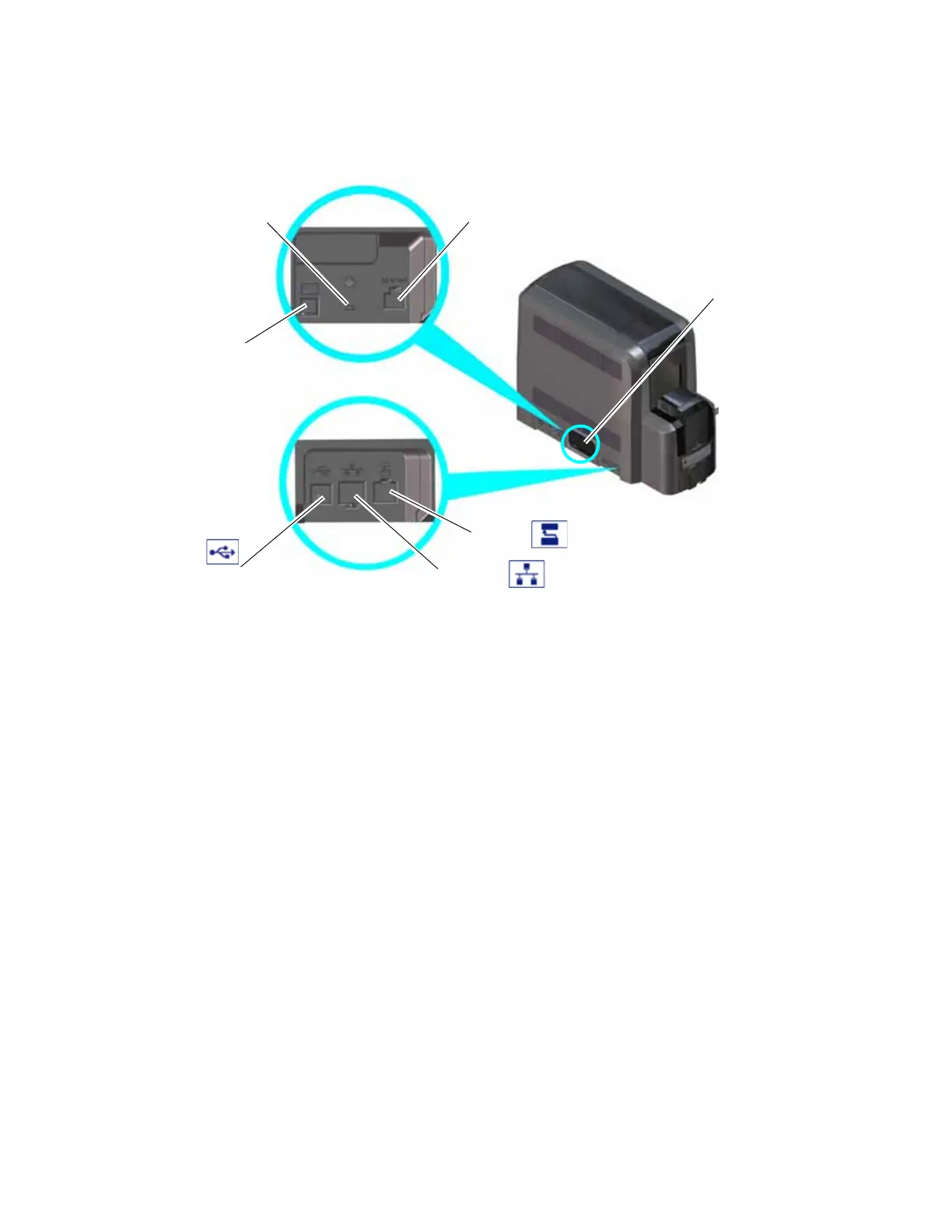
The Left Side of the Printer
Power Connection The power connection provides a plug-in connector for the
printer power supply.
Cable Lock Receptacle The receptacle allows you to insert the security plate before
attaching the optional cable lock.
Smart Card/Bar Code Reader
USB Connection
The connection allows you to connect a loosely coupled
smart card reader and bar code reader (used by some
printers) to the computer.
Data Port The data port allows you to connect the printer to another
component, such as the embosser.
Network Connection The network connection allows you to connect the printer
to an Ethernet network.
USB Connection The USB connection allows you to connect the printer
directly to a computer.
Wi-Fi Mounting Cover The mounting cover in Wi-Fi ready system enclosures allows
you to install the optional Wi-Fi Dongle in the printer. Refer
to the Wi-Fi Upgrade Installation Instructions for complete
information.
Data Port
Network
Connection
USB
Connection
Power
Connection
Smart Card/Bar Code
Reader USB Connection
Cable Lock
Receptacle
Wi-Fi Mounting
Cover



 To Next Page