66 Troubleshooting
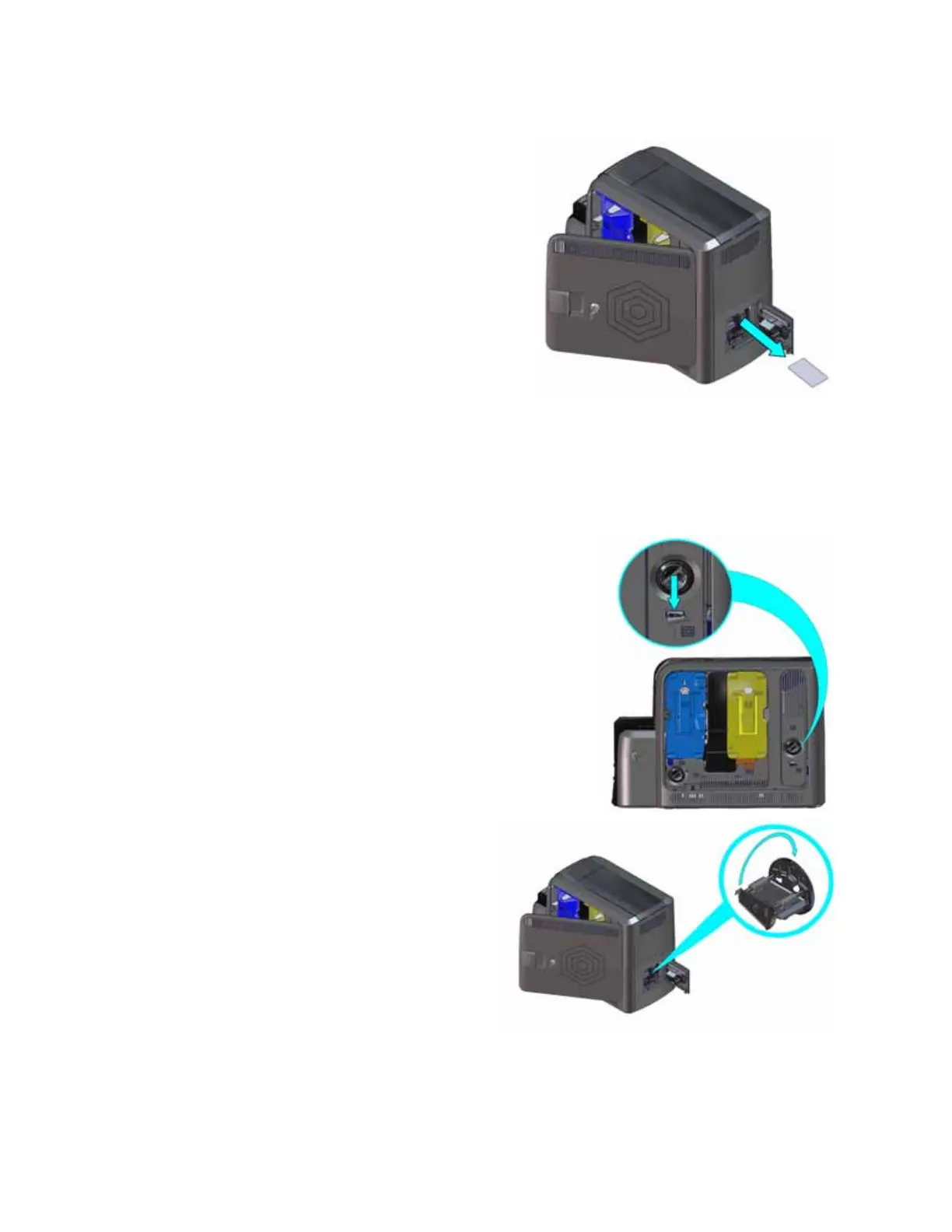
4. Remove the card through the rear access
door.
5. Close the rear access door.
6. Close the printer access door and lock the
printer.
7. Press the U
SER button on the printer to clear
the message.
Clear a Card Jam in the Flipper Module
Do the following if message 236: “Flipper module rotate error” displays.
1. Unlock the printer and open the printer access door.
2. Press the K3 rear access door release to open the rear
access door.
3. Reach into the flipper module and rotate
it until you can access the card.
4. Remove the card through the rear access
door.
5. Close the rear access door.
6. Close the printer access door and lock
the printer.
7. Press the U
SER button on the printer to
clear the message.



 To Next Page