28 Using the Printer
Select a Color Mode
You can use the front panel menus to select the color mode that best defines the color printing
requirements for your site. The color modes are calibrated and installed in the printer during
manufacturing.
You also can select the color mode using Printer Manager. Refer to the printer’s Installation and
Administrator’s Guide for more information about the color modes available.
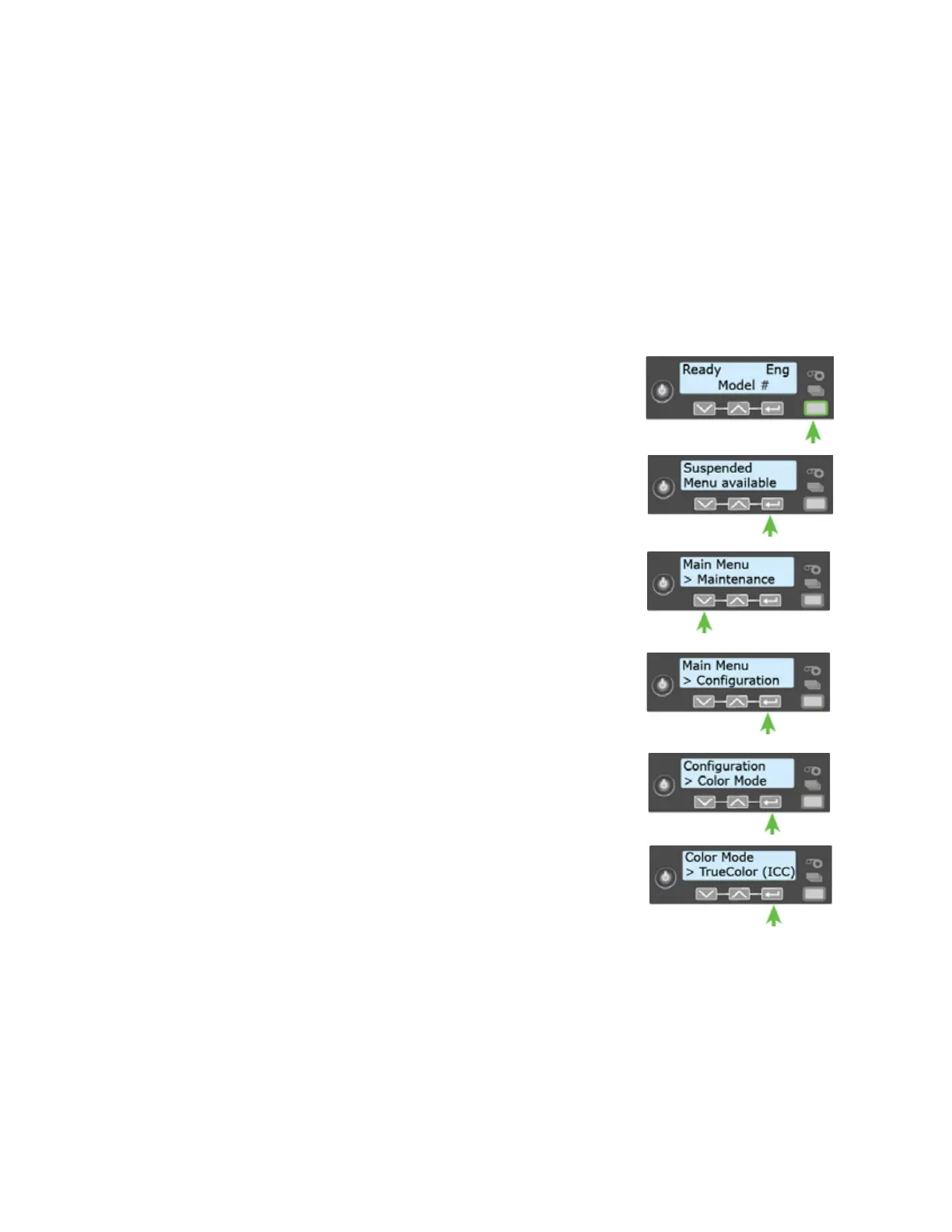
Do the following to select the color mode.
1. Press the U
SER button to display Suspended on line 1 of the
LCD panel.
2. Press E
NTER to enter the menu system.
3. Press the down arrow to display Configuration on line 2.
4. Press E
NTER to enter the Configuration menu.
5. Press the down arrow until Color Mode displays on line 2, and
then press E
NTER to display the Color Mode menu.
6. Press the down arrow until the color mode you want to use
displays on line 2, and then press E
NTER to save your
selection.



 To Next Page