CR825 and CE875 Instant Issuance System User’s Guide 29
Load and Replace Supplies
To keep the printer ready to print cards, load blank card stock into the input hopper, load ink
ribbon and retransfer film on the appropriate cartridges, and load a cleaning sleeve into the
printer.
Load Cards
Do the following to load cards in the input hopper. If you plan to insert cards manually using the
exception slot, keep a supply of blank cards available.
Cards can stick together. Slide or fan the cards to separate the edges before placing them in
the input hopper. Handle cards by their edges only, or wear gloves.
Insert ISO magnetic stripe cards with the stripe (back side) facing down and to the right.
Insert smart cards with the smart card chip facing up and toward the back of the hopper.
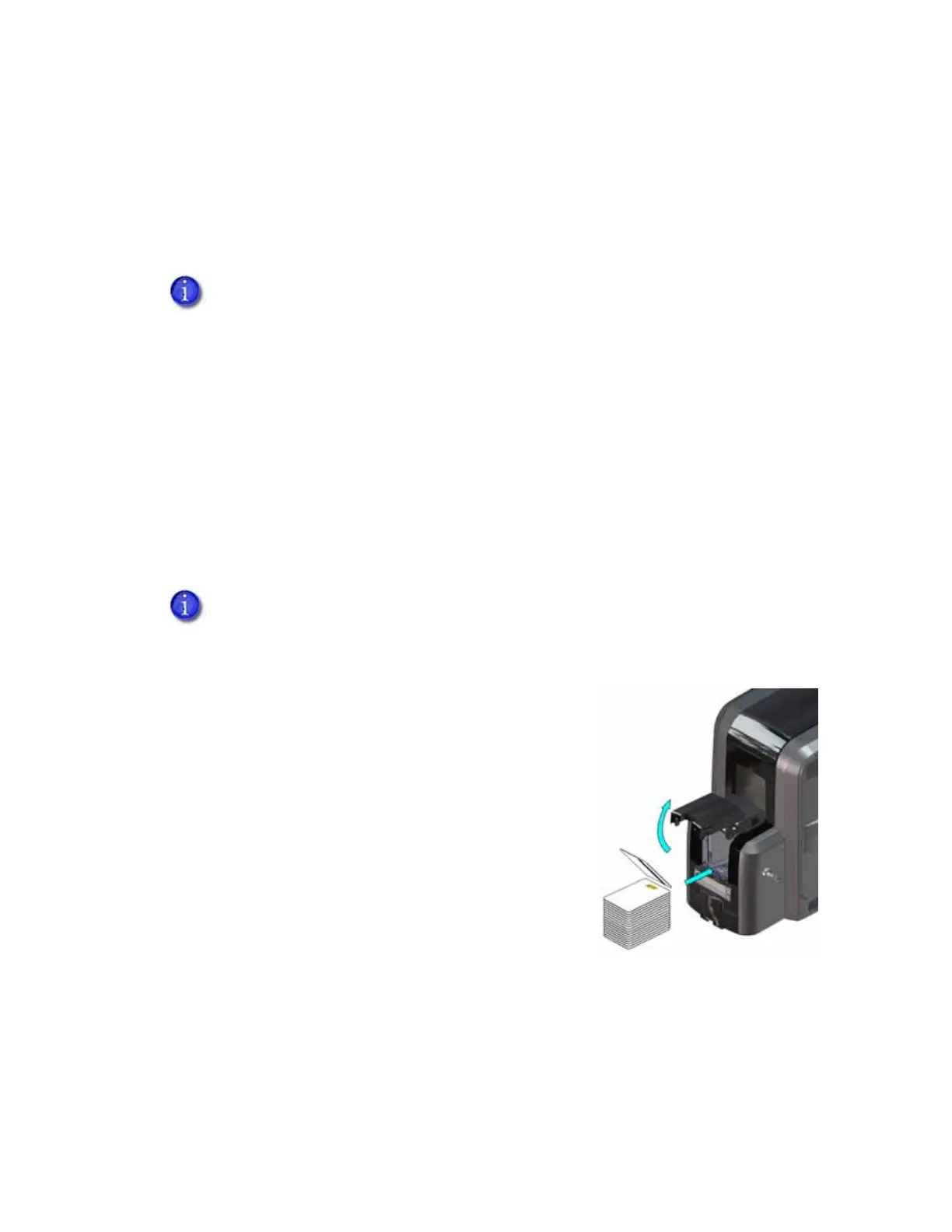
Single-Hopper Printer
1. Unlock the input hopper lock and open the input
hopper door.
2. Load the cards into the input hopper. The hopper can
hold up to 125 cards.
3. Close and lock the input hopper.
If your system includes an embosser, also load topping foil and indent ribbon into
the embosser. Refer to “Load Embosser Supplies” on page A-6 for information about
loading the embosser supplies.
A diagram inside the input hopper shows the correct orientation for each type of card.



 To Next Page