CR825 and CE875 Instant Issuance System User’s Guide 67
Repair a Broken Ink Ribbon or Retransfer Film
If the ink ribbon or retransfer film breaks, one of the following messages displays on the printer
LCD:
240, C1 supply error There is a problem with the ink ribbon.
175, C2 supply error There is a problem with the retransfer film.
1. Unlock the printer and open the printer access door.
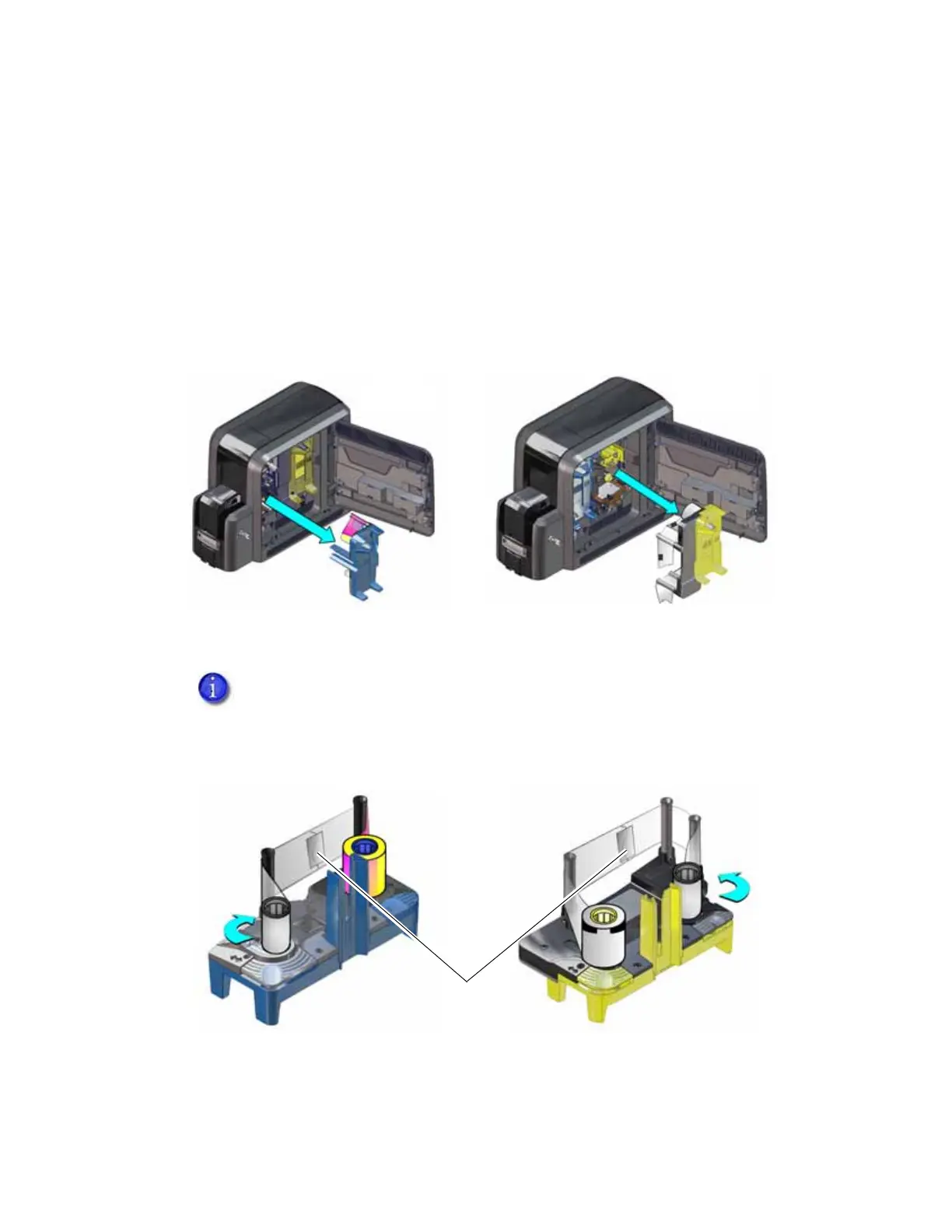
2. Remove the cartridge with the damaged supply from the printer.
3. Trim the ends of the broken ribbon or film evenly.
4. Align the ends of the broken media evenly and apply adhesive tape to secure them.
5. Turn the take-up spool until the mended portion is wound onto the spool two or three turns.
Make sure that the ink ribbon or retransfer film is routed as shown on the cartridge and that
there are no wrinkles in the supply.
Do not remove the used ink ribbon or retransfer film from the take-up spool.
Removing, and then reinstalling, the supply on the take-up spool may cause
printing issues.
Ink Ribbon
Cartridge
Retransfer Film
Cartridge
Tape
Ink Ribbon
Retransfer
Film
2X
2X



 To Next Page