32 Using the Printer
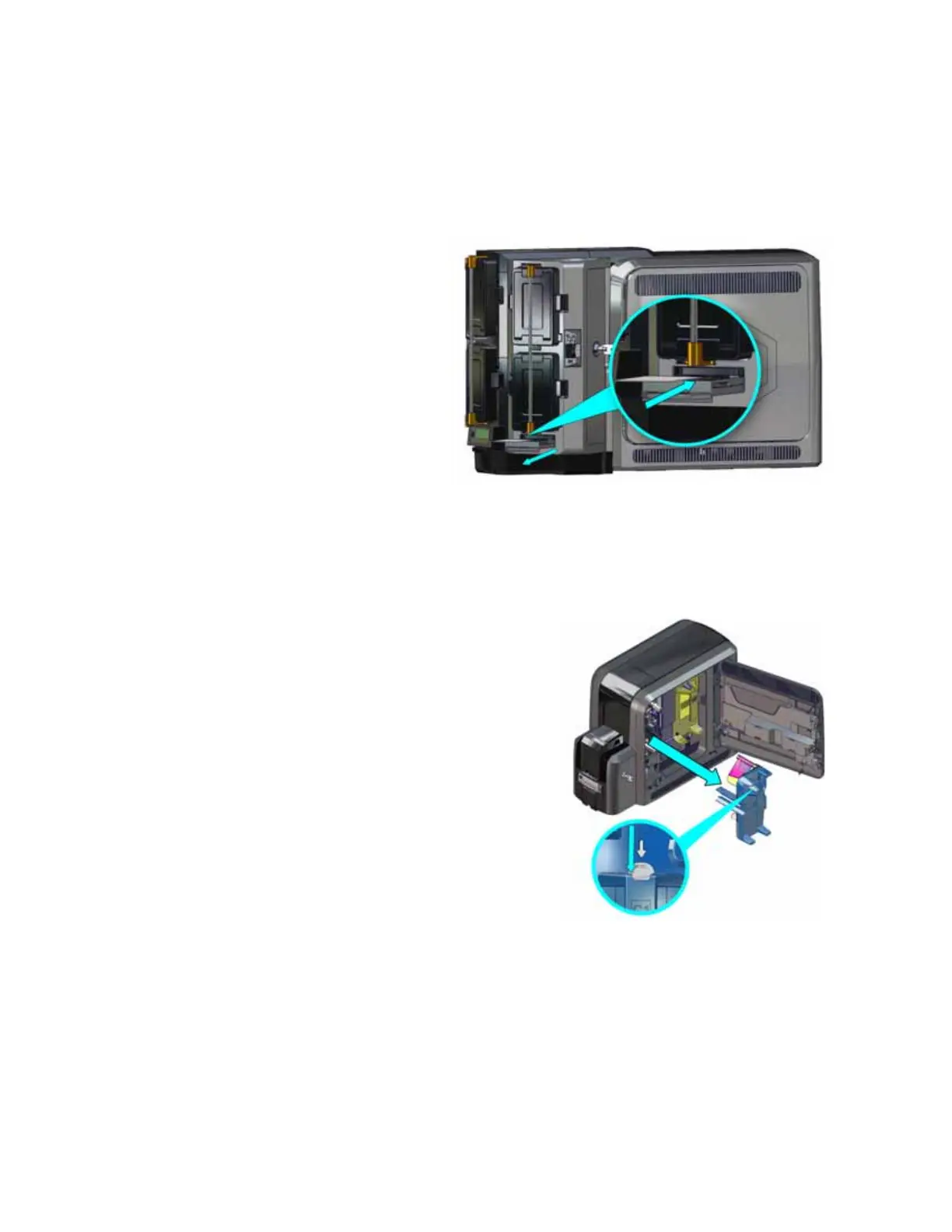
Use the Multi-Hopper Exception Slide
Use the exception slide to insert a single card into the printer without unlocking the multi-hopper
or opening a hopper cartridge.
1. Pull the exception slide out from
the multi-hopper.
2. Insert the card into the exception
slide tray.
3. Push the exception slide back into
the multi-hopper.
The card is pulled into the printer to
complete the job.
Replace the Ink Ribbon
Replace the ink ribbon when the ribbon runs out.
1. Unlock the access door lock and open the printer
access door.
2. Press the ink ribbon cartridge release button and
remove the blue ink ribbon cartridge (C1).
3. Place the cartridge on a flat surface with the
spindles facing up.



 To Next Page