CR825 and CE875 Instant Issuance System User’s Guide 19
Use the Front Panel
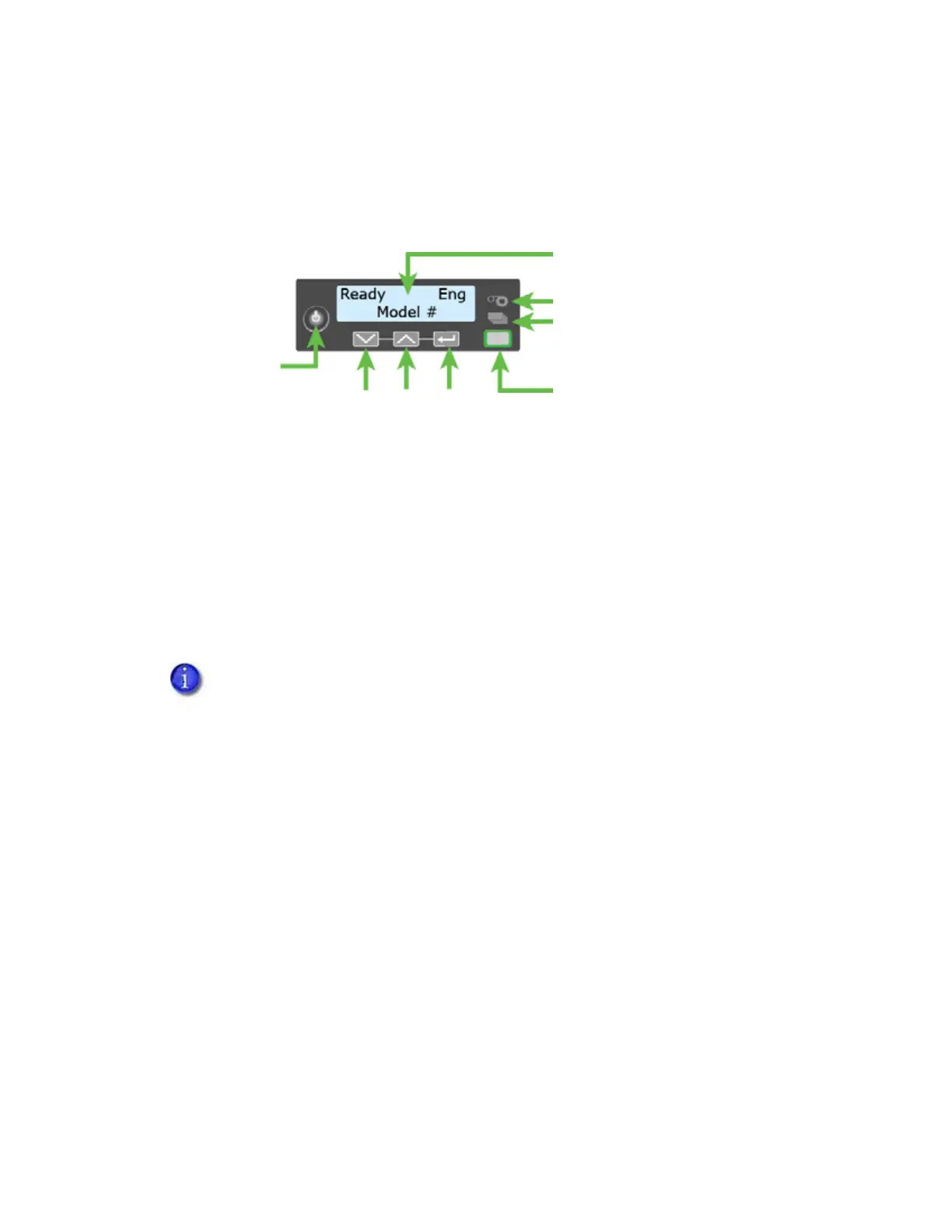
The front panel of the printer provides the controls you need to operate the system. The front
panel controls are described in detail in the following sections.
Power Button
Press the POWER button for 1 to 2 seconds to power on the printer. All lights show steady amber
while the printer powers on.
To power off the printer, press the P
OWER button for 1 to 2 seconds until the printer begins to shut
down.
To power off the system while processing cards, press the button for 2 or more seconds. Card jobs
in the printer do not complete and are sent to the reject tray.
Down Arrow, Up Arrow, and Enter Key
Use the arrow keys to move through the printer menu system, and the ENTER key to make a
selection.
Press the up or down arrow key while the LCD panel displays Ready to display additional
information about the printer on line 2, including the firmware version, printer model, serial
number, IP address, and supply part numbers. If the system includes an embosser, the embosser
firmware version and serial number also display. If you do not press a key for 30 seconds, the LCD
panel returns to the default Ready message.
We recommend that you do not unplug the printer power cord to power off the
printer.
Status Lights
Ribbon
Cards
User Light &
User Button
Up
Arrow
Enter
Down
Arrow
Power
Button
LCD Panel



 To Next Page