CR825 and CE875 Instant Issuance System User’s Guide 49
HINTS & TIPS
Use each cleaning card one time only.
Change the cleaning sleeve each time you clean the printer or change the ink ribbon.
Clean the Printhead
Clean the printhead in the following situations:
If there are unprinted lines on the finished card. This may indicate dirt or contaminants on
the printhead.
The printhead is touched accidentally. Oils from hands can affect print quality and damage
the printhead.
Do the following to clean the printhead:
1. Power off the printer.
2. Unlock the printer and open the printer access door.
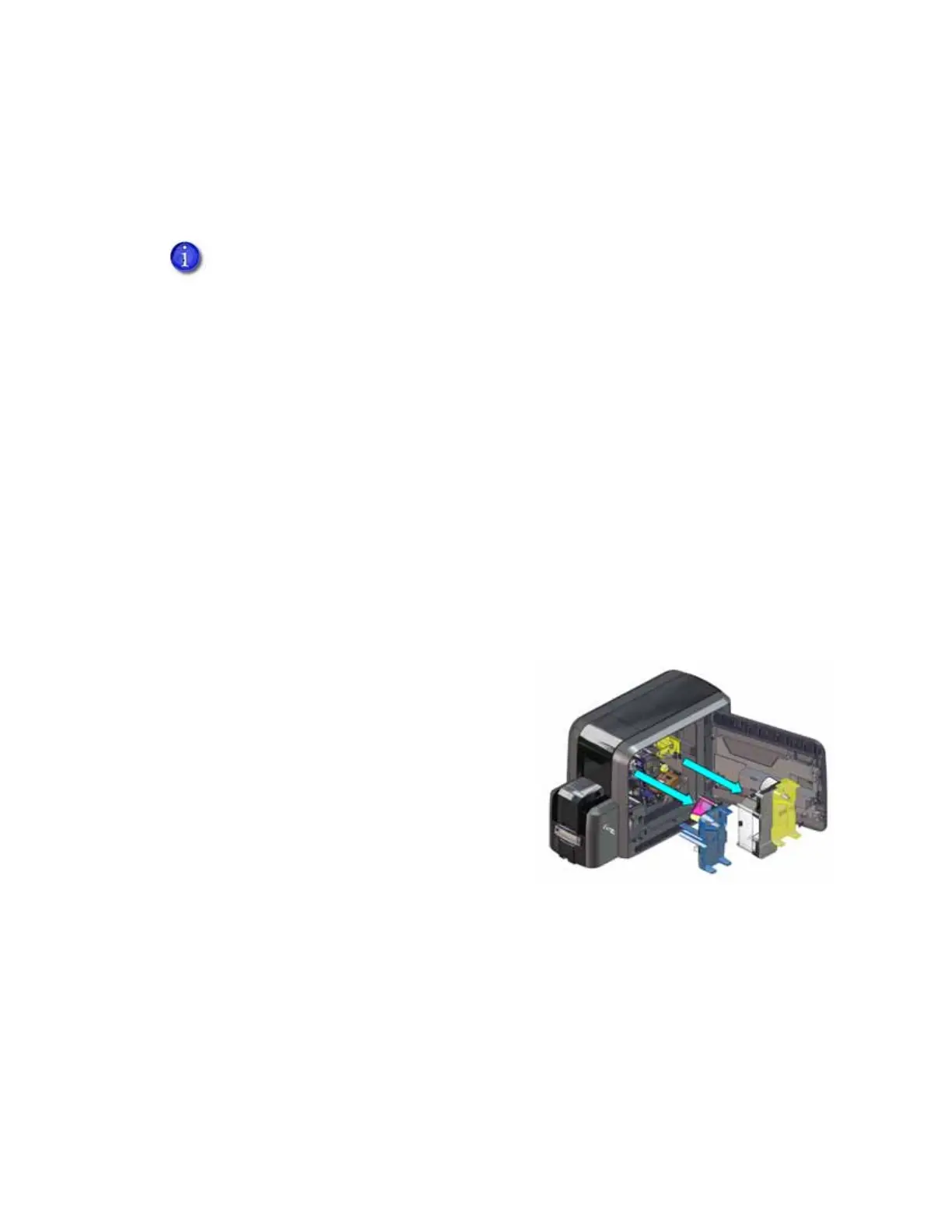
3. Remove the ink ribbon and retransfer film
cartridges.
4. Open and remove a cleaning swab from its
package.
If the card light is blinking amber and there are cards in the input hopper, the printer’s
configured cleaning count has been reached and it is time to clean the printer. The
cleaning count is set in Printer Manager. Refer to the printer’s Installation and
Administrator’s Guide for complete information about using Printer Manager.



 To Next Page