© EPRAD Incorporated
3. Display Screen
The display screen is a four line by twenty character liquid crystal display with LED backlighting . It
provides the user with information about the system and a means by which the operator can easily
manually control booth and auditorium equipment.
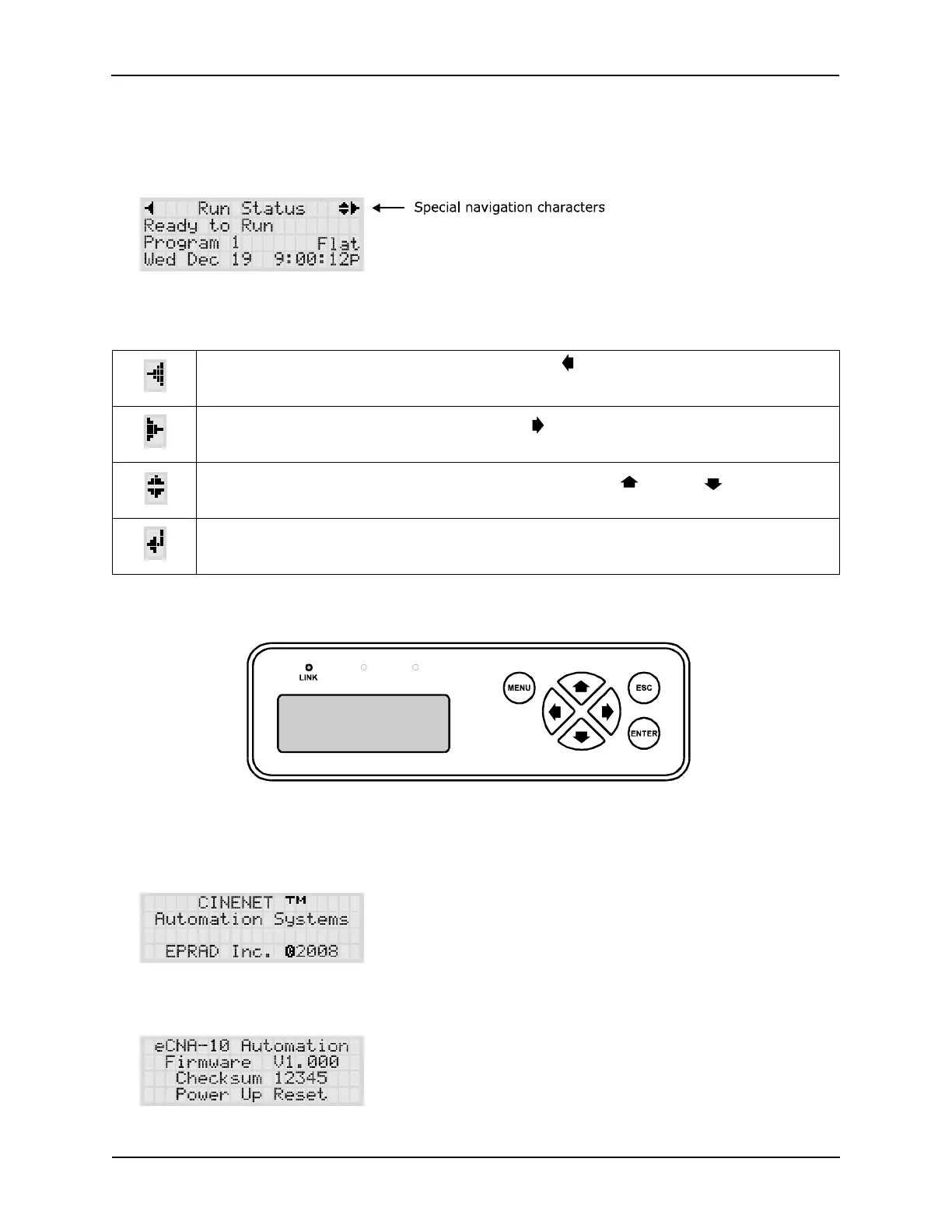
Special characters are displayed to aid in the navigation of the screens. The characters are described
below.
Scroll Left / Back: Indicates that pressing the left cursor key will take you to
another screen at the same or higher level.
Scroll Right: Indicates that pressing the right cursor key will take you to
another screen at the same level.
Scroll Up / Scroll Down: Indicates that pressing cursor up or down keys will
scroll items in a list.
Enter: Indicates that pressing the ENTER key will select or change a value.
For example to select a menu item or change an output.
Display Navigation Keys
3.1 Power up Screen
On a normal power up, the following screens will be displayed.
The last line on the second screen displays the type of reset. Only ‘Power Up Reset’ and ‘Remote
Reset’ should be observed here.
3
eCNA-10 Operation and Installation Manual Version 1.270-00



 To Next Page