© EPRAD Incorporated
3.2.2 Output Screen
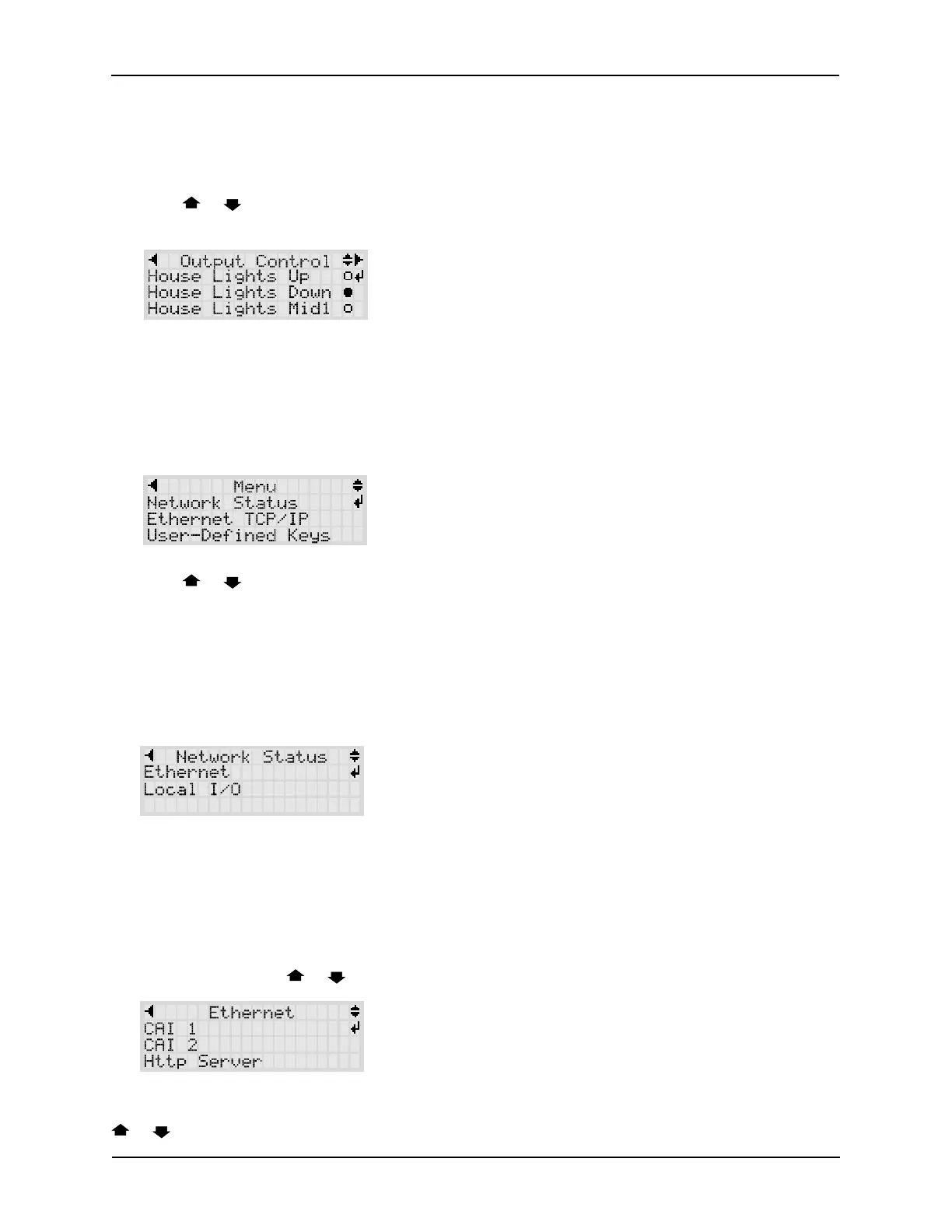
The Output screen is used to view the status of various booth and auditorium equipment that is
controlled by the eCNA-10. If the front panel ‘Manual Override’ option is enabled, the operator can
also manually control the outputs and functions from this screen.
Press the or keys to scroll the display and view the functions of interest. If manual override is
desired, scroll until the function you want to control is on line 2. Press the ENTER key.
3.3 Menu Screens
The menu screens provide configuration and status information about the system and other
peripheral equipment.
Press the MENU key on the control panel.
Press the or keys to scroll the menu items. Press ENTER to select a menu item.
3.3.1 Network Status
The Network Status screens display information about the eCNA-10's communications networks
and the equipment that is connected to it.
Press ENTER from the main menu screen to select Network Status.
Press ENTER to select Ethernet. The Ethernet menu consists of all TCP/IP port connections
supported by the eCNA-10. The eCNA-10 supports the following connections:
CineNet Host The Windows CineNet Driver and CineSuite Program.
CAI 1 Cinema Automation Interface 1 for digital cinema clients (SMS, Content Server, etc.).
CAI 2 Cinema Automation Interface 2 for digital cinema clients (SMS, Content Server, etc.).
Http Server Web client and browser interface.
Scroll to CAI 1 with the or keys.
Press ENTER to select CAI 1. This screen displays the CAI 1 TCP port number and a history of up to
5 connections since the last power up. The IP address of the device is displayed on line 4. Press the
or keys to scroll the connection history on line 4. The other Ethernet status screens are similar
5
eCNA-10 Operation and Installation Manual Version 1.270-00



 To Next Page